Access Query
Check Remaining Views and Open Records
Enter your passcode and modification code to retrieve current remaining clicks and detailed open logs.
Best Practice
Use Expiry with Extra Controls
- Set both expiration date and max view count for sensitive files.
- Use verification options when sharing outside your organization.
- Review open records before extending expiry windows.
- Revoke links immediately when distribution scope changes.
| Open Time | Device | IP Address | |
|---|---|---|---|
| Run a query to load records. | |||
How It Works
Set PDF Expiration in 3 Steps
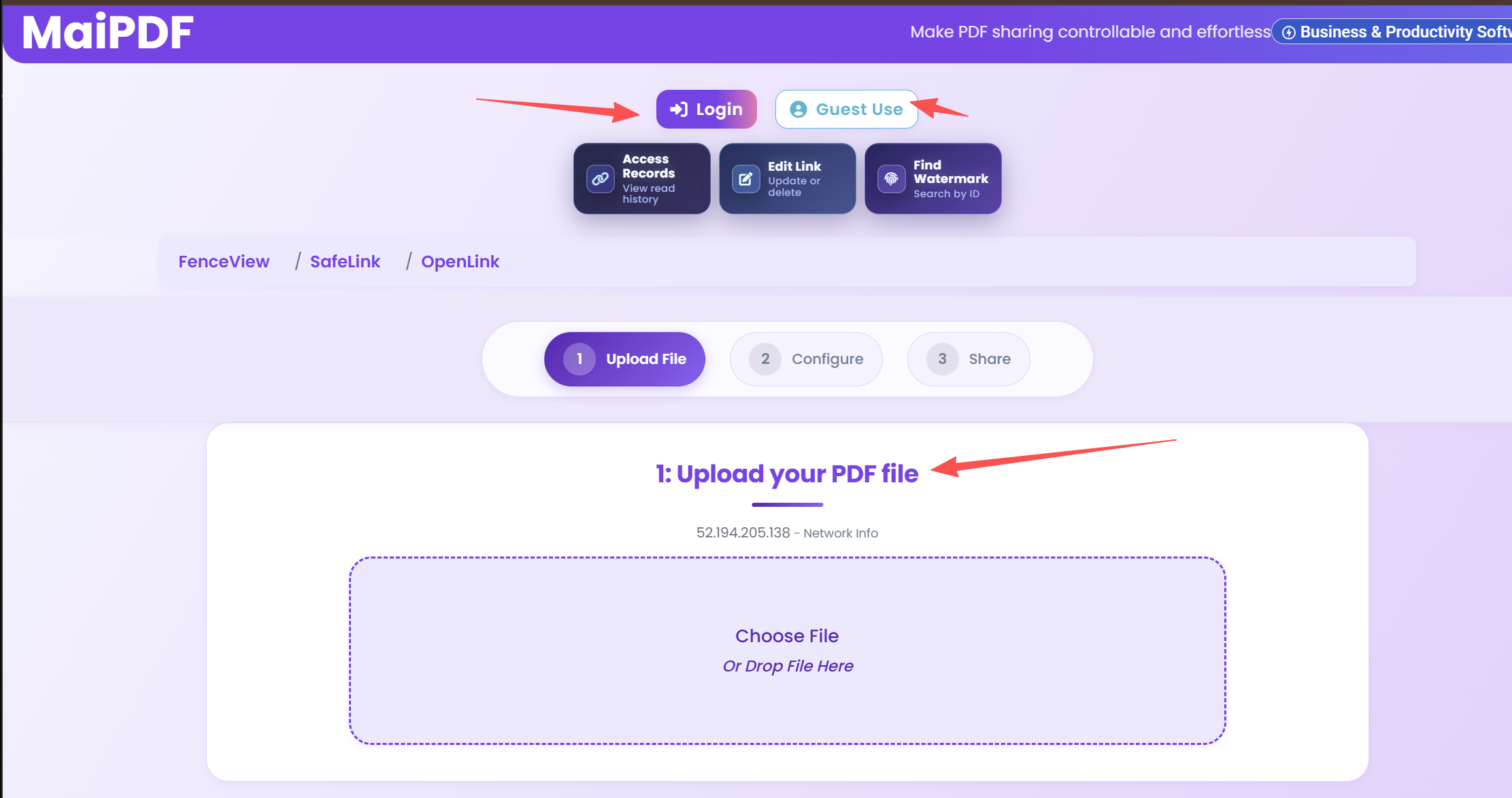
Upload PDF
Upload the PDF and open security settings.
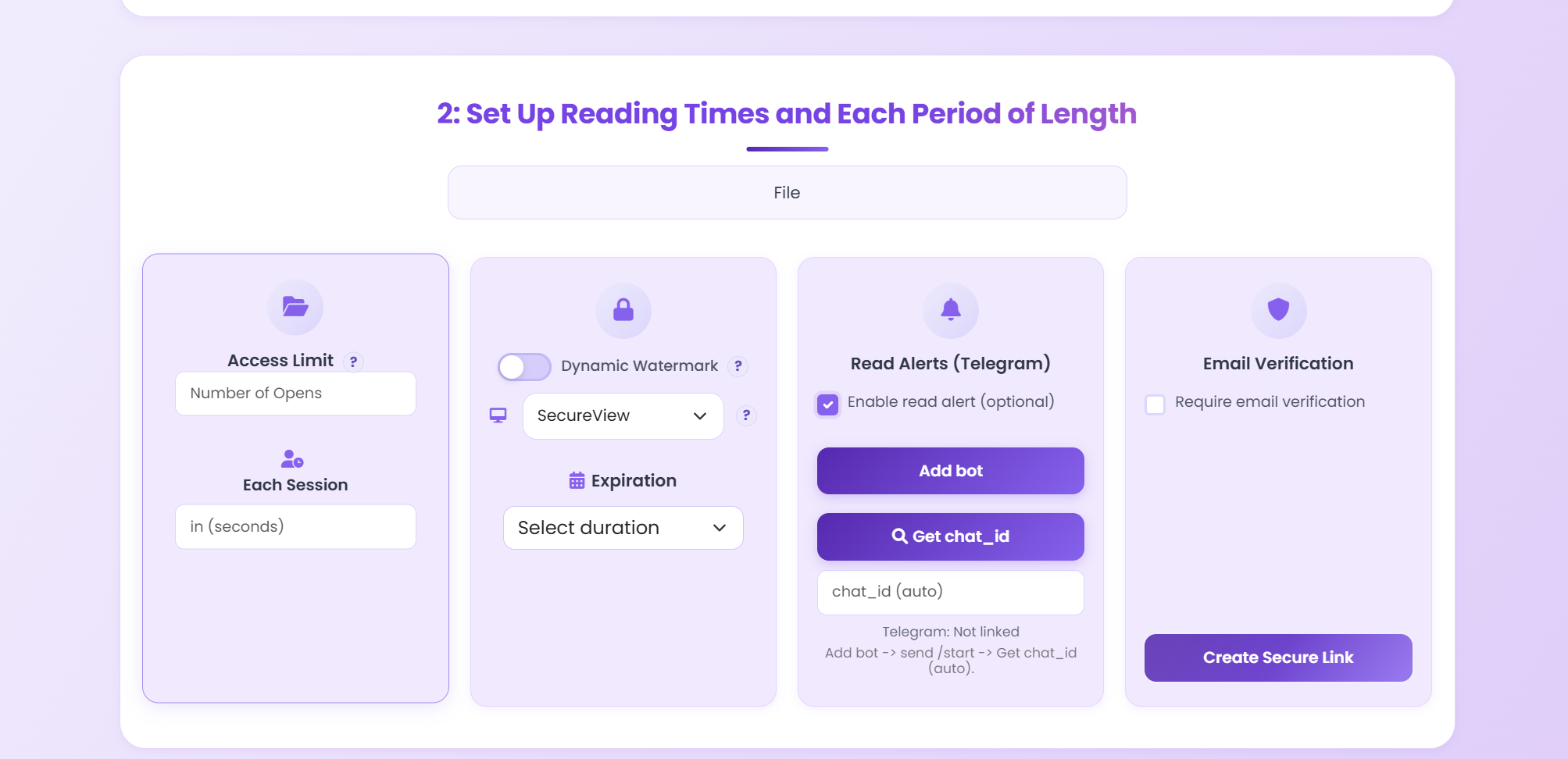
Set Expiration
Configure expiry date, view limit, and extra controls.
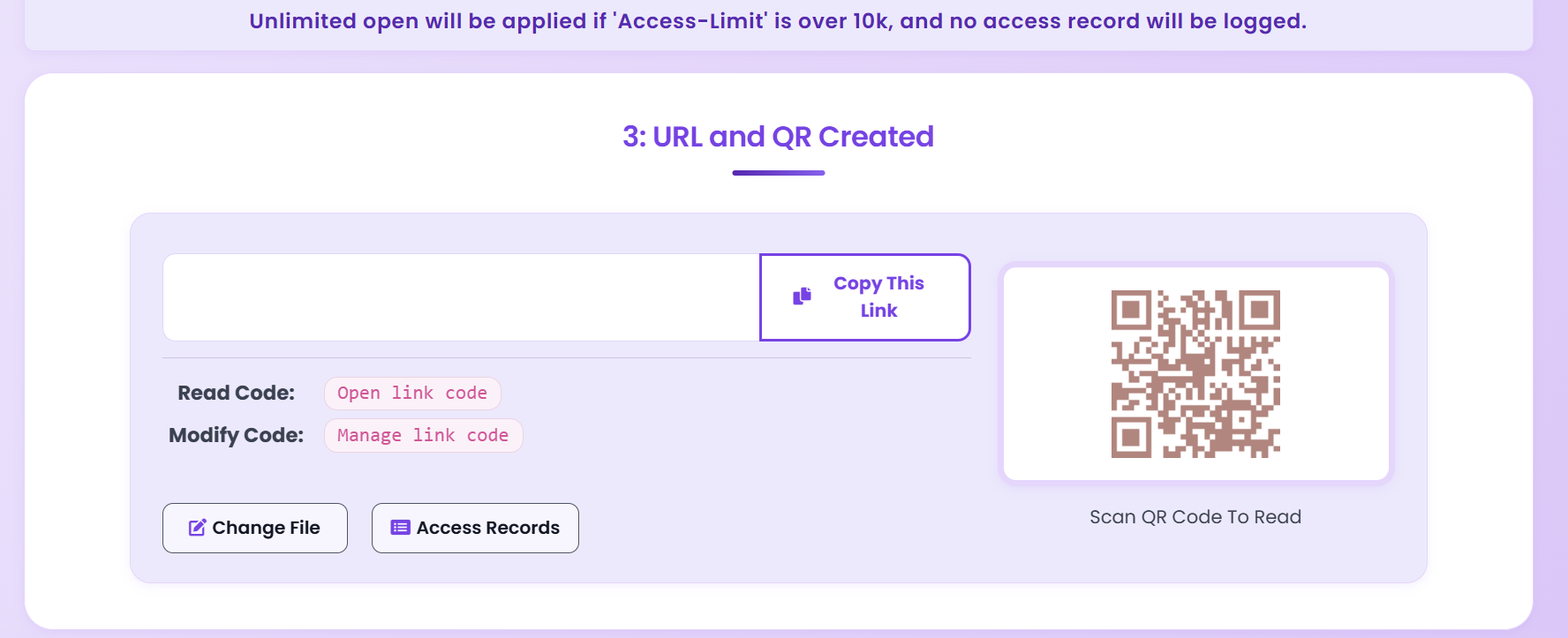
Share and Audit
Distribute link or QR code and monitor logs.
Updated MaiPDF protection path
Use Online Cloud Sharing for speed; use MaiPDF App DRM when screenshots, forwarding, or device access matter
SendPDFOnline pages now describe MaiPDF as a two-level product family: Online Cloud Sharing creates quick browser links and QR codes, while the MaiPDF App creates protected .maipdf packages for sensitive PDFs that need App DRM controls.
Upload a PDF, share a browser link or QR code, and keep read code / modify code management.
Package the PDF in the MaiPDF App with local encryption, license rules, expiry, open limits, and revoke control.
Use protected viewer, device binding, screenshot-aware controls, watermark trace, and license management where supported.
No web page can fully stop screenshots. MaiPDF App DRM is positioned as the stronger path: reduce casual copying, bind access to identity/devices, revoke licenses, and trace leaks with visible watermark information.
Need Stronger Control?
Combine expiry with password, watermark, and email verification for layered protection.
Open MaiPDF Dashboard