Why batch upload matters
Sending images one-by-one creates friction: long messages, messy recipients, and extra time spent switching tabs.
With MaiImg batch upload, you publish one gallery page. Readers open once, then browse everything in a single flow.
Cleaner sharing
One link replaces multiple files and keeps your set organized.
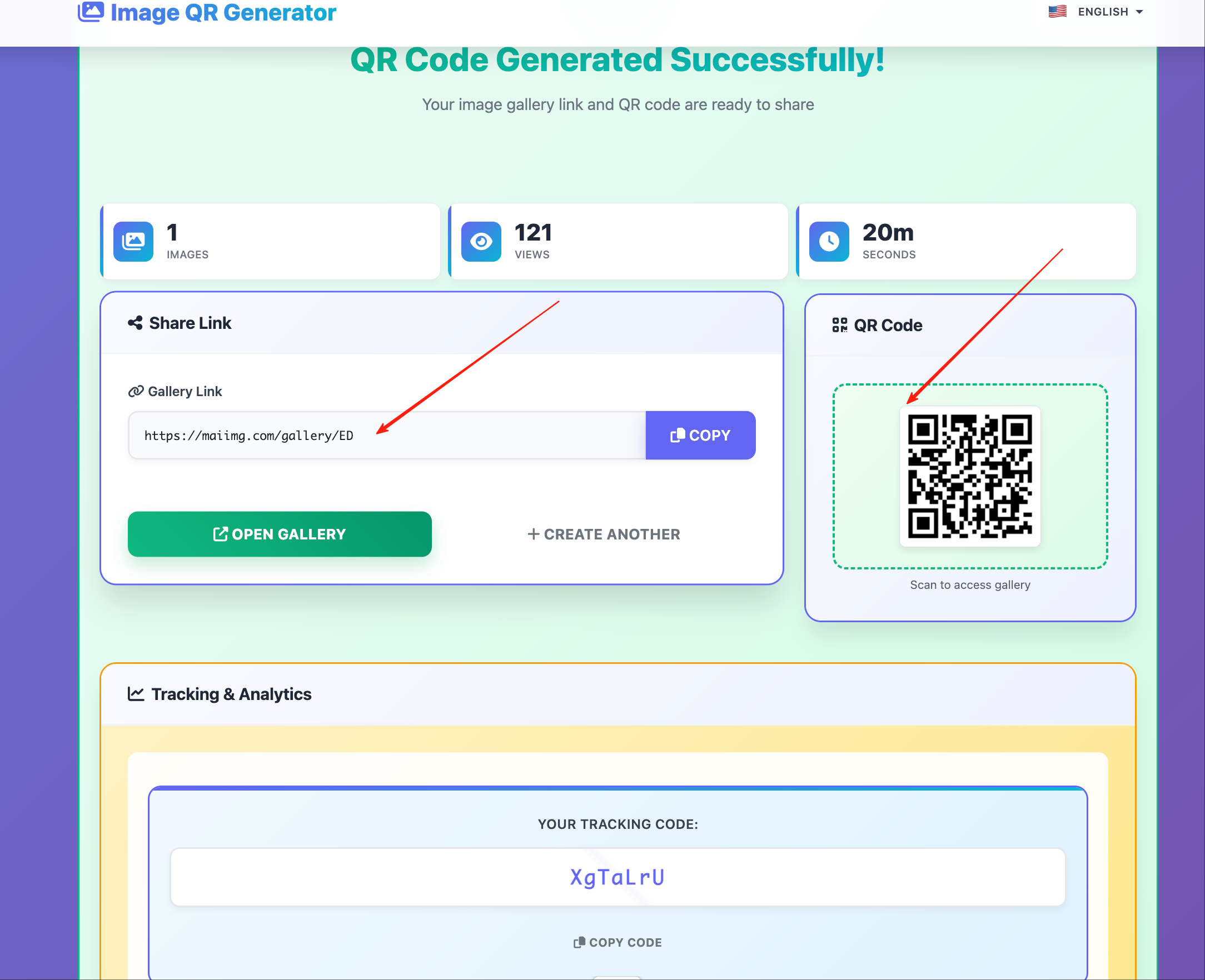
QR for offline
Print QR codes for meetings, booths, and presentations.
Visibility
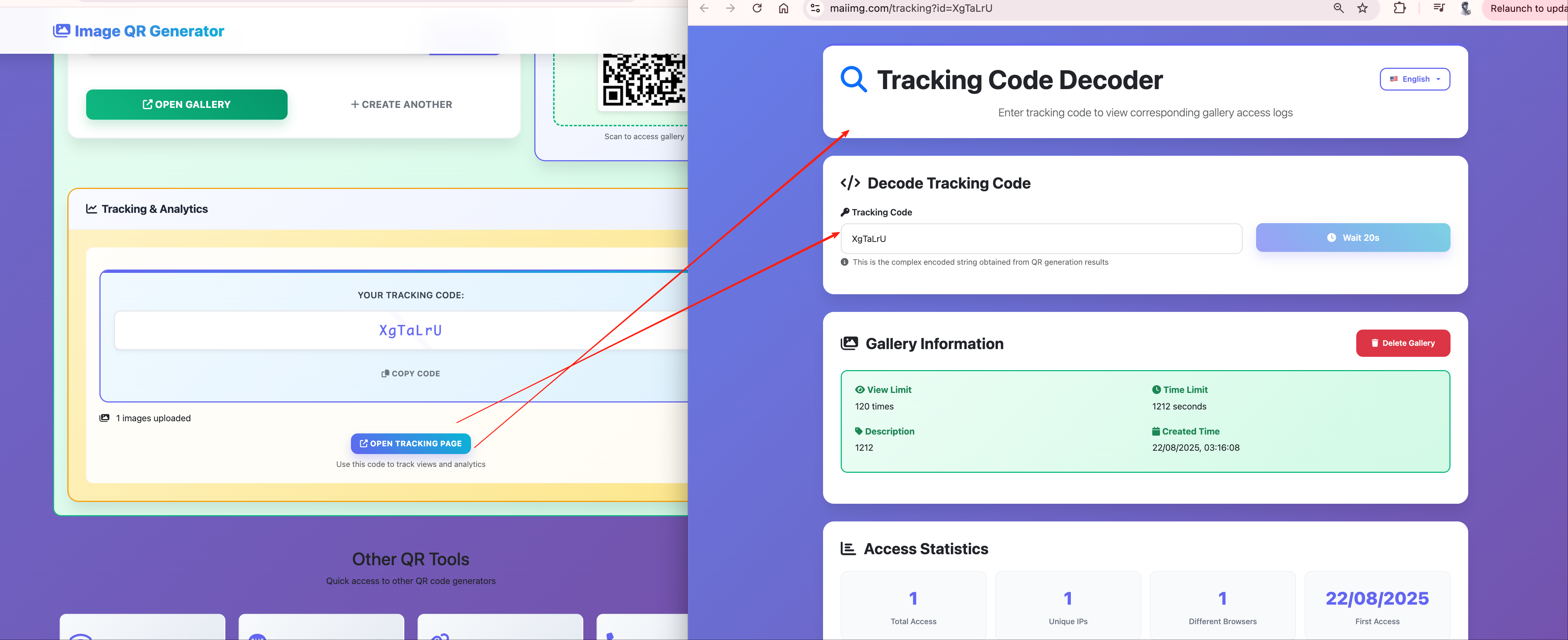
Track opens and engagement, then decide when to follow up.
Control
Revoke access instantly from the dashboard.
Step visuals
Upload
Result
Tracking
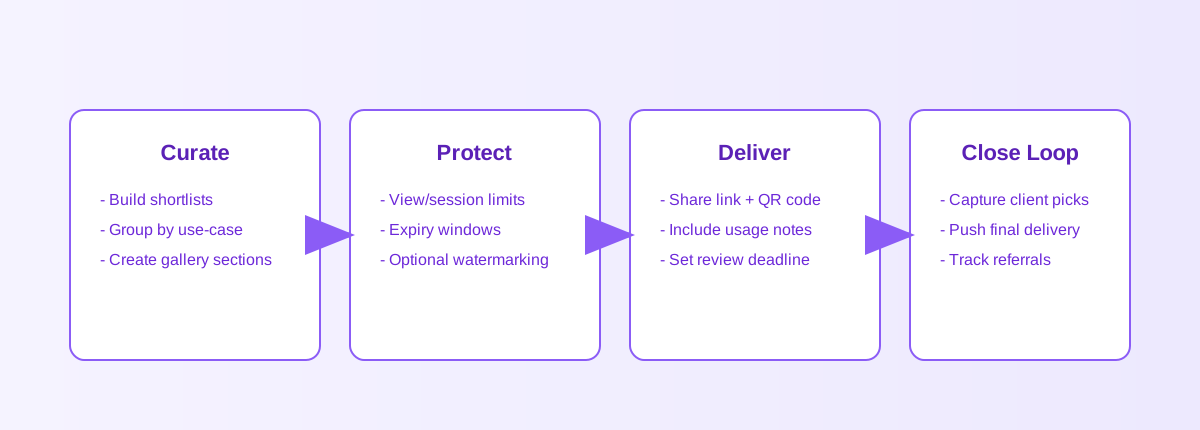
Delivery diagram
This diagram shows how hosting, linking, QR output, and dashboard tracking work together on MaiImg.
Real use cases
Designers
Send mockups and iterations as one set. Clients open once and browse the full sequence.
Marketing & events
Use QR codes on booths or flyers so attendees can access image galleries instantly.
E-commerce
Share product lines or seasonal lookbooks without long zip chains and mixed filenames.
Teams
Coordinate photo sets and references in one link, then revoke access when the project ends.
Pro tips
Arrange the order first
Readers trust the sequence. Use your preferred ordering before publishing.
Keep files web-friendly
Smaller images load faster. Optimize for clarity, not for maximum resolution.
Test the QR size
Print big enough for common phones. Do a quick scan test before the full print run.
Follow up using opens
Spikes often indicate strong interest. Send your next message after the first batch of opens.
FAQ
Related guides
Ship your next gallery by email
Create one link on maiimg.com and paste it into your message draft.
Try MaiImg