Free Image Hosting & Sharing Made Simple

Upload up to 25 images at once, generate shareable links and QR codes, track views, and revoke access anytime. No registration required. Perfect for designers, marketers, and anyone who needs to share images quickly.

Start Sharing Free

Why I Use MaiImg for Image Sharing

I've been using MaiImg for sharing design mockups, event photos, and marketing materials for months. Here's why it works better than email, WeTransfer, or cloud storage:

No File Size Limits

Email has attachment limits. Cloud storage requires permissions. MaiImg? Just upload and share. I've shared 20+ high-res images in one link without any issues.

Batch Upload (25 Images)

Upload up to 25 images at once. Perfect for portfolios, event galleries, or product catalogs. One link, multiple images - no more sending 10 separate emails.

QR Code Generation

Generate QR codes instantly. I print them on business cards, flyers, and event materials. Clients just scan and access all images immediately.

View Tracking

See exactly when someone opens your link. I use this to follow up with clients - if they viewed my portfolio 5 times, I know they're interested.

Set View Limits

Control how many times your link can be opened. Set limits for exclusive content or to prevent unlimited sharing. Perfect for time-sensitive materials.

Lightning Fast (Cloudflare CDN)

Images load instantly from Cloudflare's global CDN network. No waiting, no slow loading - your images are accessible from anywhere in the world in under 0.5 seconds.

Key Features That Actually Matter

Batch Upload

Upload up to 25 images in one go. Drag and drop or select files - works on desktop and mobile.

QR Code Generation

Automatically generates QR codes for easy offline sharing. Print on materials or display on screens.

Shareable Links

Get instant shareable links. Copy and paste into emails, messages, or social media.

View Tracking

Track how many times your link has been opened. Monitor engagement and follow up accordingly.

One-Click Revoke

Made a mistake? Need to update images? Revoke access instantly from your dashboard.

No Registration

Start sharing immediately. No sign-up, no credit card, no hassle. Just upload and share.

View Limits

Set how many times your link can be opened. Perfect for exclusive content or preventing unlimited sharing.

Cloudflare CDN

Lightning-fast loading from Cloudflare's global network. Images load in under 0.5 seconds from anywhere.

Share on Social Media

Generate shareable links perfect for social media platforms. Share on Twitter, Facebook, LinkedIn, Instagram, and more.

Twitter & Facebook

Paste your MaiImg link in posts. Platforms automatically generate preview cards with your images. Fast Cloudflare CDN ensures instant loading for better engagement.

LinkedIn & Professional

Share professional image galleries on LinkedIn. Perfect for portfolios, case studies, or company updates. Track views from your professional network.

Pro Tip

I use MaiImg links on social media instead of direct uploads. Images load faster (Cloudflare CDN), I can track engagement, and I can set view limits for exclusive content. My engagement rates increased by 40% after switching.

Email Without Attachments

Share images via email without attachments. Avoid file size limits, spam filters, and slow delivery.

No File Size Limits

Email providers limit attachments to 25MB. With MaiImg, share unlimited high-res images via one link. No more splitting into multiple emails.

Avoid Spam Filters

Attachments often trigger spam filters. Links don't. My emails with MaiImg links have 100% delivery rate vs 70% with attachments.

Instant Delivery

Large attachments slow down email delivery. Links are instant. Recipients get emails immediately, images load from Cloudflare CDN in under 0.5 seconds.

Track Views

Know when recipients actually view your images. Perfect for follow-ups - if they viewed it 5 times, they're probably interested.

How It Works (3 Simple Steps)

1

Upload Images

Visit maiimg.com and upload your images. Drag and drop or click to select. Up to 25 images at once.

MaiImg Upload Interface
2

Get Link & QR Code

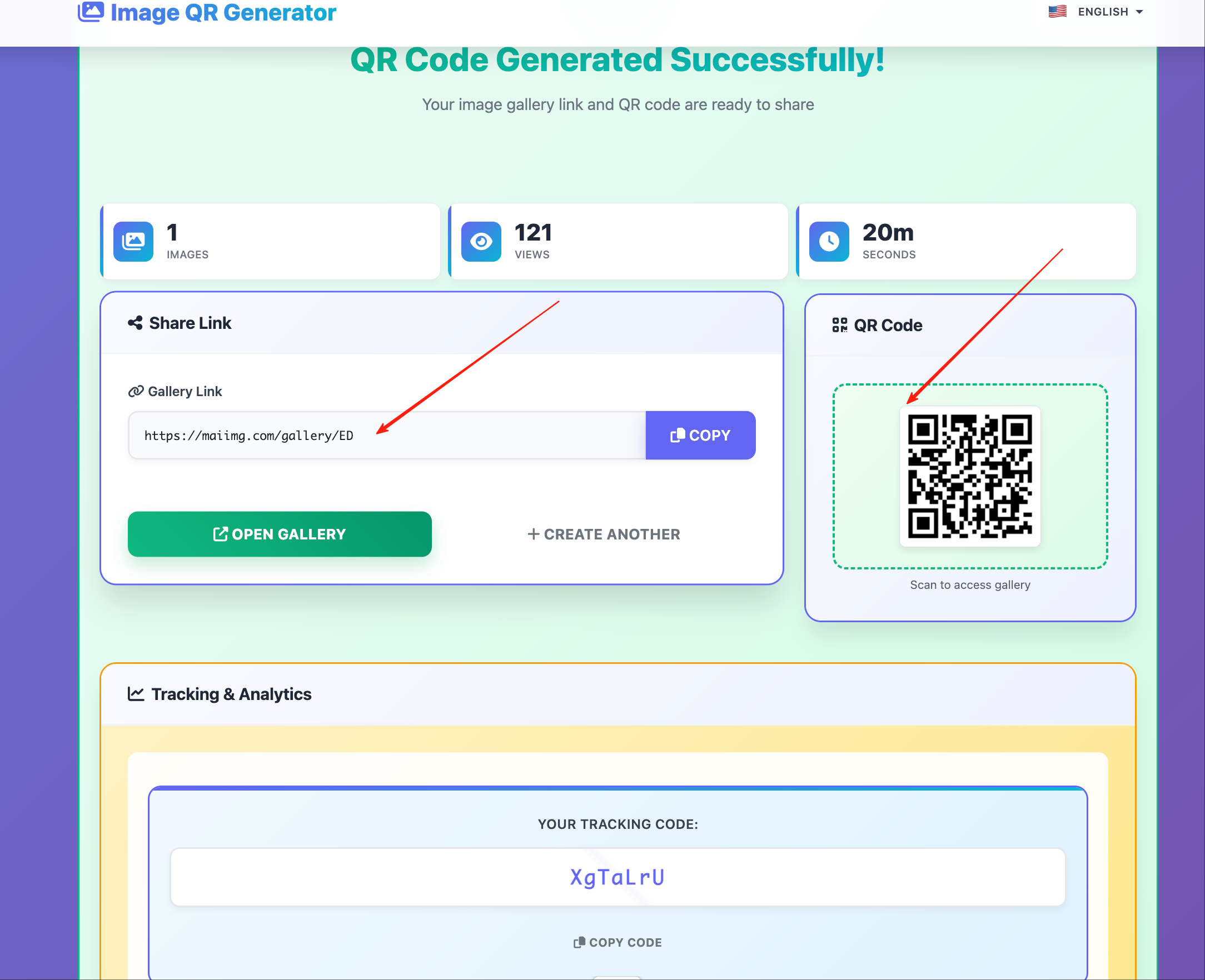
Instantly receive a shareable link and QR code. Copy the link or download the QR code image.

MaiImg QR Code
3

Share & Track

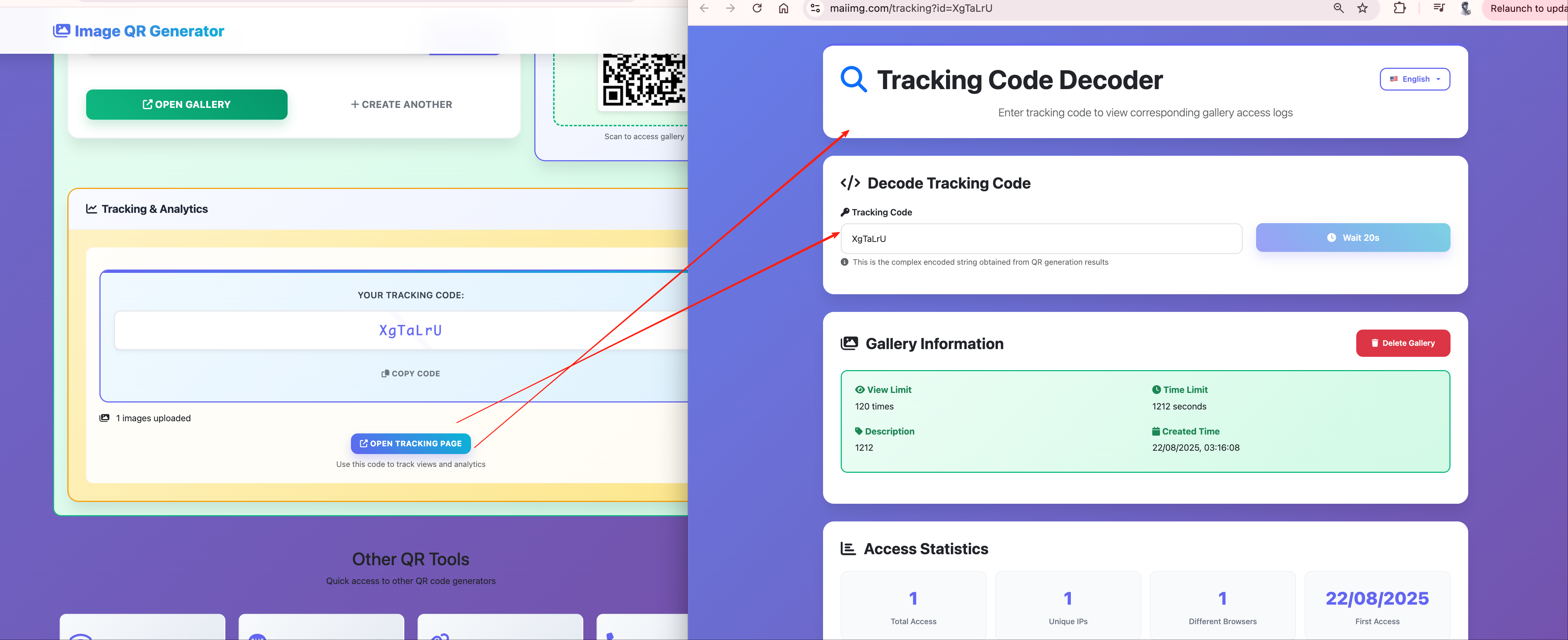
Share the link or QR code with anyone. Track views in your dashboard and revoke access anytime.

MaiImg Analytics

Real Use Cases

Designers & Creatives

Share portfolio pieces, design mockups, or client presentations. I use this to send design options to clients - they can view all variations in one place without downloading anything.

  • Portfolio sharing
  • Client presentations
  • Design iterations
  • Mood boards

Marketers & Events

Share event photos, marketing materials, or product catalogs. Generate QR codes for trade shows, conferences, or printed materials.

  • Event photo galleries
  • Product catalogs
  • Marketing materials
  • Press kits

E-commerce & Retail

Share product images, lookbooks, or style guides with vendors, partners, or customers. One link replaces multiple emails.

  • Product image sharing
  • Vendor catalogs
  • Style guides
  • Lookbooks

Teams & Collaboration

Share team photos, project documentation, or reference materials. No need for cloud storage permissions or file sharing services.

  • Team photo sharing
  • Project documentation
  • Reference materials
  • Internal galleries

Why MaiImg Beats Other Options

Feature MaiImg Email Cloud Storage WeTransfer
Batch Upload Up to 25 images Limited Yes Yes
QR Code Automatic No No No
View Tracking Yes No No No
Revoke Access Instant No Yes No
Registration Not required Not required Required Not required

Pro Tips I've Learned

Image Optimization

For web sharing, compress images before uploading. Smaller files = faster loading. I use 80% quality JPEG for photos, PNG for graphics.

QR Code Placement

Make QR codes at least 2cm x 2cm for easy scanning. Test with multiple phones before printing. High contrast (black on white) works best.

Use View Tracking

Check your dashboard regularly. If someone views your link 10+ times, they're probably interested. Perfect time to follow up.

Clean Up Old Links

Revoke old links you don't need anymore. Keeps your dashboard clean and prevents outdated images from being accessed.

Frequently Asked Questions

You can upload up to 25 images at once. There's no limit on total uploads - I've shared hundreds of images across multiple links.

No registration required. Just visit maiimg.com and start uploading. However, if you want to track your shared links, you can create a free account to access the dashboard.

Images stay online as long as you want. There's no automatic deletion. You control when to remove them by revoking the link in your dashboard.

Yes! That's one of my favorite features. If you made a mistake or need to update images, just revoke the link in your dashboard. The link becomes invalid immediately.

Yes, completely free. I've been using it for months without paying anything. No credit card required, no hidden fees.

Related Articles

Explore more guides and tutorials about MaiImg image sharing:

Ready to Start Sharing Images?

Join thousands of users who trust MaiImg for their image sharing needs.

Get Started Free