Share PDF Online Free — Secure Sharing with Control
Share a PDF as a browser link. If the real requirement is to stop screenshots, use MaiPDF App DRM so readers open a protected .maipdf file in the app.
Updated Dec 2025 No sign-up Free to use
Share a PDF as a browser link. If the real requirement is to stop screenshots, use MaiPDF App DRM so readers open a protected .maipdf file in the app.
Updated Dec 2025 No sign-up Free to use
Article
Choose protection level
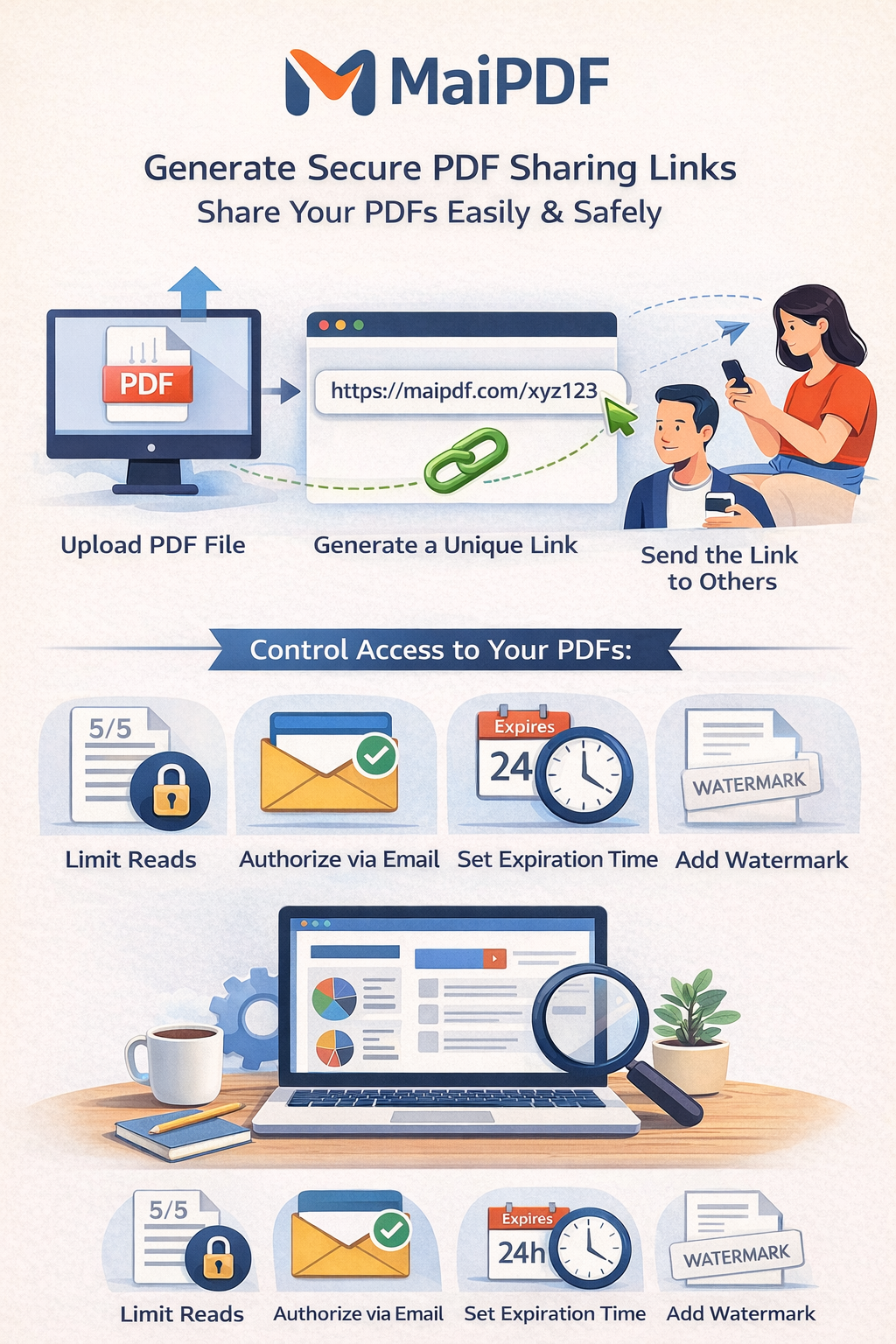
Use a browser link or QR code for proposals, portfolios, reports, and handouts. Add expiry, view limits, watermarks, and access records.
Use MaiPDF App when screenshots are the problem: protected .maipdf files open in the app with screenshot blocking where supported, plus device binding, revocation, and license checks.
MaiPDF is built for secure PDF sharing with control: encrypted links, view limits, expiration, watermarks, and who-opened analytics. Unlike generic cloud storage, you decide who sees your file and what they can do.
Drag your PDF in, get a secure link. No signup, no credit card. Ideal for proposals, contracts, and quick approvals.
256-bit AES, password, no-download option, and instant revoke. Suited to legal, financial, and confidential docs.
How It Works
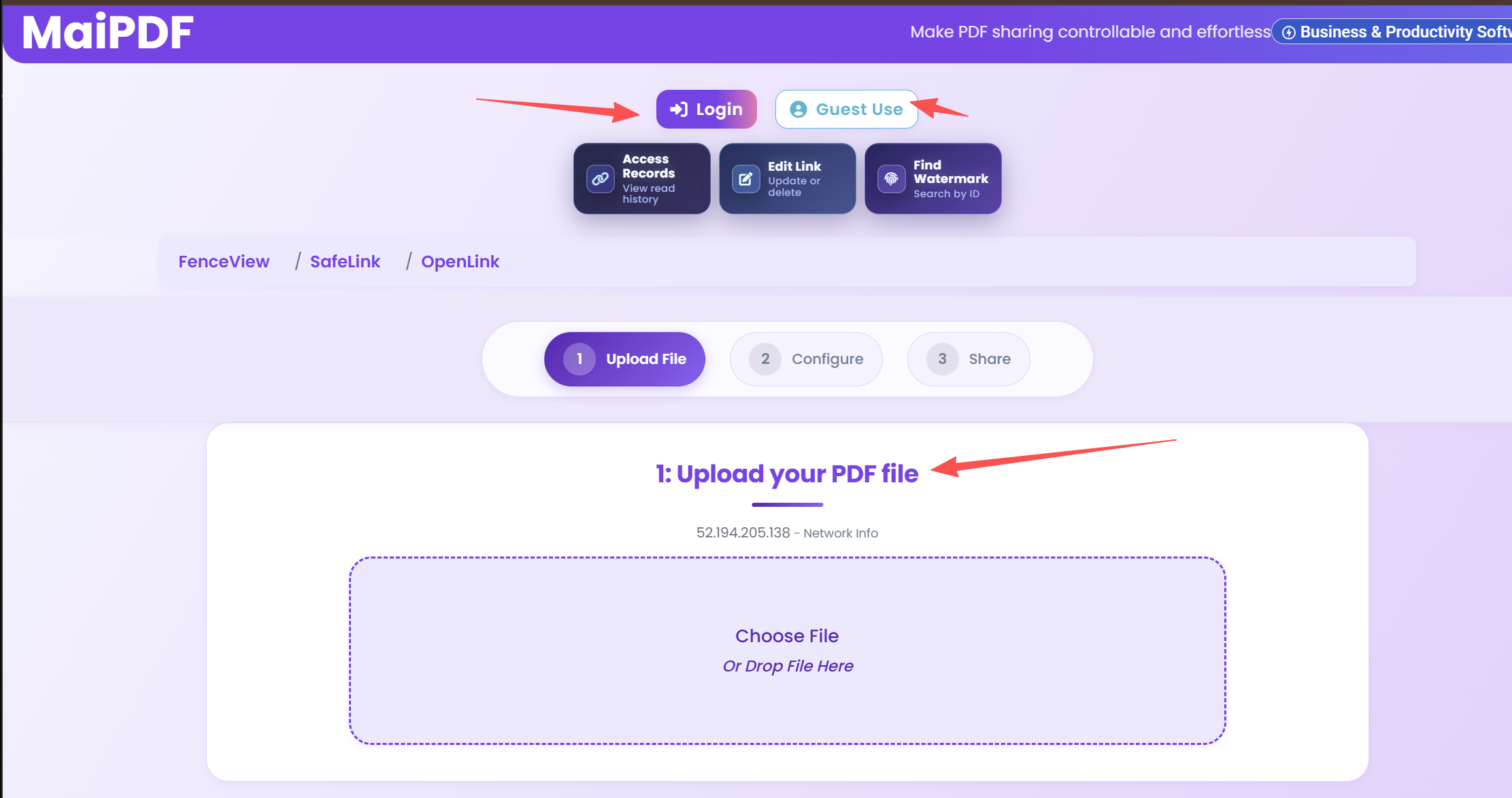
Visit sendpdfonline.com, drag your PDF (up to 5GB). No login. File is encrypted and stored securely.
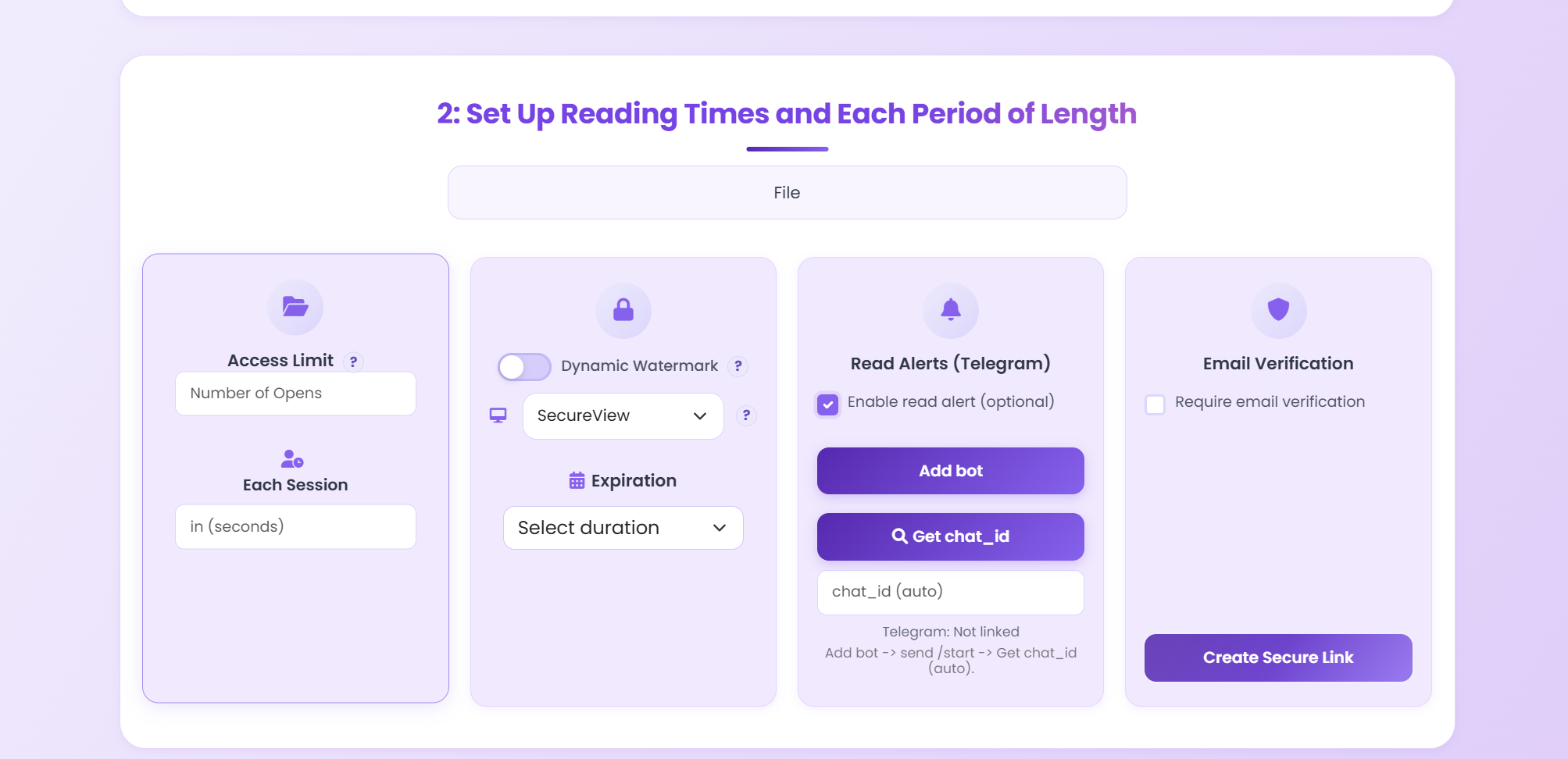
View limits, password, expiration, watermarks, disable download. Or skip for a quick open link.
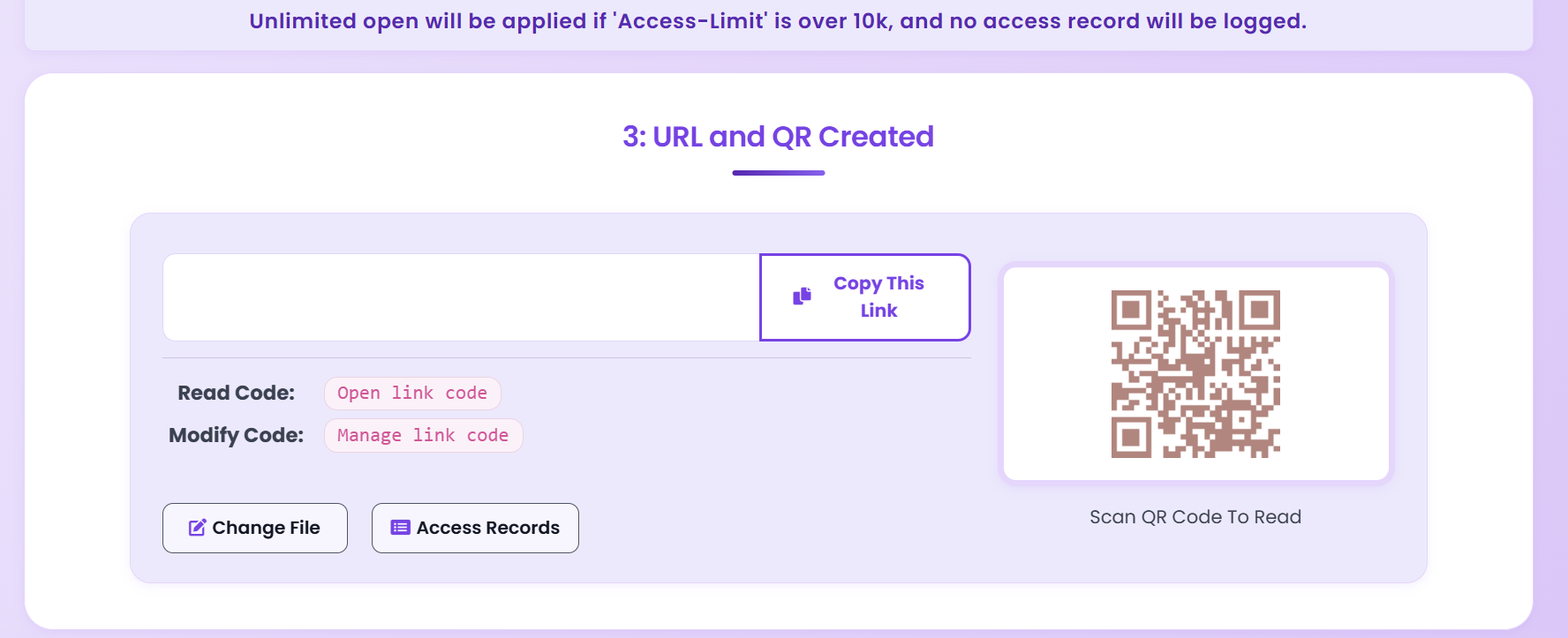
You get a unique link and optional QR code. Copy or download for print.
Send the link; recipients open it in the browser. You see who viewed and when. Need to update the file? Replace the PDF without changing the link.
Security
Real-time view log, location, device. Alerts if needed.
Block save and print. Add dynamic watermarks.
Password, email verification, view-count limit.
Link expiration by date or views. Revoke anytime.
Compare
| Feature | MaiPDF | Google Drive | Dropbox | Email Attachment |
|---|---|---|---|---|
| No Registration Required | Yes | No | No | Yes |
| Real-time View Access analytics | Yes | Limited | Limited | No |
| Dynamic Watermarks | Yes | No | No | No |
| View Limit Control | Yes | No | No | No |
| Expiration Dates | Yes | Limited | Paid only | No |
| Download Prevention | Yes | No | No | No |
| Geographic Access analytics | Yes | No | No | No |
| Free Forever | Yes | Limited storage | Limited storage | Size limits |
Need control, security, and analytics? MaiPDF is built for that. See vs DocSend and vs Smallpdf for details.
Why MaiPDF
No signup. Upload → link in seconds.
Encryption, DRM, watermarks, access control.
Core features free. No card required.
Use Cases
Expire in 5 days, 3 views, watermark = you see who leaked. Revoke if the deal dies.
Learn morePre-publication sharing with reviewers. Watermarks and view logs protect your work.
Learn moreConfidential case files and client docs. Access logs for compliance, DRM to prevent tampering.
Learn moreShow work without giving away files. Watermarks + no-download until you’re ready.
Learn moreExecution
Playbook
| Scenario | Recommended controls | Follow-up action |
|---|---|---|
| Sales proposal | Password + 7-day expiry + watermark | Review open timeline before pricing follow-up |
| Investor update | Verified viewer + no-download + revoke switch | Disable access after board cycle ends |
| Training materials | QR sharing + view limits + printable allowed | Track completion and refresh old versions |
FAQ
Upload at sendpdfonline.com — no signup. You get a link (and optional QR). Set password, view limit, or expiry if you want; or skip and share straight away. Core features are free.
Yes. 256-bit encryption, DRM, watermarks, and access control. You choose password, view limits, expiry, and whether to block download/print.
Yes. Real-time log: who, when, where, device. Optional alerts.
Yes. Set a date or “after X views.” You can also revoke the link anytime.
Yes. Turn on “no download” and “no print.” Add a dynamic watermark so you know who leaked if it spreads.
No. Core sharing (link, QR, password, limits, expiry, analytics) is free. No card required.
Up to several GB. Under 100MB is instant; larger files use progressive loading. No compression.
No. They click the link and view in the browser on any device. No app or signup.
Read More
Send PDFs with secure links in seconds.
Complete guide to sharing PDFs via secure links.
Update your shared PDF while keeping the same URL.
Share PDFs with QR codes for mobile and print.
Full comparison for document sharing.
Tool positioning and when to use each.
Explore MaiPDF security and sharing features.
Upload a PDF, set your security preferences, and share the link — it takes less than a minute.