PDF Link Sharing Guide
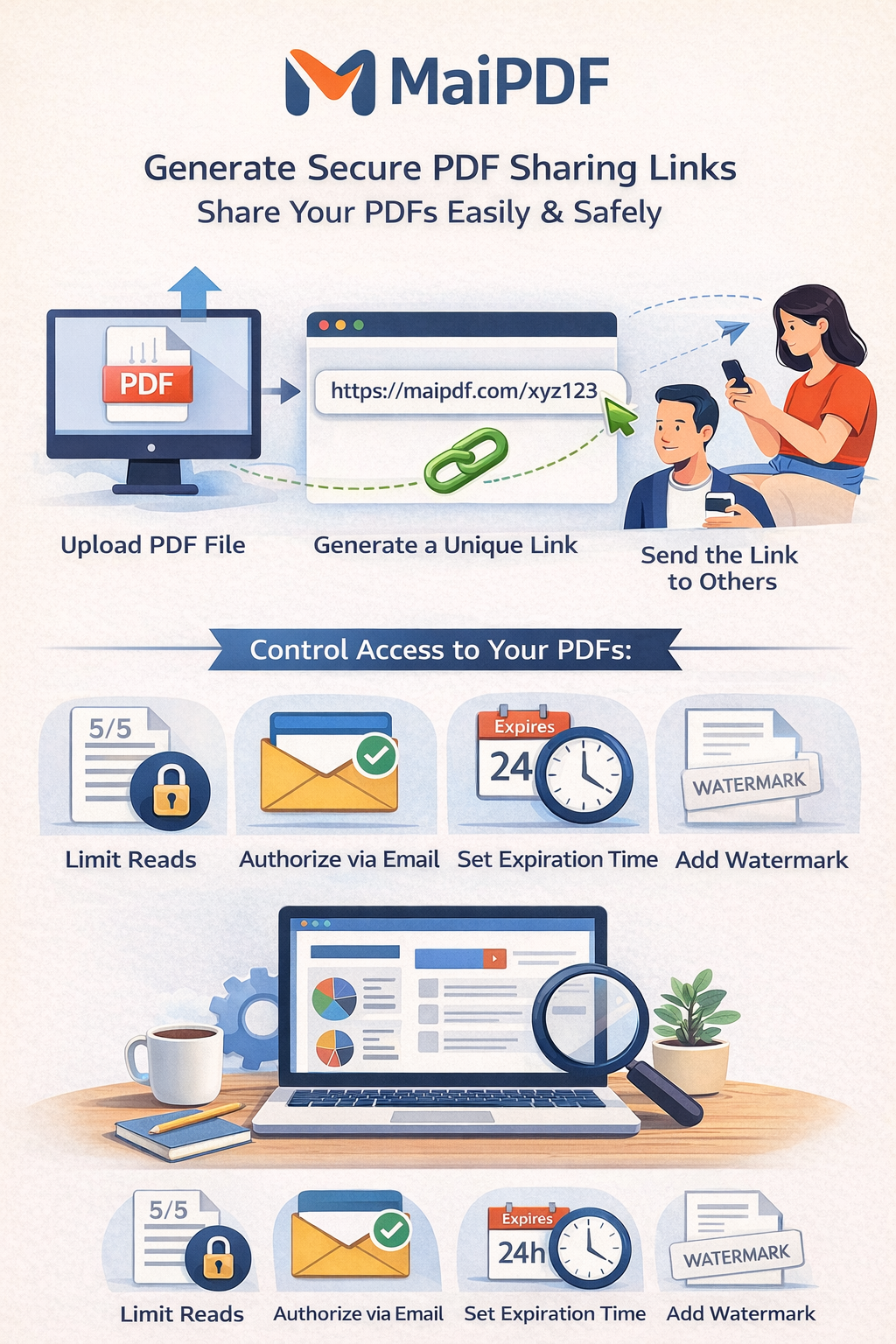
Create secure PDF links in minutes. Add passwords, expiration dates, view limits, and download controls — free, no sign-up required.
Create secure PDF links in minutes. Add passwords, expiration dates, view limits, and download controls — free, no sign-up required.
Article
PDF link sharing gives your file a unique URL. Anyone with that link can open the PDF directly in their browser — no extra software needed. You control whether recipients can download, print, or only view online, and you can set view limits, expiration dates, and track who opens the file.
How It Works
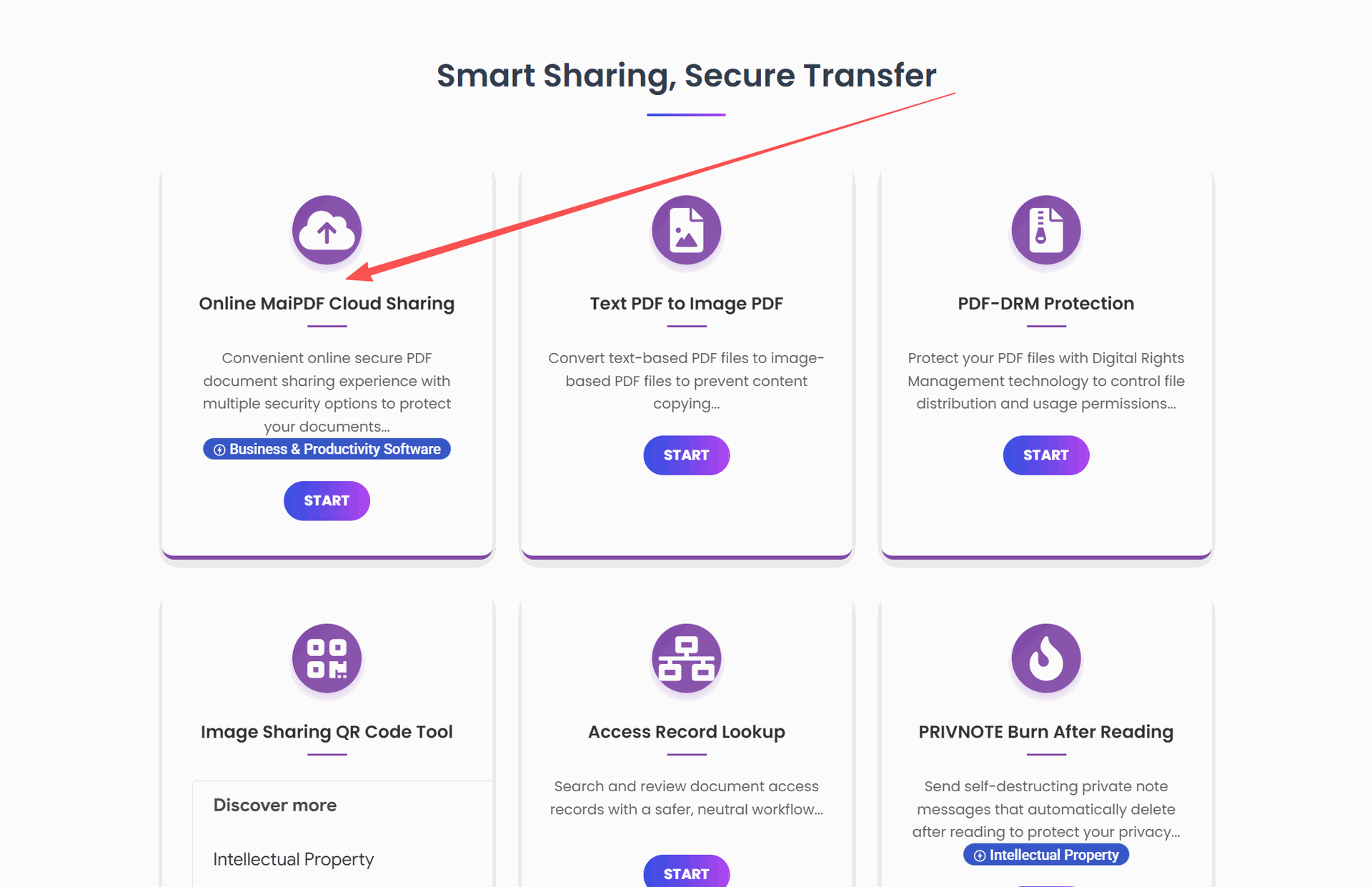
Go to MaiPDF and select or drag your PDF file. Up to 100 MB supported.
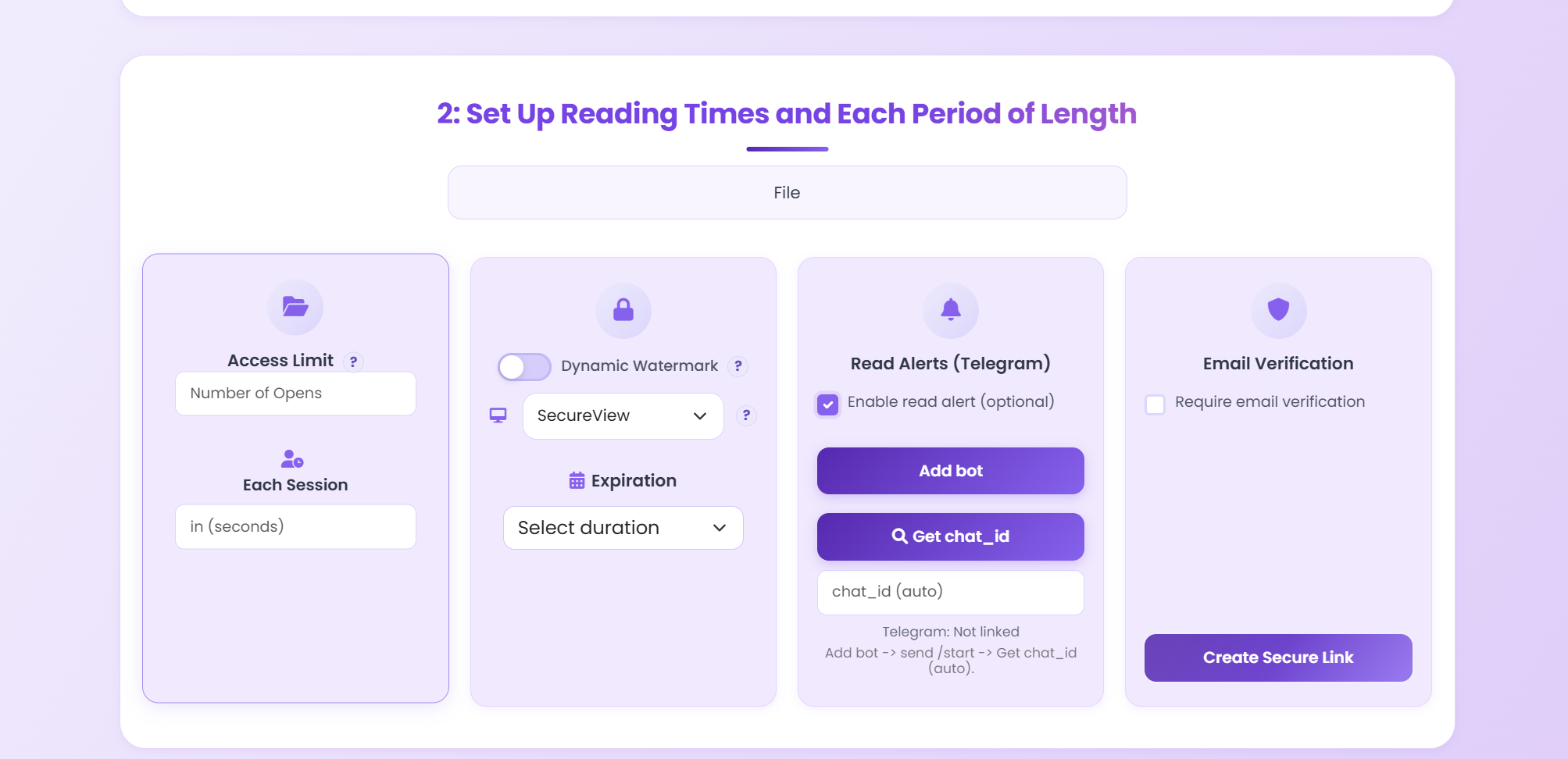
Set passwords, view limits, expiration dates, and download restrictions.
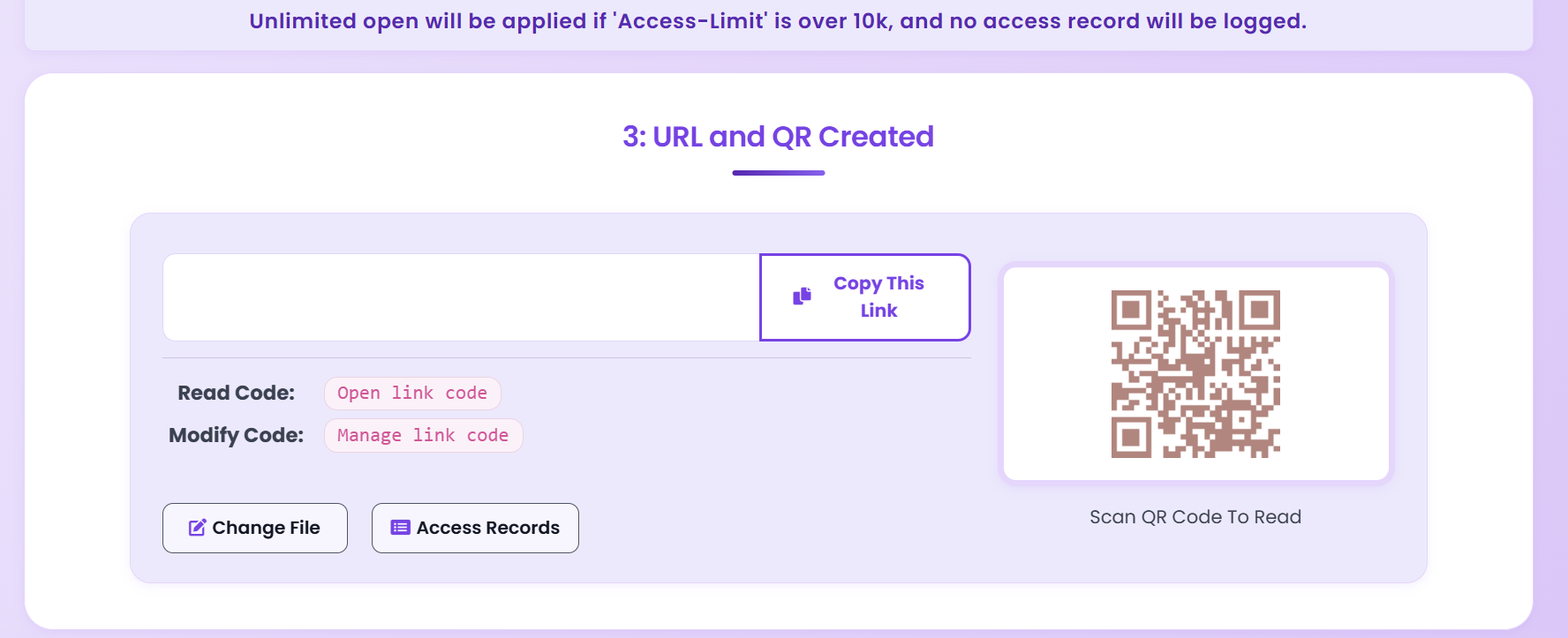
Copy your unique link or QR code. Send via email, chat, or social media.
Features
Recipients open PDFs instantly in the browser — no downloads needed.
Allow view-only access or permit downloads — you decide per link.
See who opened your document, when, and from where.
Set deadlines and view count caps so links stop working automatically.
Require a password so only approved viewers can access your file.
Clean reading experience on any phone or tablet.
Update the PDF behind the same link — no version confusion.
Disable or delete a link and no one can access the file anymore.
Checklist
Scenarios
| Use Case | Recommended Settings | Follow-up Action |
|---|---|---|
| Sales proposals | Password + 7-day expiry + watermark | Follow up based on open time |
| Investor updates | Email verification + no-download + revocable | Expire after board cycle ends |
| Training materials | QR code + view limits + allow print | Replace outdated versions via same link |
| Contract review | View-only + 48-hour expiry + access log | Confirm sign-off then disable link |
| Portfolio showcase | Public link + no expiry + analytics | Review engagement data weekly |
Comparison
| Feature | PDF Link Sharing | Email Attachments | Cloud Storage |
|---|---|---|---|
| File Size | Up to 100 MB | Usually 25 MB max | Large files OK |
| Mobile Viewing | Optimized viewer | Download required | App dependent |
| Access Control | Full control | None | Basic permissions |
| View Analytics | Detailed tracking | No tracking | Limited |
| Expiration | Customizable | None | Basic |
| Setup | No registration | Email account | Account needed |
FAQ
Yes. MaiPDF lets you create PDF sharing links for free with no registration required.
Links don't expire by default, but you can set custom dates like 7 days, 30 days, or any timeframe you prefer.
You decide. Set view-only access or allow downloads, and add passwords or email verification if needed.
Yes. You can review view counts, access times, and approximate locations while respecting user privacy.
Disable or delete the link anytime. Once disabled, the link won't open anymore.
Related
Complete guide to sharing PDFs securely.
Practical setup and security checklist.
Full access control and tracking.
Update files, keep the same URL.
Practical guide
Public brochures can use simple links; client proposals should use password or email verification; internal documents should use stricter controls.
Use expiration dates or view limits so old PDF links do not stay active forever after a campaign, meeting, or review cycle ends.
If the recipient may download, forward, or archive the file, use MaiPDF App DRM to create a .maipdf version with stronger post-send control.
Updated MaiPDF protection path
SendPDFOnline pages now describe MaiPDF as a two-level product family: Online Cloud Sharing creates quick browser links and QR codes, while the MaiPDF App creates protected .maipdf packages for sensitive PDFs that need App DRM controls.
Upload a PDF, share a browser link or QR code, and keep read code / modify code management.
Package the PDF in the MaiPDF App with local encryption, license rules, expiry, open limits, and revoke control.
Use protected viewer, device binding, screenshot-aware controls, watermark trace, and license management where supported.
No web page can fully stop screenshots. MaiPDF App DRM is positioned as the stronger path: reduce casual copying, bind access to identity/devices, revoke licenses, and trace leaks with visible watermark information.
Free. No sign-up required. Instant generation.
Create Sharing Link