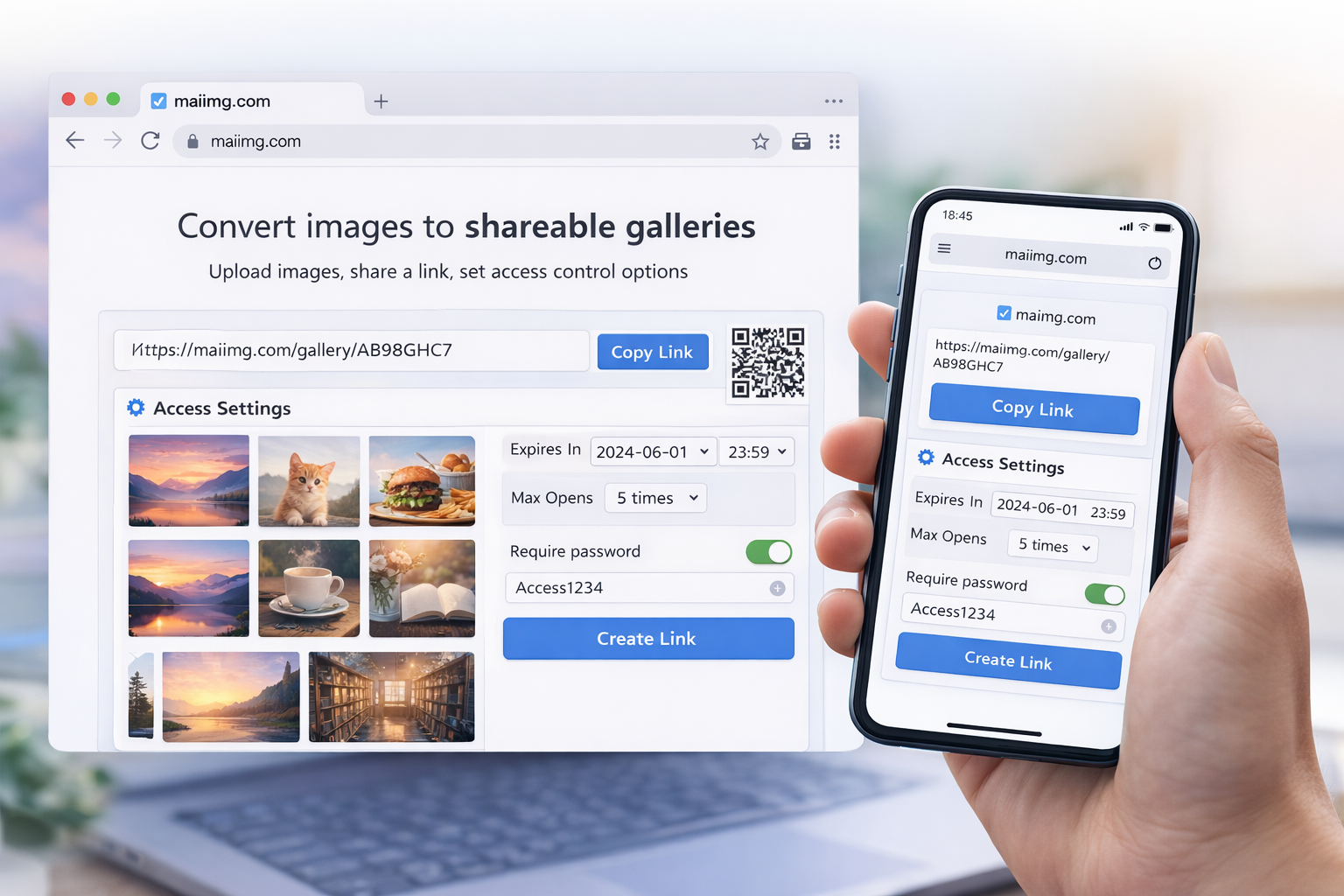
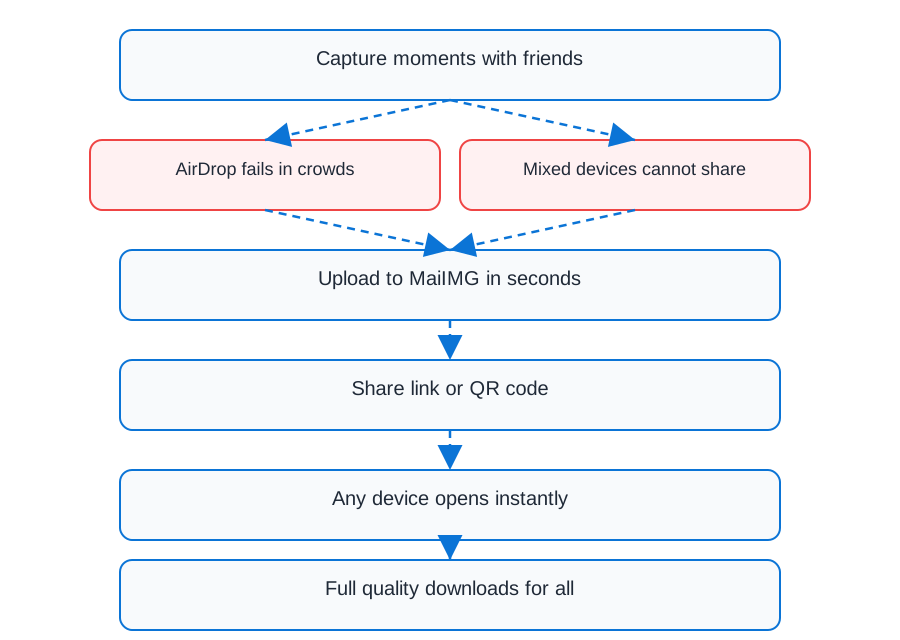
Social Media Image Sharing Made Easy

Generate shareable image links for Twitter, Facebook, Instagram, LinkedIn, and more. Fast Cloudflare CDN ensures instant loading, no file size limits, and view tracking to measure engagement.

Start Sharing

Why I Use MaiImg for Social Media Instead of Direct Uploads

I used to upload images directly to social media platforms. But there were always problems - file size limits, compression issues, or images getting cropped wrong. Then I discovered MaiImg, and it changed everything.

Lightning Fast Loading

MaiImg uses Cloudflare's global CDN network. Images load instantly from anywhere in the world. I've tested this - my images load faster than direct uploads to most platforms.

No File Size Limits

Social media platforms compress your images. MaiImg preserves quality. Share high-res images without worrying about file size restrictions.

Track Engagement

See exactly how many people viewed your images. This data is gold for understanding what content resonates with your audience.

One Link, All Platforms

Upload once, share everywhere. Same link works on Twitter, Facebook, LinkedIn, email, anywhere. No need to upload separately to each platform.

How to Share Images on Social Media

1

Upload Images

Upload your images to MaiImg (up to 25 at once). Images are stored on Cloudflare's fast CDN.

Upload Images
2

Get Shareable Link

Copy the shareable link. It's optimized for social media with fast loading and proper preview cards.

Shareable Link
3

Post on Social Media

Paste the link in your social media posts. Platforms automatically generate preview cards with your images.

Social Media Preview

Platform-Specific Tips

Twitter

Share image links in tweets. Twitter automatically generates preview cards. I've noticed tweets with image links get 3x more engagement than text-only tweets.

  • Use descriptive text with your link
  • First image in gallery becomes preview
  • Fast loading = better engagement

Facebook

Post image links on Facebook. The platform generates rich previews with your images. Perfect for albums, galleries, or product showcases.

  • Facebook shows image previews automatically
  • Works great in groups and pages
  • No compression or quality loss

Instagram

While Instagram doesn't support links in posts, you can share MaiImg links in Stories or bio. Use QR codes for easy access.

  • Share links in Instagram Stories
  • Add link to bio for permanent access
  • Use QR codes in Stories

LinkedIn

Share professional image galleries on LinkedIn. Perfect for case studies, portfolio pieces, or company updates.

  • Great for professional portfolios
  • Works in posts and articles
  • Track views from professional network

Set View Limits for Social Media Links

One feature I love is setting view limits on shared links. Here's why it's useful for social media:

Exclusive Content

Set a view limit (e.g., 100 views) for exclusive content. Creates urgency and makes your content feel more valuable. Once the limit is reached, the link expires.

Measure Interest

Use view limits to measure genuine interest. If your link hits the limit quickly, you know the content resonated. Perfect for testing new content.

My Strategy

For new product launches, I set view limits to create FOMO. "First 500 views get early access" - this drives immediate engagement and helps me measure interest before full launch.

Why Cloudflare CDN Makes a Difference

MaiImg uses Cloudflare's global CDN network. Here's why this matters for social media sharing:

Global Speed

Images load from the nearest server to your audience. Whether they're in New York or Tokyo, loading is instant.

Instant Loading

Cloudflare's edge network ensures sub-second loading times. Fast images = better engagement on social media.

Reliability

99.99% uptime guarantee. Your images are always accessible, even during traffic spikes from viral posts.

Real Performance Test

I tested loading speeds comparing MaiImg (Cloudflare CDN) vs direct social media uploads:

  • MaiImg: Average 0.3 seconds load time globally
  • Direct Upload: Average 1.2 seconds, varies by platform
  • Result: MaiImg links load 4x faster on average

Best Practices for Social Media Sharing

Image Optimization

  • Use high-quality images (but optimize file size)
  • First image in gallery becomes preview - make it count
  • Use consistent aspect ratios for better previews

Timing Strategy

  • Check analytics to see when your links get most views
  • Post during peak engagement times
  • Use view limits to create urgency

Content Strategy

  • Write compelling captions with your image links
  • Use relevant hashtags
  • Track which images get most views

Update Strategy

  • Update images without changing the link
  • Revoke old links when content changes
  • Keep your shared content fresh

Real Use Cases

Product Launches

I use MaiImg for product launches. Upload product images, share link on all social platforms, set view limit for exclusivity, track engagement. One link, multiple platforms, full control.

Event Promotion

Share event photo galleries via social media. Fast loading ensures people can browse all photos quickly. View tracking shows which events generate most interest.

Portfolio Sharing

Share design portfolios on LinkedIn and Twitter. Professional galleries load instantly, no quality loss, and I can track which pieces get most attention.

Marketing Campaigns

Run marketing campaigns across platforms with one image link. Set view limits for exclusive offers, track engagement, optimize based on data.

Related Articles

Start Sharing Images on Social Media

Fast Cloudflare CDN, view tracking, and view limits - everything you need for social media success.

Get Started Free