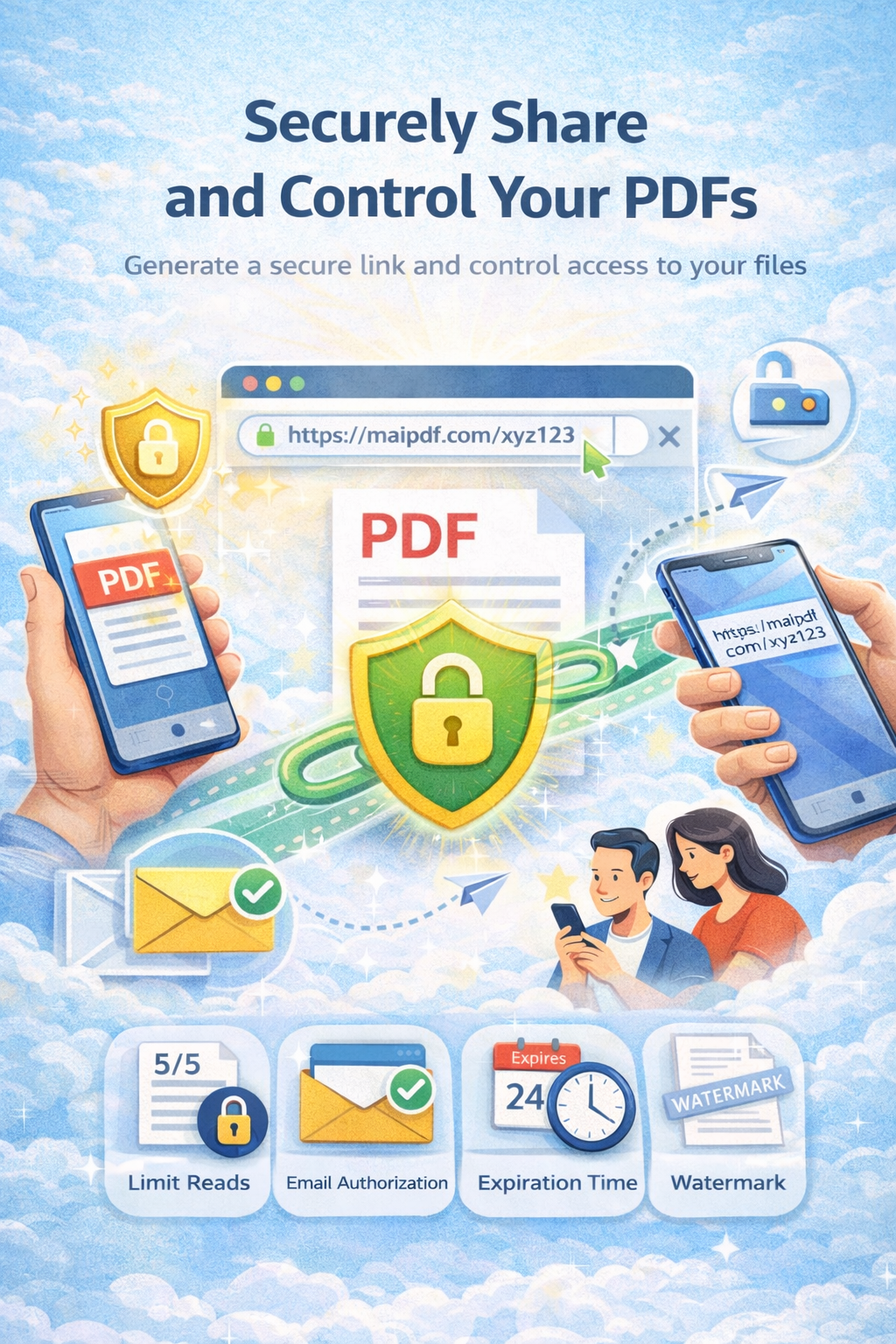
Learn how to control access to whitepapers and case studies with time-limited viewing, expiration dates, view limits, single-use QR codes, password protection, and advanced analytics. Create exclusivity, drive engagement, and protect your intellectual property while maximizing marketing ROI.
Get Started FreeWhitepapers and case studies are powerful tools for showcasing expertise, generating leads, and driving business engagement. However, unrestricted access can lead to unauthorized sharing, loss of control over intellectual property, and reduced perceived value. Time-limited access creates exclusivity, urgency, and better control over your valuable content.
increase in engagement with time-limited whitepapers
higher lead conversion rates with expiration dates
of marketers prefer time-limited content sharing
Organizations often face several critical challenges when sharing whitepapers and case studies:
Sensitive materials can be easily shared, forwarded, or distributed without your knowledge. Once a whitepaper link is shared, it can spread widely, diluting exclusivity and reducing perceived value.
Traditional sharing methods provide no visibility into who has accessed your whitepaper, when they viewed it, or how engaged they were. This makes it impossible to measure ROI or identify highly interested prospects.
Once shared, whitepapers remain accessible indefinitely. There's no way to revoke access after a promotional period ends, even if circumstances change or the content becomes outdated.
Without time limits or access controls, whitepapers lose their exclusivity and perceived value. Prospects may delay reading indefinitely, reducing engagement and conversion rates.
MaiPDF provides comprehensive time-limited access features designed specifically for whitepapers and case studies:
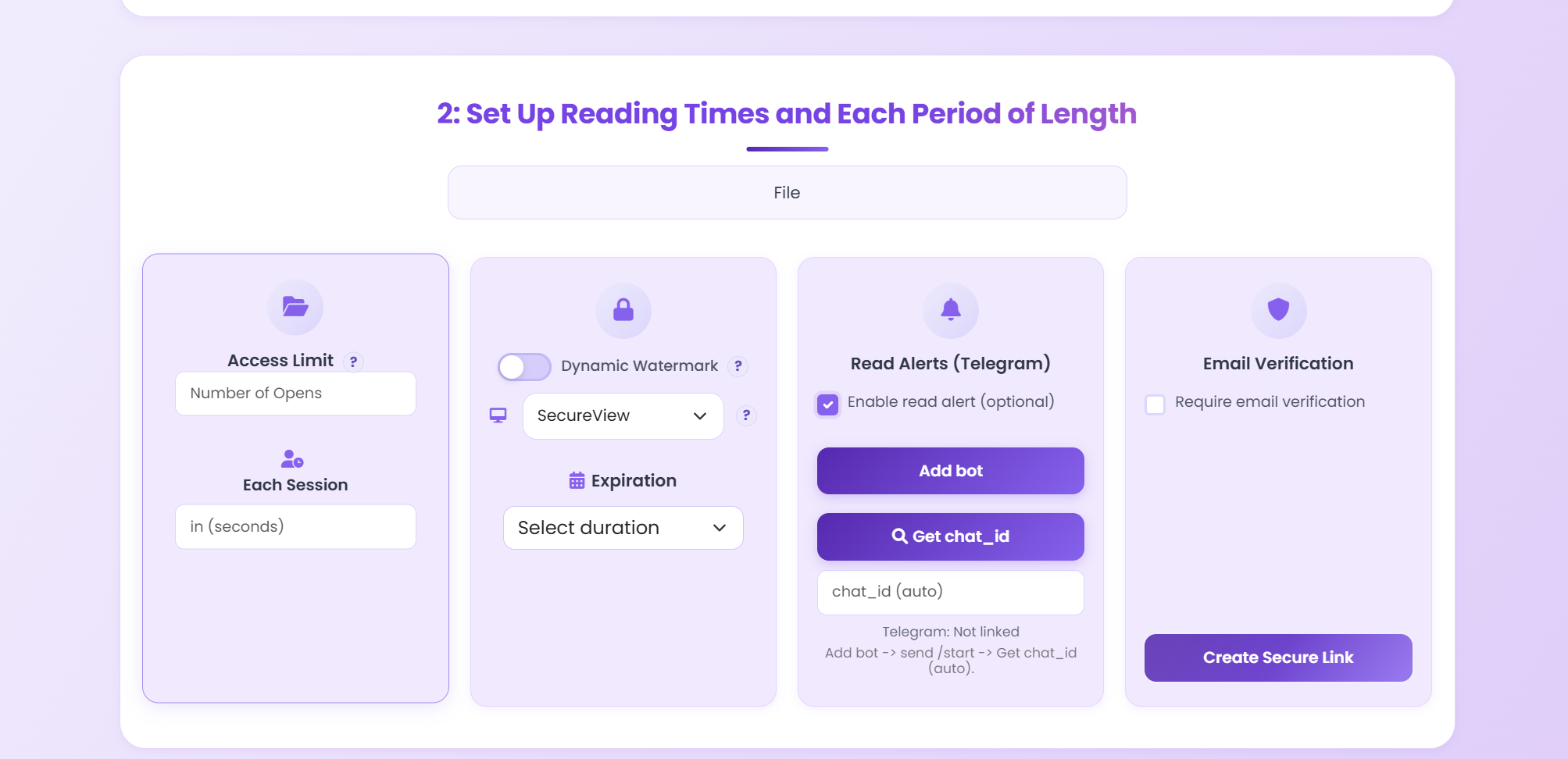
Set automatic expiration dates for whitepaper access. Links automatically become invalid after a specified time (e.g., 7, 14, 30 days), creating urgency and ensuring content doesn't remain accessible indefinitely. Perfect for promotional campaigns and time-sensitive content.
Control how many times recipients can view your whitepaper. Set maximum view counts (e.g., 1-5 views) to limit access while still allowing multiple reading sessions. This maintains exclusivity and encourages faster engagement.
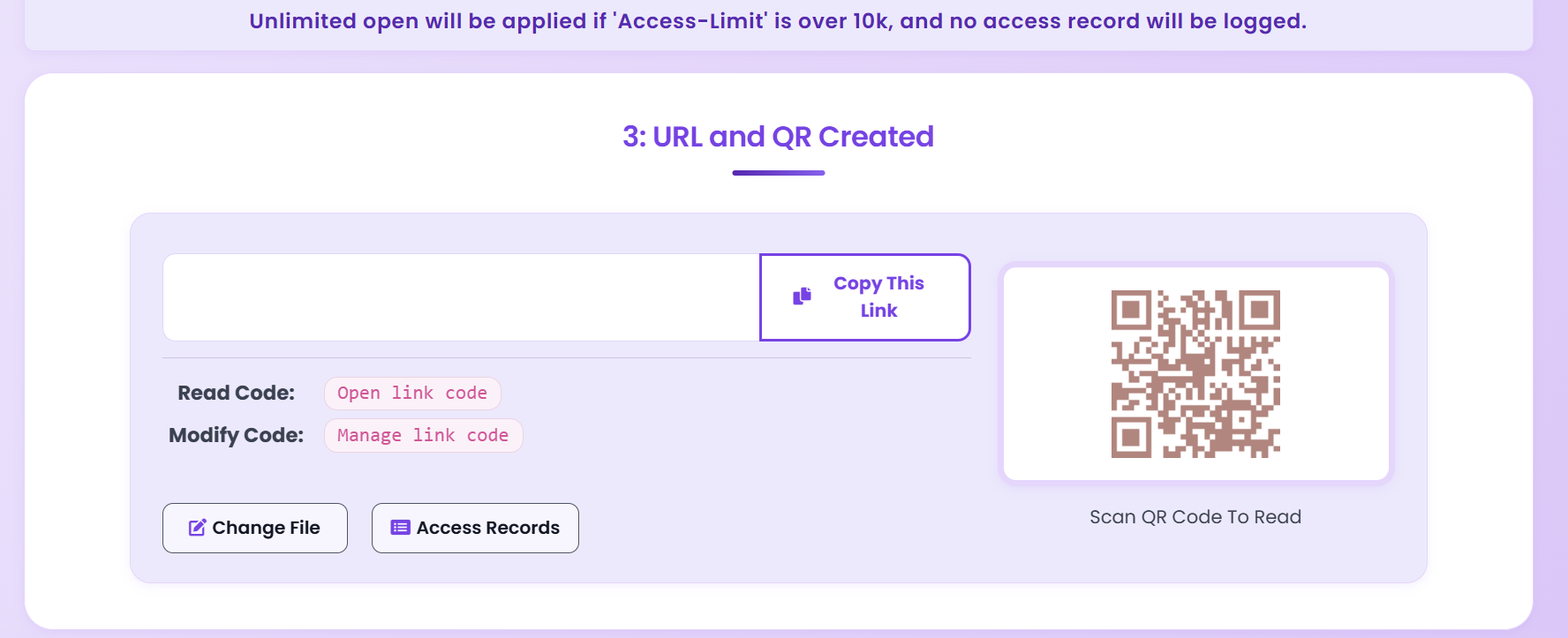
Generate unique, single-use QR codes for secure sharing at events, conferences, or marketing campaigns. Each QR code can be used once, preventing unauthorized sharing and ensuring only intended recipients can access your content.
Add an extra layer of security with password protection. Control who can access your whitepaper by requiring a password. Share passwords through email campaigns, landing pages, or exclusive offers to qualified leads.
Monitor document engagement and user behavior with comprehensive analytics. Track who accessed your whitepaper, when they viewed it, how long they spent reading, which pages they viewed most, and their engagement patterns. Use insights to improve content and identify highly interested prospects.
Revoke whitepaper access instantly at any time through your dashboard. Even if a link has been shared, you can disable it immediately, preventing further access. Perfect for when promotional periods end or content needs to be updated.
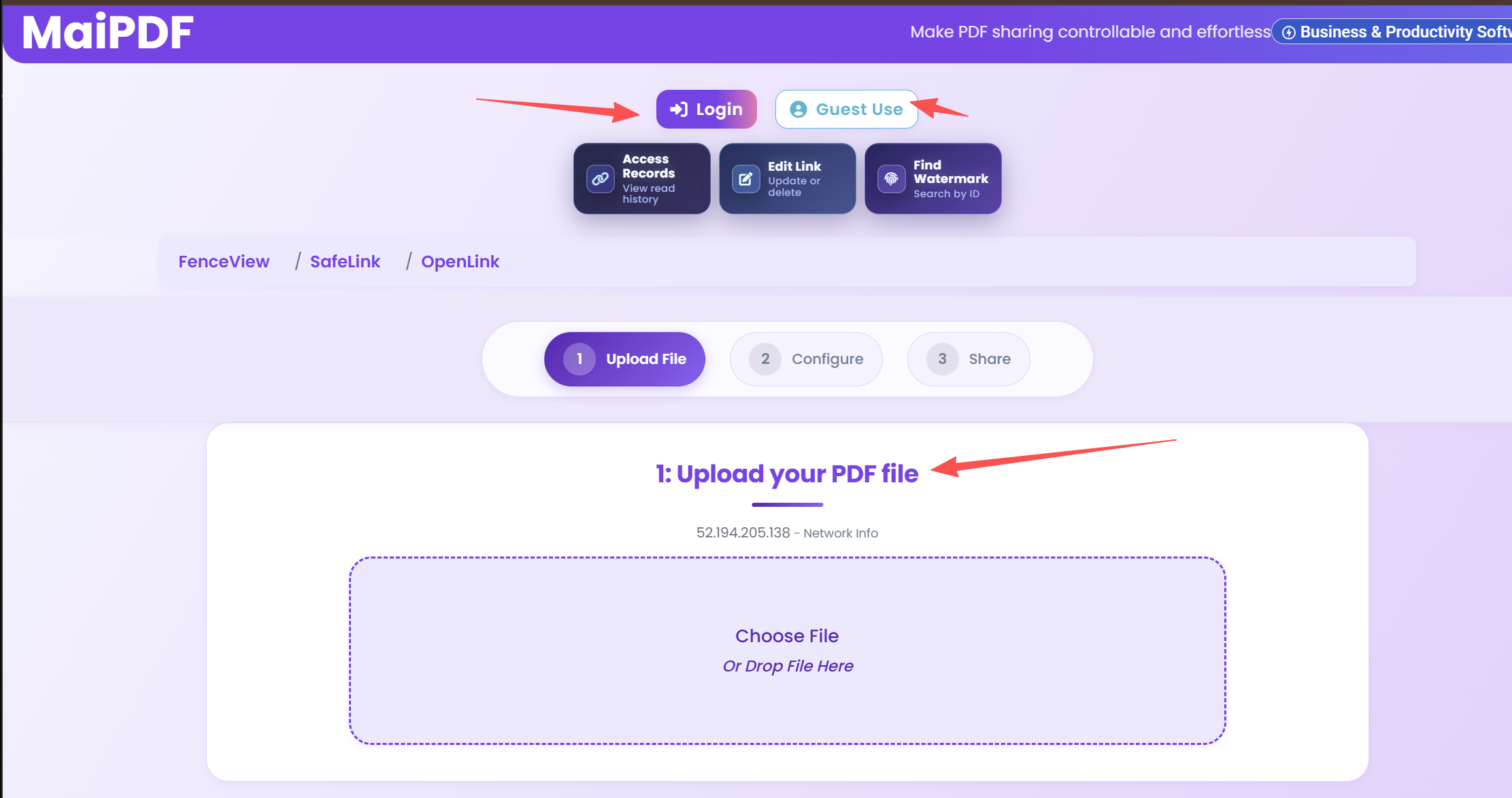
Visit MaiPDF.com and upload your whitepaper or case study PDF. The platform supports files up to 50MB and uses secure encryption during upload and storage. Your content is protected with enterprise-grade security from the moment it's uploaded.
Set up time-limited access controls:
After configuring your settings, MaiPDF generates a unique, secure sharing link or QR code protected by all your time-limited access settings. Links can be shared via email, social media, landing pages, or marketing campaigns. QR codes are perfect for events and conferences.
Share the secure link or QR code with your target audience through:
Track whitepaper access through MaiPDF's analytics dashboard. Monitor:
Use analytics insights to identify highly engaged prospects who spent significant time reading your whitepaper. Prioritize follow-up efforts with these prospects, as they show strong interest in your content and are more likely to convert.
A global consulting firm used MaiPDF to share a high-value whitepaper on industry trends with prospective clients. Here's how they achieved exceptional results:
increase in lead conversion rates
secure whitepaper views in first month
increase in perceived value and exclusivity
Share industry research whitepapers with potential clients. Use time-limited access to create exclusivity and drive engagement. Track analytics to identify highly interested prospects for sales follow-up.
Distribute educational case studies and research papers. Use expiration dates to align with course timelines or promotional periods. Enable password protection for exclusive student or member access.
Share whitepapers and case studies at conferences, trade shows, and events. Use single-use QR codes for instant access. Set short expiration periods (7 days) to create urgency and drive post-event engagement.
Use whitepapers as lead magnets on landing pages. Require email capture for access, then share time-limited links. Track engagement to qualify leads and prioritize sales follow-up efforts.
Expiration periods depend on your campaign goals. For promotional campaigns, 7-14 days creates urgency. For research content, 30-60 days allows more time for engagement. Test different periods to find what works best for your audience.
Yes, you can extend expiration dates at any time through your MaiPDF dashboard. This is useful if campaigns are extended or if you want to give recipients more time to access content.
When the expiration date is reached, the sharing link automatically becomes invalid. Viewers will see an expiration message and cannot access the content anymore. You can generate a new link if needed.
Yes, MaiPDF provides comprehensive analytics including viewer information (if they log in), viewing duration, pages viewed, geographic location, and access times. Use these insights to identify highly interested prospects.
Password protection is recommended for exclusive content shared with qualified leads. Share passwords through email campaigns or landing pages to ensure only intended recipients can access your whitepaper.
Create exclusivity, drive engagement, and maximize marketing ROI with time-limited access controls.
Get Started FreeExplore in-depth articles, tutorials, and best practices on our professional blog:
Visit MaiPDF Expert Blog