How Download Prevention Works
What's Blocked vs Allowed
Download
Save button removed, Ctrl+S blocked
Print dialog disabled, Ctrl+P blocked
Copy
Text selection and copy disabled
View Online
Full-quality online reading
3 Steps to Block Downloads
Disable Download & Print
Toggle download and print prevention in security settings.
Share View-Only Link
Share the link. Recipients can only read — never save.
Who Needs Download Prevention?
Legal
Contracts and NDAs — reviewable but not downloadable.
Sales
Pricing sheets — visible to prospects, not competitors.
Education
Course materials — accessible to students, not pirated.
Healthcare
Patient records — view-only for compliance.
Frequently Asked Questions
Related Guides
MaiPDF App workflow
From cloud link sharing to protected .maipdf files
The same MaiPDF product family supports two paths: fast Online Cloud Sharing for browser links, and MaiPDF App / App DRM for stronger file-level control. These App screens show how a PDF can move from upload to DRM packaging and protected viewing.
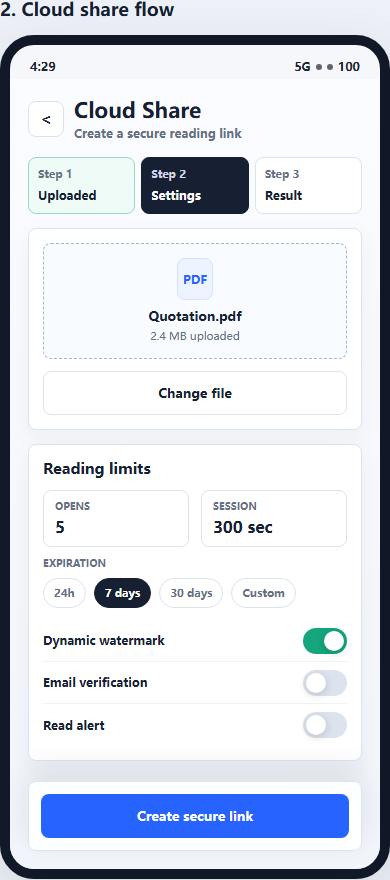
1. Create a cloud share
Use Online Cloud Sharing when you need a quick PDF link, QR code, password, expiry, and access records.
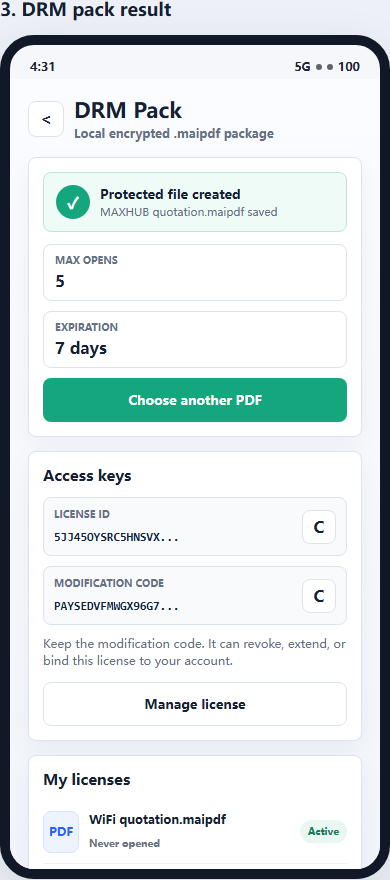
2. Package as .maipdf
For sensitive contracts, proposals, or internal files, use App DRM to create a protected .maipdf document.
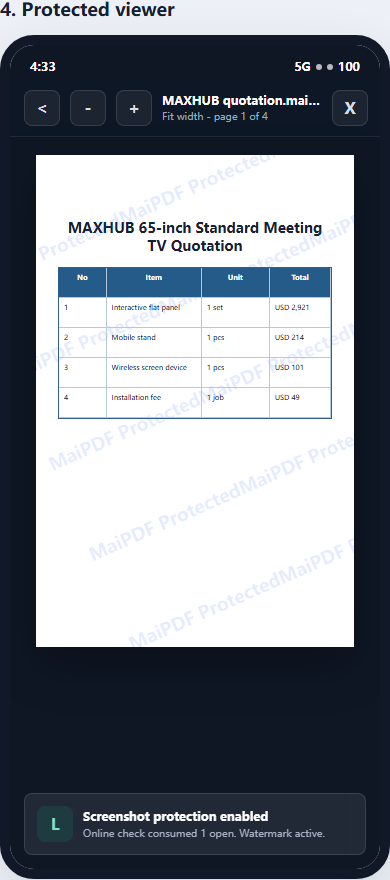
3. Open in protected viewer
Recipients view the document under controlled conditions instead of receiving an ordinary uncontrolled PDF.
Updated MaiPDF protection path
Use Online Cloud Sharing for speed; use MaiPDF App DRM when screenshots, forwarding, or device access matter
SendPDFOnline pages now describe MaiPDF as a two-level product family: Online Cloud Sharing creates quick browser links and QR codes, while the MaiPDF App creates protected .maipdf packages for sensitive PDFs that need App DRM controls.
Upload a PDF, share a browser link or QR code, and keep read code / modify code management.
Package the PDF in the MaiPDF App with local encryption, license rules, expiry, open limits, and revoke control.
Use protected viewer, device binding, screenshot-aware controls, watermark trace, and license management where supported.
No web page can fully stop screenshots. MaiPDF App DRM is positioned as the stronger path: reduce casual copying, bind access to identity/devices, revoke licenses, and trace leaks with visible watermark information.
Share PDFs Without Losing Control
View-only sharing. No downloads. No prints. Free.
Protect PDF