Secure PDF Sharing Guide - How to Share PDF Securely with Password Protection

Published: January 15, 2025 | Updated: December 03, 2025

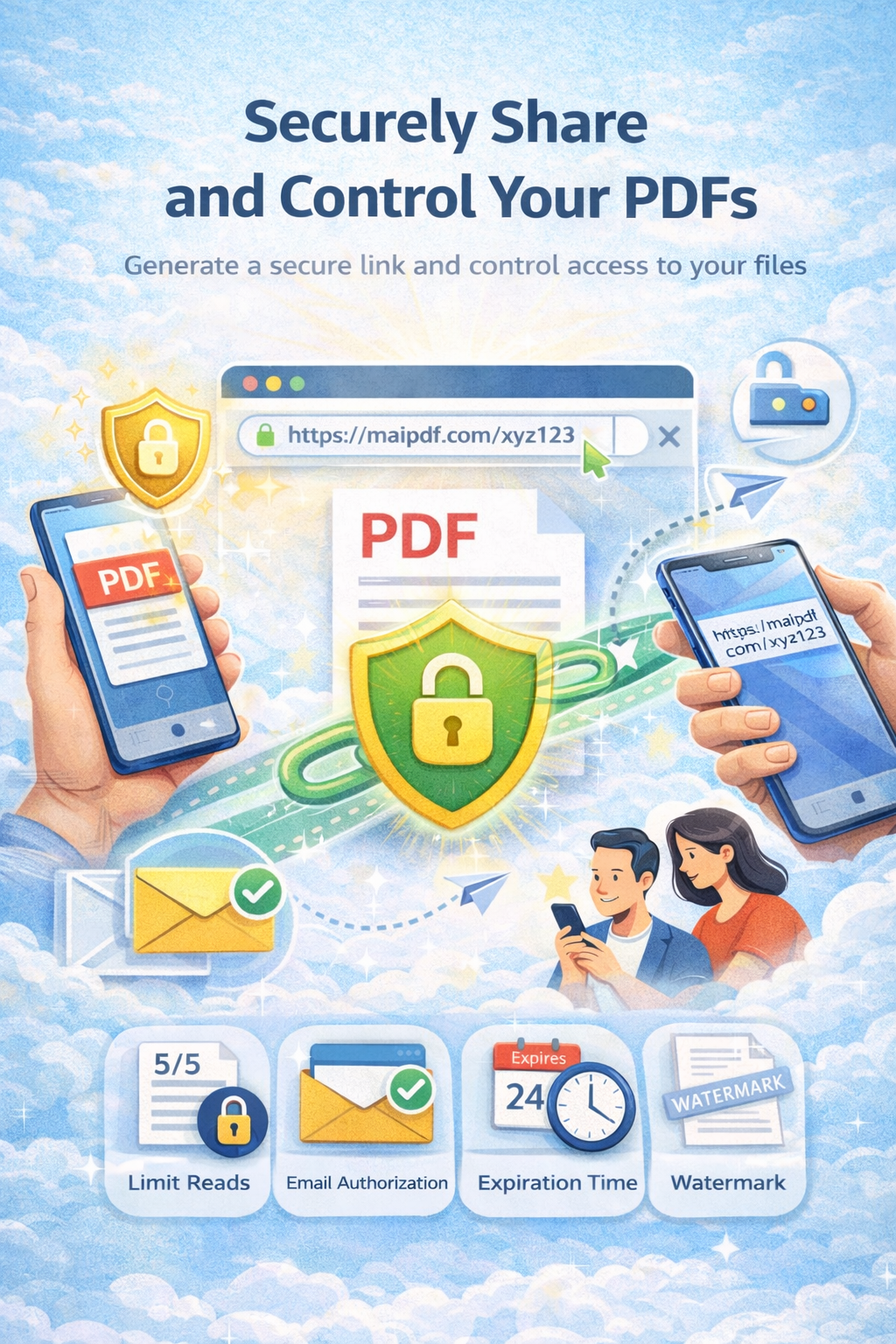
Complete guide to secure PDF sharing with MaiPDF. Learn how to share PDF securely with password protection, DRM protection, access control, dynamic watermarks, view limits, expiration dates, and real-time tracking. Best practices for secure PDF sharing and document security for businesses and professionals.

Enterprise Security
Advanced protection features
Access Control
Granular permission management
Real-time Monitoring
Live access tracking
Start Securing Free View Features

Why Secure PDF Sharing Matters: Protecting Your Digital Assets

In today's digital world, PDF documents often contain sensitive information that needs protection. Whether you're sharing business proposals, legal documents, confidential reports, or personal information, ensuring the security of your PDFs is crucial for protecting your digital assets and maintaining compliance with data protection regulations.

According to cybersecurity research, over 60% of data breaches involve document sharing, and the average cost of a data breach in 2024 exceeded $4.45 million. This makes secure PDF sharing not just a best practice, but a critical business requirement.

Key Security Challenges in PDF Sharing

  • Unauthorized Access to Sensitive Information: Without proper security measures, anyone with the link can access your PDFs, potentially exposing confidential business data, personal information, or intellectual property.
  • Document Copying and Distribution: Recipients can easily download, copy, and redistribute PDFs without your knowledge, leading to loss of control and potential security breaches.
  • Loss of Control Over Shared Documents: Once a PDF is shared, traditional methods provide no way to revoke access, update content, or track usage, leaving you vulnerable to unauthorized distribution.
  • Inability to Track Document Usage: Without analytics, you have no visibility into who accessed your documents, when they were viewed, or how they were used, making it impossible to detect security threats or measure engagement.
  • Compliance Violations: Industries like healthcare, finance, and legal services have strict compliance requirements (HIPAA, GDPR, SOX) that must be met when sharing sensitive documents.
  • No Audit Trail: Traditional PDF sharing methods don't provide audit trails, making it difficult to prove compliance or investigate security incidents.

The Cost of Insecure PDF Sharing

$4.45M

Average cost of a data breach in 2024

60%

Of breaches involve document sharing

287 days

Average time to identify a breach

Advanced Security Features

MaiPDF provides enterprise-grade security features with comprehensive protection and monitoring capabilities.

Access Control

Granular permission management for viewing, downloading, and printing

  • User-based permissions
  • Time-based access
  • IP restrictions

Dynamic Watermarks

Real-time watermark protection with user identification

  • User-specific marks
  • Timestamp tracking
  • Custom branding

Time Controls

Advanced time-based access and expiration management

  • Expiration dates
  • Session timeouts
  • View limits

How to Share PDFs Securely: A Step-by-Step Guide

Follow this comprehensive guide to implement enterprise-grade security when sharing your PDF documents.

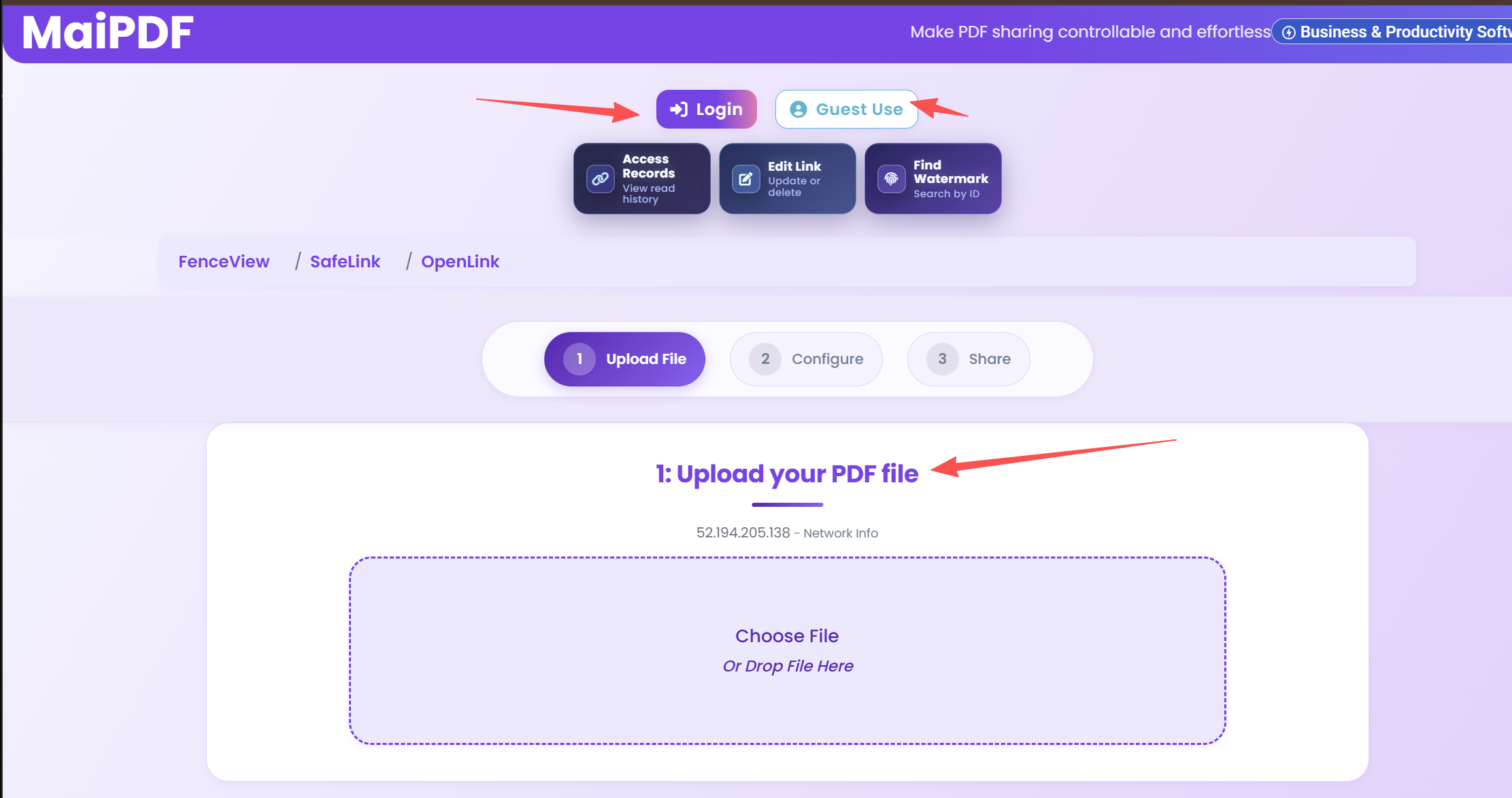
  1. Upload Your PDF to MaiPDF

    Start by uploading your PDF document to MaiPDF's secure platform. The upload process uses end-to-end encryption, ensuring your document is protected from the moment it enters the system. No registration is required, but creating a free account gives you access to advanced features and analytics.

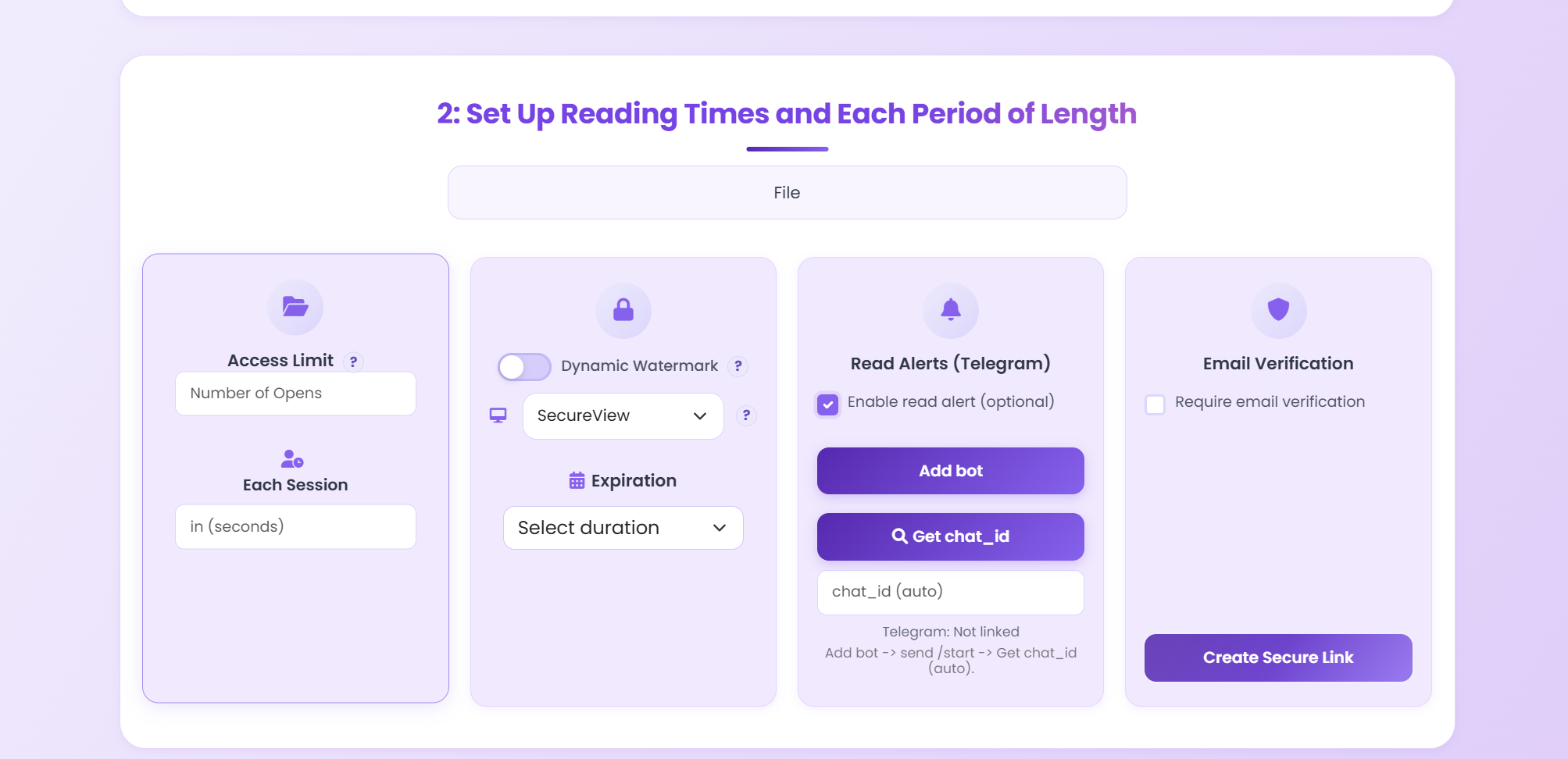
  2. Configure Comprehensive Security Settings

    Set up multiple layers of security to protect your document:

    • Password Protection: Require a strong password for document access. Use a unique password for each document and share it through a separate, secure channel.
    • View Limits: Restrict the number of times the PDF can be accessed. This prevents unauthorized distribution and ensures only intended recipients can view the document.
    • Expiration Dates: Set automatic expiration so the link becomes invalid after a specified date or time. This is crucial for time-sensitive documents.
    • Download Restrictions: Disable downloads to force online-only viewing. This prevents recipients from saving copies of your PDF.
    • Dynamic Watermarks: Add watermarks that display viewer information (name, email, IP address, timestamp) to deter unauthorized sharing.
    • Email Verification: Require recipients to verify their email address before accessing the document, ensuring you know exactly who is viewing your PDF.
    • IP Whitelisting: For highly sensitive documents, restrict access to specific IP addresses or geographic regions.
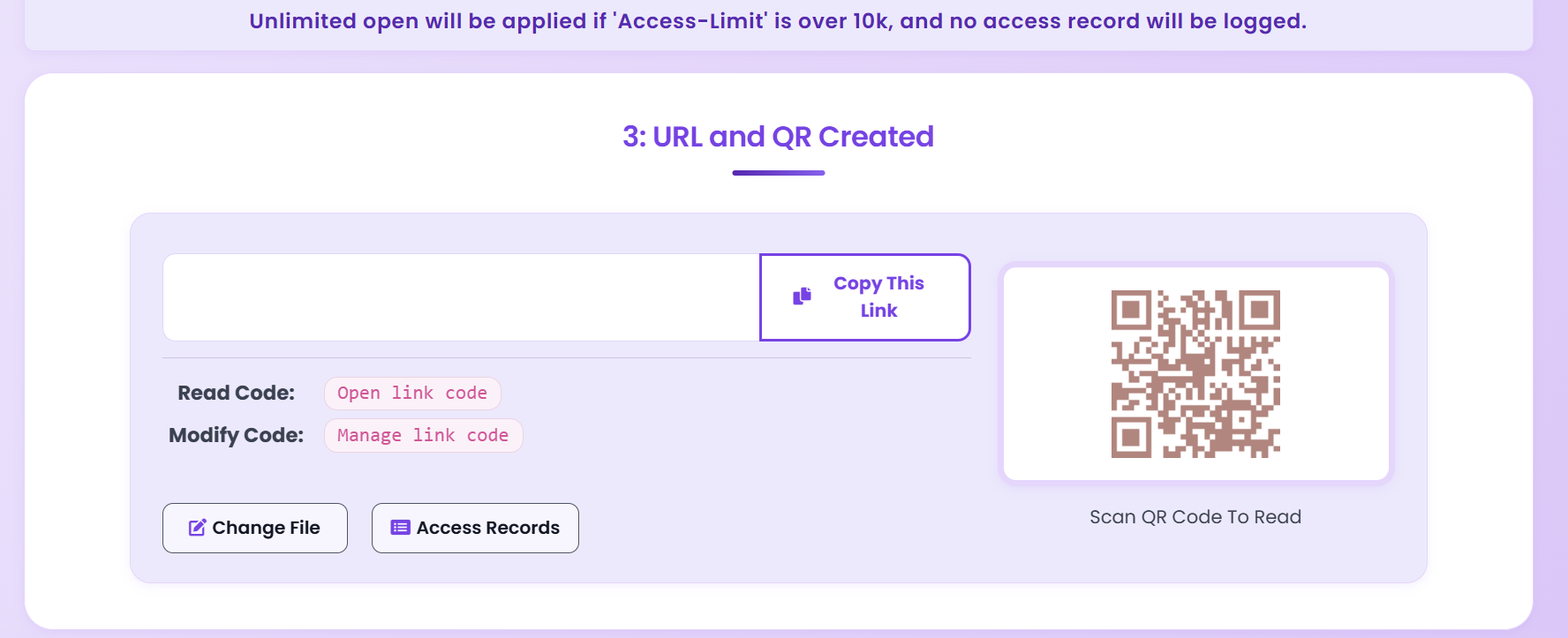
  3. Generate a Secure Sharing Link

    MaiPDF generates a cryptographically secure, unique link for your PDF. The link cannot be guessed or brute-forced, and it's encrypted using industry-standard protocols. You can also generate a QR code for easy mobile access or offline distribution.

  4. Share with Specific Recipients

    Distribute your secure link through trusted channels. For maximum security:

    • Share passwords separately from links (use different communication channels)
    • Verify recipient identities before sharing sensitive documents
    • Use email verification to ensure only authorized recipients can access
    • Avoid sharing links on public platforms or social media
  5. Monitor Document Access and Usage Actively

    Regularly review your analytics dashboard to:

    • Track all access attempts (successful and failed)
    • Identify unusual access patterns or suspicious activity
    • Monitor geographic access to detect unauthorized locations
    • Review engagement metrics to understand how your PDF is being used
    • Set up alerts for critical security events
  6. Maintain Ongoing Security

    Security is an ongoing process, not a one-time setup:

    • Regularly review and update security settings
    • Revoke access for former employees or changed circumstances
    • Update passwords periodically
    • Review and remove expired links
    • Conduct security audits quarterly

Pro Security Tips

  • Use Multi-Layer Security: Don't rely on a single security measure. Combine password protection, view limits, expiration dates, and watermarks for maximum protection.
  • Test Your Security Settings: Always test your sharing link yourself before sending it to recipients to ensure all security settings work as expected.
  • Separate Password Delivery: Never send passwords in the same email as sharing links. Use separate, secure channels (SMS, phone call, encrypted messaging).
  • Set Realistic Expiration Dates: Balance security with usability. Too short expiration frustrates legitimate users; too long increases security risk.
  • Monitor Access Regularly: Check your analytics dashboard daily for sensitive documents, weekly for business documents, and monthly for general content.
  • Use Watermarks for Sensitive Documents: Dynamic watermarks are particularly effective for confidential business documents, as they create a clear audit trail and deter unauthorized sharing.
  • Keep Security Settings Updated: As threats evolve, update your security settings accordingly. Review and adjust settings quarterly.

Best Practices for PDF Security: Industry Standards

Implement these industry-proven best practices to ensure your PDFs remain secure throughout their lifecycle.

Comprehensive Security Checklist

  • Always Use Strong Passwords: Use complex passwords (minimum 12 characters, mix of letters, numbers, and symbols). Avoid common passwords or personal information. Consider using a password manager to generate and store secure passwords.
  • Enable Comprehensive View Tracking: Track all access attempts, not just successful views. Monitor who accessed your PDF, when, from where, and for how long. This creates a complete audit trail.
  • Set Appropriate Access Permissions: Use the principle of least privilege—only grant the minimum access necessary. For sensitive documents, combine multiple restrictions (password + view limit + expiration + watermark).
  • Use Watermarks for Sensitive Documents: Dynamic watermarks that display viewer information are powerful deterrents against unauthorized sharing. Use them for all confidential business documents.
  • Regularly Review Access Logs: Schedule regular reviews of access logs (daily for highly sensitive documents, weekly for business documents). Look for unusual patterns or suspicious activity.
  • Implement Time-Based Controls: Set expiration dates for all shared documents, even long-term projects. Review and extend expiration dates as needed rather than setting "never expire."
  • Disable Downloads When Possible: For maximum security, disable downloads and force online-only viewing. This prevents recipients from saving copies of your PDF.
  • Use Email Verification: Require recipients to verify their email address before accessing documents. This ensures you know exactly who is viewing your PDF.
  • Monitor Geographic Access: Set up alerts for access from unexpected locations. This can indicate unauthorized access or account compromise.
  • Keep Security Settings Updated: Regularly review and update security settings as threats evolve. Don't set and forget—security requires ongoing attention.

Security by Document Type

Business Documents

For contracts, proposals, financial reports:

  • Password + Email verification
  • Strict view limits (1-3 views)
  • Dynamic watermarks
  • Download disabled
  • Short expiration dates

Legal Documents

For contracts, legal briefs, confidential files:

  • Multi-layer security
  • IP whitelisting
  • Comprehensive audit trails
  • Time-based restrictions
  • Real-time monitoring

Personal Documents

For portfolios, personal files:

  • Basic password protection
  • Optional watermarks
  • Flexible expiration
  • Download allowed
  • Basic tracking

Common Security Mistakes to Avoid

Critical Mistakes

  • Using Weak Passwords: Avoid common passwords like "password123" or "123456". These are easily cracked and provide no real security.
  • Sharing Passwords in Same Email: Never send passwords in the same email as sharing links. If the email is compromised, both are exposed.
  • Not Setting Expiration Dates: Links that never expire are permanent security risks. Always set appropriate expiration dates.
  • Ignoring Access Logs: Failing to monitor access logs leaves you blind to security threats. Review logs regularly.
  • Over-Sharing Permissions: Granting download permissions when online viewing is sufficient increases the risk of unauthorized distribution.
  • Not Testing Security Settings: Always test your security settings before sharing. Verify that all restrictions work as expected.
  • Using Public Sharing Platforms: Avoid sharing sensitive PDFs on public platforms or social media where links can be easily discovered.

Ready to Master PDF Security?

Start using MaiPDF's enterprise-grade security features today. No registration required - completely free.

Start Securing Free Learn More

More Resources from MaiPDF Blog

Discover more in-depth guides and tutorials on our official blog at article.maipdf.com

Blog Post
PDF Security Best Practices 2025

Complete guide to protecting your PDFs with latest security techniques.

Blog Post
Watermarking Complete Guide

Learn how dynamic watermarks protect intellectual property.

Blog Post
PDF Analytics & Tracking

Leverage PDF analytics to improve engagement and close deals.

Back to Articles Home Try Now