Table of Contents
You spent hours crafting a confidential proposal, a sensitive legal brief, or an exclusive preview chapter. You share it with one trusted recipient. The next day, it's been forwarded to five more people — none of whom were supposed to see it.
PDF forwarding is one of the biggest document security risks in business today. Once a PDF file is attached to an email, you lose all control over who sees it, how many times it's opened, and where it ends up.
This guide explains how to prevent unauthorized PDF forwarding using a combination of technical controls that make forwarding either impossible or useless.
1. The PDF Forwarding Problem
How Documents Leak
Document leaks rarely happen through sophisticated hacking. Most leaks are mundane:
- Casual forwarding — "Hey, thought you'd find this interesting" (the recipient shares with a colleague)
- CC chains — Your document gets forwarded through multiple email chains
- Cloud sharing — Someone uploads your PDF to a shared drive accessible to their entire team
- Device theft or loss — Downloaded PDFs live on devices that can be lost or stolen
- Screenshot sharing — Even "protected" files can be screenshotted and shared
Industries Most Affected
- Legal — Confidential contracts, case documents, settlement agreements
- Finance — Investor reports, financial projections, deal memos
- Sales — Pricing proposals that shouldn't reach competitors
- Publishing — Pre-release chapters, review copies, manuscripts
- HR — Employee records, salary documents, policy manuals
- Healthcare — Patient information, research data
2. Why Traditional PDF Protection Fails
PDF Password Protection
The most common "protection" — putting a password on a PDF — has serious weaknesses:
- The password itself can be forwarded along with the file
- Once opened, the document can be saved without the password
- PDF password cracking tools are freely available online
- It provides zero tracking — you don't know if it was forwarded
PDF DRM (Digital Rights Management)
Traditional DRM solutions have their own problems:
- Often require proprietary software to view the document
- Create friction for legitimate recipients
- Expensive — typically enterprise-only pricing
- "Print" and "screenshot" workarounds exist for most DRM systems
Email Confidentiality Disclaimers
Those "This email is confidential..." footers? They have no legal enforcement mechanism in most jurisdictions. They're essentially meaningless from a technical standpoint.
3. 6 Layers of Anti-Forwarding Protection
The most effective approach uses multiple layers of protection working together. Each layer addresses a different forwarding vector:
1Link-Based Sharing (Instead of Attachments)
The foundation of anti-forwarding is never sending the actual PDF file. Instead, share a link that displays the document in a secure online viewer.
How it prevents forwarding: The document is never downloaded to the recipient's device, so there's no file to attach and forward. The link is the only way to access the document — and you control the link.
Effectiveness: High — Eliminates the file-forwarding vector entirely
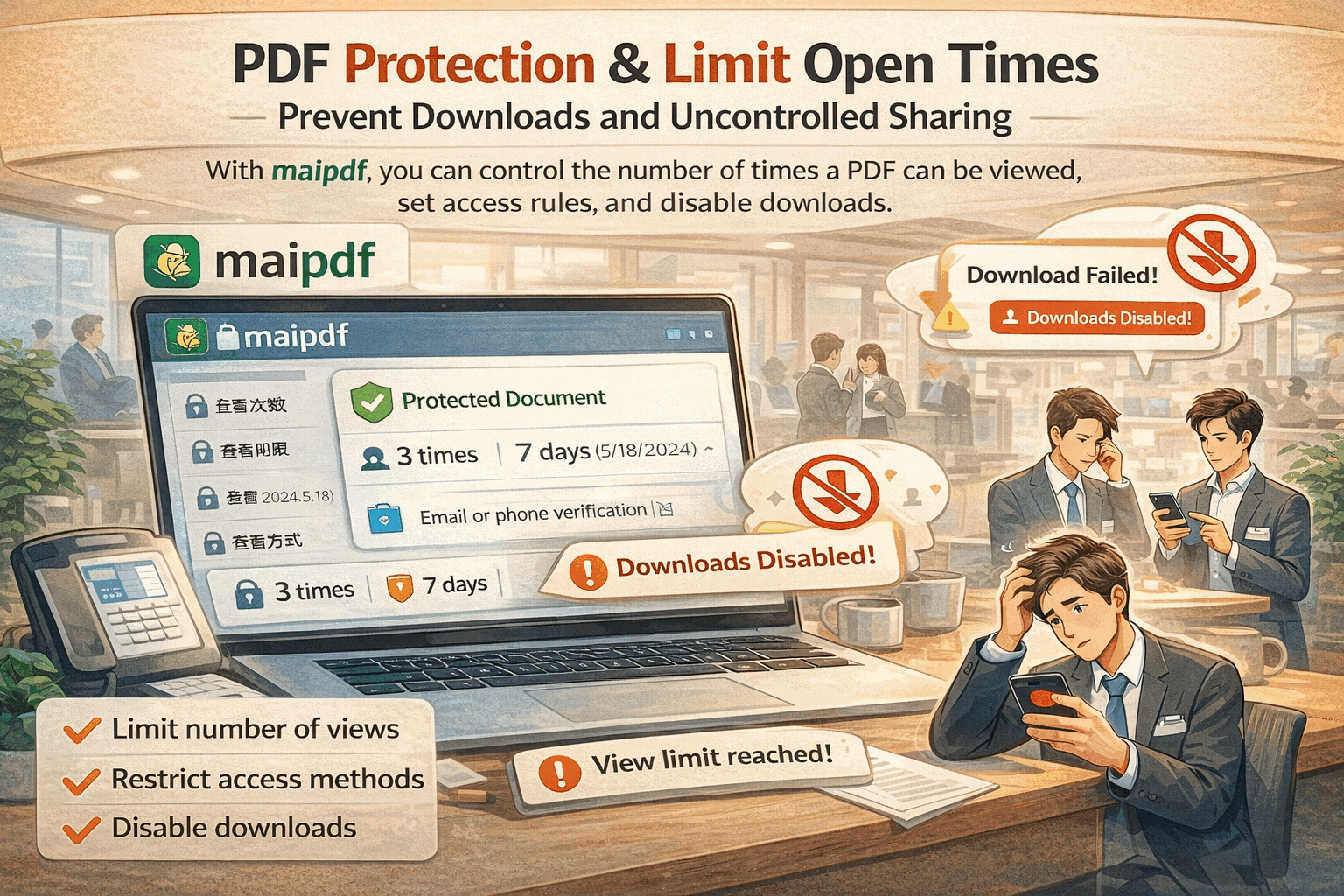
2View Count Limits
Set a maximum number of times your document can be opened. After the limit is reached, the link becomes inactive.
How it prevents forwarding: If you set a view limit of 3 and the intended recipient opens it once, only 2 views remain. If the link is forwarded, it will quickly become useless. For maximum security, set the limit to 1.
Effectiveness: Very High — Makes forwarding self-defeating
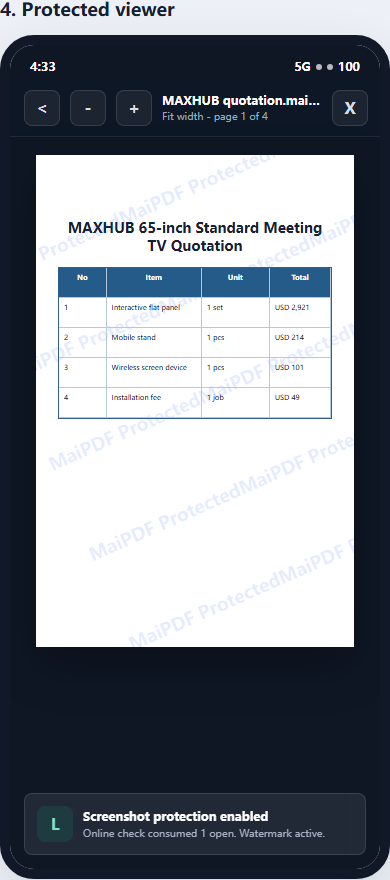
3Dynamic Watermarks
Add watermarks that dynamically display viewer-specific information (like their IP address, timestamp, or a custom identifier).
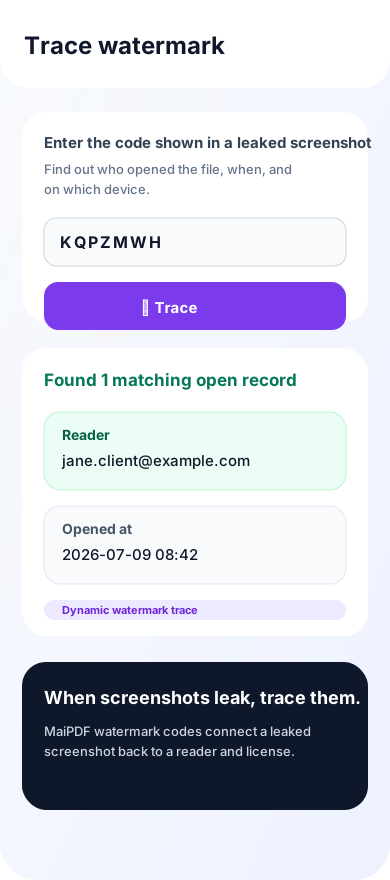
How it prevents forwarding: Even if someone screenshots the document, the watermark identifies who took the screenshot. This creates a powerful deterrent — people are much less likely to share something that has their identity stamped on it.
Effectiveness: High — Deters screenshots and photographs
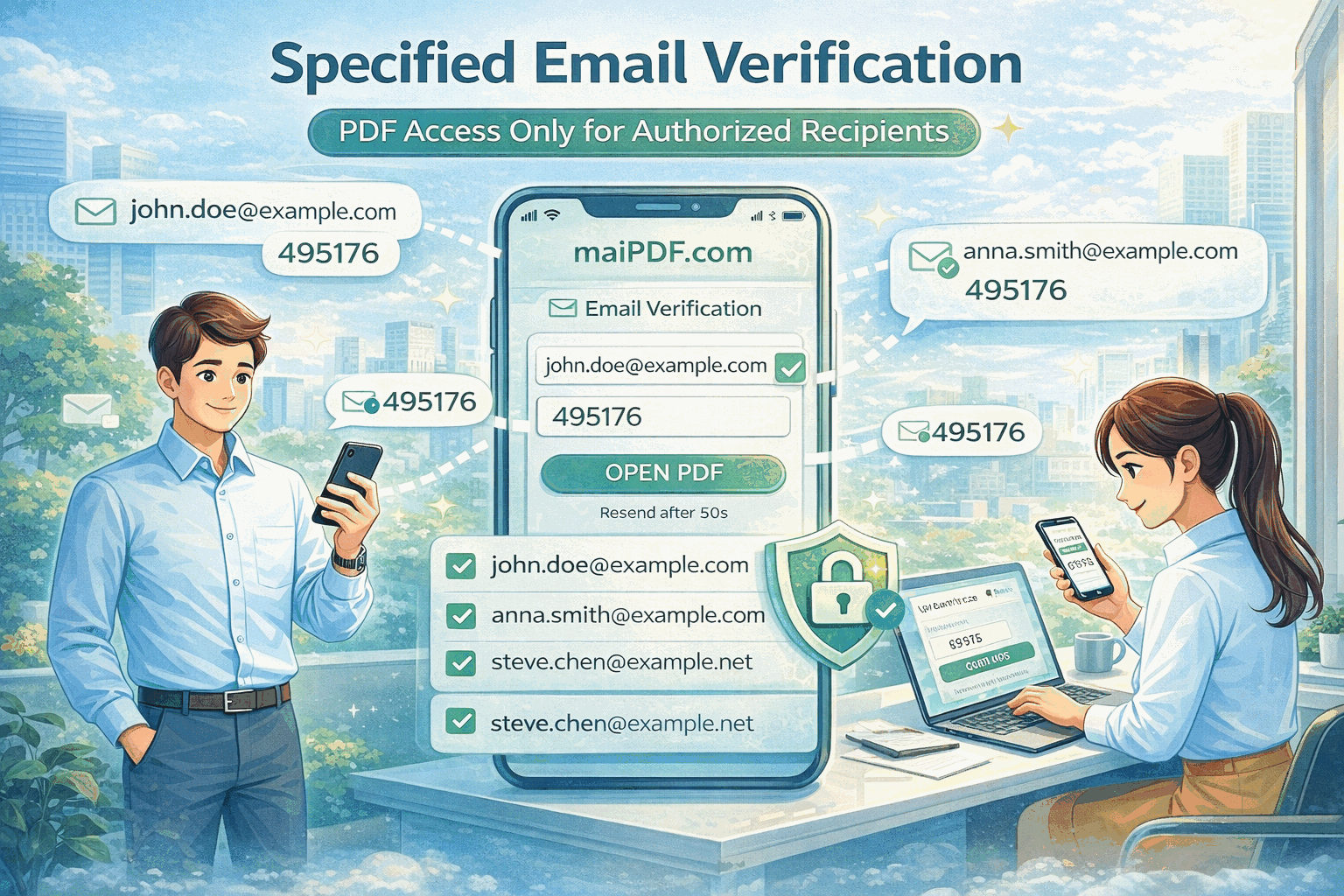
4Email Verification
Require viewers to verify their email address before accessing the document. Only pre-approved email addresses can view the PDF.
How it prevents forwarding: Even if someone forwards the link, the new recipient can't open it because their email isn't on the approved list. This is one of the strongest anti-forwarding measures available.
Effectiveness: Very High — Only authorized viewers can access
5Expiration Dates
Set a date after which the link stops working. The document becomes inaccessible after expiration.
How it prevents forwarding: Limits the window of opportunity for forwarding. Even if someone shares the link, it becomes useless after the expiration date. Combine with view limits for maximum protection.
Effectiveness: Medium-High — Limits time window for unauthorized access
6Download & Print Prevention
Disable the download button and print functionality in the document viewer.
How it prevents forwarding: Without being able to download the file, there's no PDF to forward as an attachment. The only way to share is the link itself — which you've already restricted with view limits and email verification.
Effectiveness: Medium — Prevents casual downloading (determined users can still screenshot)
4. Step-by-Step Setup with MaiPDF
Here's how to set up anti-forwarding protection for your PDF using MaiPDF:
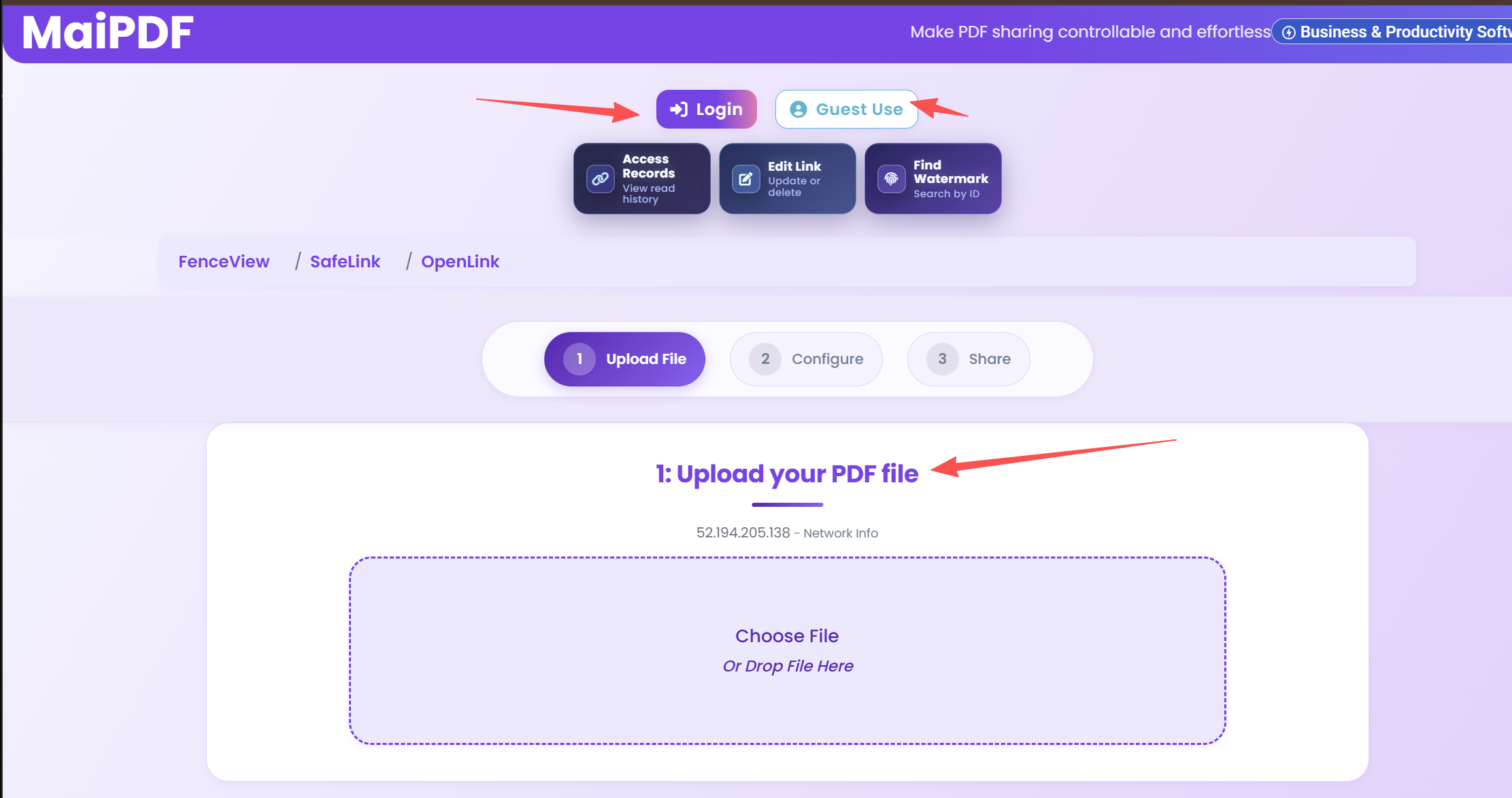
Step 1: Upload Your PDF
Go to maipdf.com and upload your document.
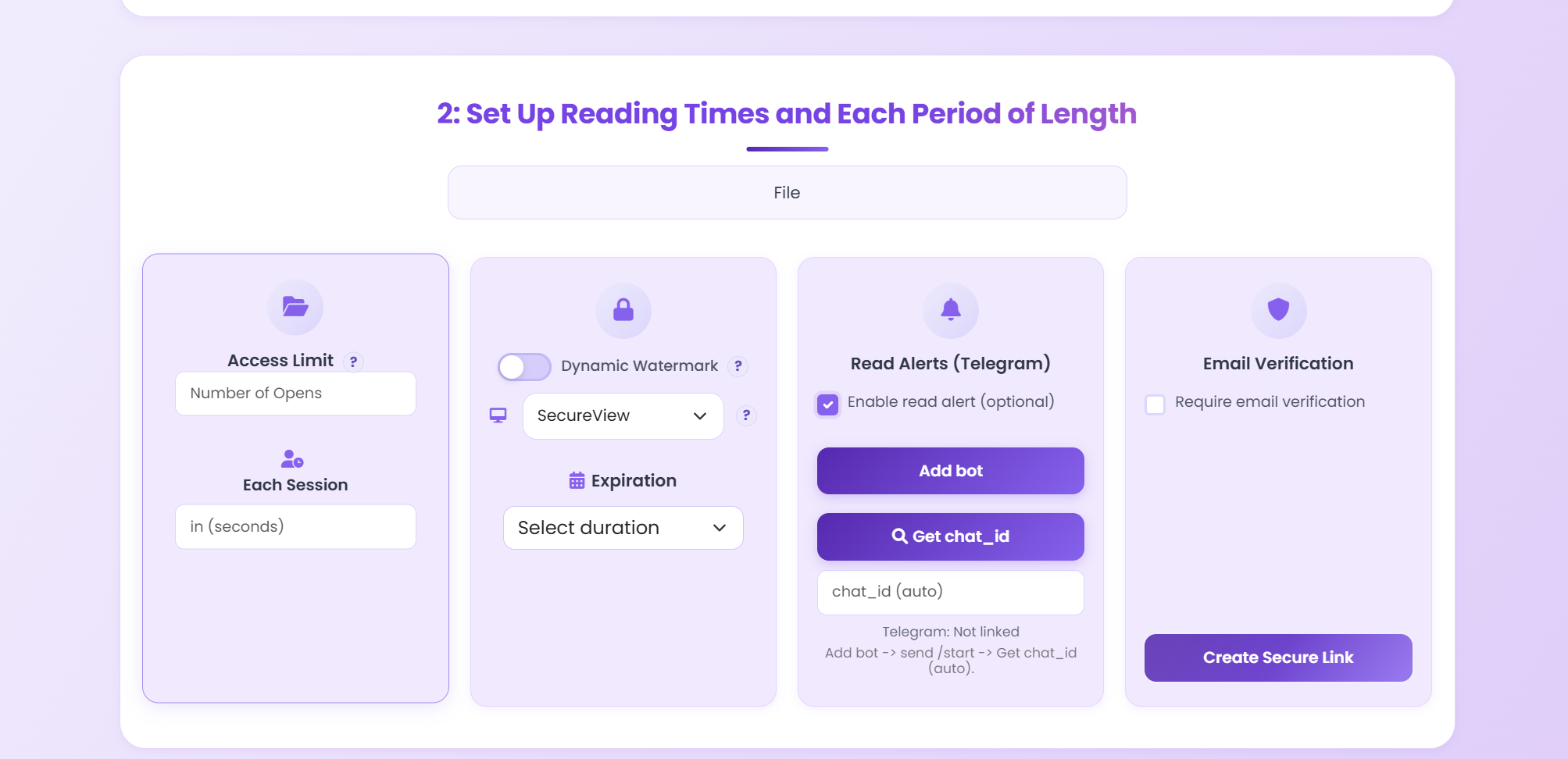
Step 2: Configure Anti-Forwarding Settings
Enable the following security options:
- View Limit: Set to 1-3 depending on how many views the intended recipient needs
- Expiration: Set an appropriate expiration date
- Password: Add a password that you share only with the intended recipient via a separate channel (e.g., tell them in person or via phone)
- Download: Disable downloads to prevent the file from being saved
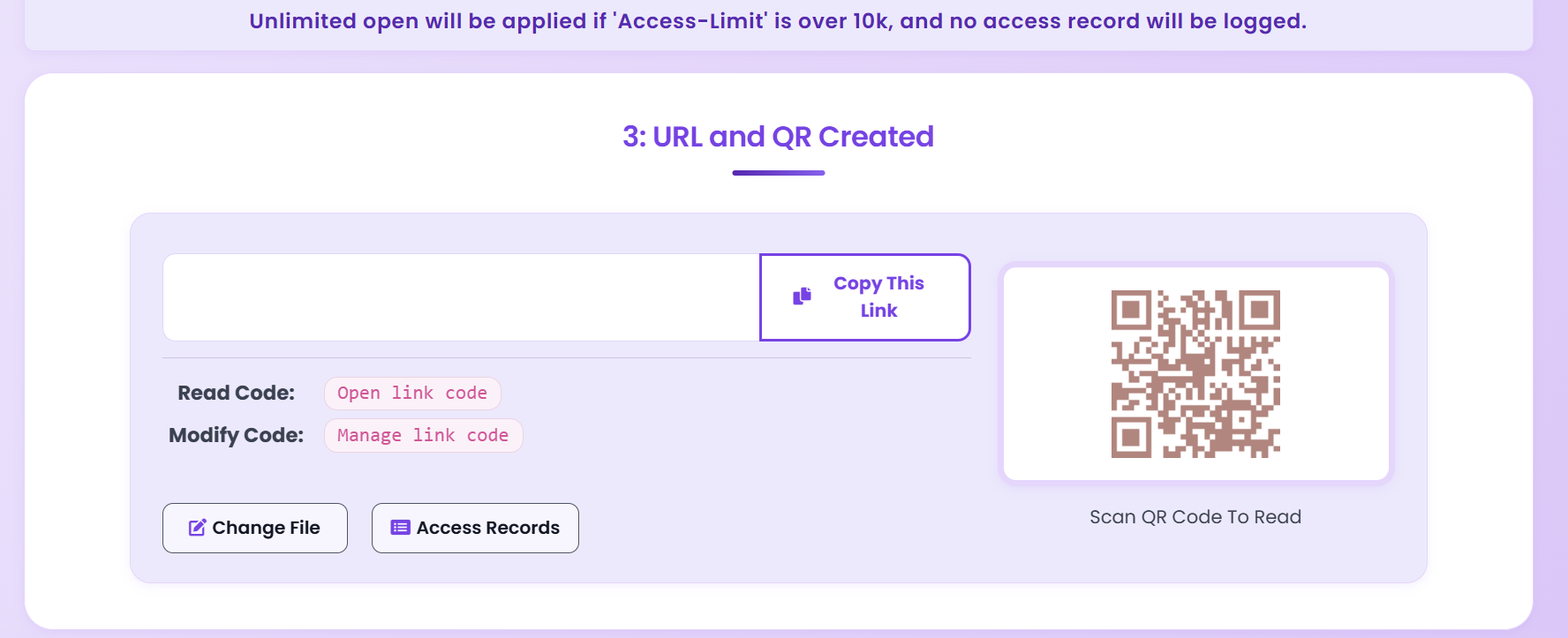
Step 3: Share the Protected Link
Send the generated link or QR code to your intended recipient. Share the password through a different channel for an extra layer of security.
Step 4: Monitor Access
Check your dashboard to verify the intended recipient opened the document. If you see unexpected views, you'll know the link was shared.
5. Industry-Specific Scenarios
Legal: Sharing Settlement Agreements
Scenario: A law firm needs to share a draft settlement agreement with opposing counsel. The terms are confidential and shouldn't be forwarded to other parties.
Recommended settings:
- View limit: 5 (enough for the legal team to review)
- Expiration: 7 days (after the review period ends)
- Watermark: "CONFIDENTIAL DRAFT — [timestamp]"
- Download: Disabled
Sales: Sending Custom Pricing Proposals
Scenario: A sales rep shares a custom pricing proposal with a prospect. The pricing is unique to this client and shouldn't reach competitors.
Recommended settings:
- View limit: 10 (the prospect may share internally with their team)
- Expiration: 30 days (pricing validity period)
- Watermark: "Prepared for [Company Name]"
- Tracking: Enabled (to know when they've reviewed it)
Publishing: Pre-Release Review Copies
Scenario: An author shares advance review copies of a book chapter with select reviewers. The content shouldn't leak before publication.
Recommended settings:
- View limit: 3 per reviewer
- Expiration: Until publication date
- Watermark: "REVIEW COPY — [Reviewer Name]"
- Download: Disabled
- Print: Disabled
HR: Annual Compensation Reviews
Scenario: HR sends individual compensation review letters to managers. Each document contains salary information that must not be shared.
Recommended settings:
- View limit: 2
- Expiration: 14 days
- Email verification: Required (only the manager's email can open)
- Download: Disabled
- Watermark: Dynamic (shows viewer IP + timestamp)
6. Protection Methods Compared
| Method | Prevents Forwarding? | Tracking? | Cost | User Friction |
|---|---|---|---|---|
| Email Attachment | ✗ None | ✗ None | Free | None |
| PDF Password | △ Weak | ✗ None | Free | Low |
| Enterprise DRM | ✓ Strong | ✓ Yes | $$$ | High |
| MaiPDF (View Limits) | ✓ Strong | ✓ Yes | Free | Low |
| MaiPDF (All Layers) | ✓ Very Strong | ✓ Yes | Free | Medium |
7. Honest Limitations
No anti-forwarding solution is 100% bulletproof. It's important to understand the limitations:
What Anti-Forwarding Protection CAN Do
- Make casual forwarding useless (link expires or view limit reached)
- Identify who leaked the document (through watermarks and tracking)
- Create accountability (people are less likely to share if they're identifiable)
- Limit exposure time (expiration ensures temporary access)
- Prevent file-level sharing (no download = no file to forward)
What It CANNOT Do
- Prevent determined attackers from capturing screen content
- Stop someone from photographing their screen with a phone
- Prevent verbal sharing of the document's contents
The goal is to raise the bar high enough that casual forwarding becomes impractical, and intentional leaking becomes risky and traceable.
8. Frequently Asked Questions
Can I prevent someone from forwarding my PDF?
You cannot technically prevent someone from copying a link, but you can make forwarding useless by setting view limits (e.g., only 1-3 opens allowed), adding dynamic watermarks that identify the viewer, requiring email verification, and setting expiration dates. This combination makes unauthorized sharing impractical.
What is the best way to prevent PDF forwarding?
The most effective strategy combines multiple layers: share via tracked links instead of attachments, set strict view count limits, add dynamic watermarks, require email verification for access, and disable downloads. MaiPDF provides all of these features for free.
Can I stop someone from downloading my PDF?
Yes. When sharing through MaiPDF, you can disable the download button so the document can only be viewed in the online viewer. Combined with disabled right-click and print prevention, this makes it significantly harder to save or redistribute the PDF.
Is there a free tool to prevent PDF forwarding?
Yes. MaiPDF offers free anti-forwarding features including view count limits, expiration dates, download prevention, and basic watermarks. No account is required for basic usage.
How do dynamic watermarks prevent forwarding?
Dynamic watermarks embed viewer-specific information (like IP address, timestamp, or a custom identifier) directly into the viewed document. If someone screenshots or photographs the document, the watermark reveals who captured it. This powerful deterrent makes people think twice before sharing unauthorized copies.
Can I revoke access to a PDF after sharing it?
Yes. Since you're sharing a link (not a file), you can disable the link at any time. Once disabled, no one can access the document — even if they have the URL. This is impossible with traditional email attachments.
Protect Your PDFs from Unauthorized Forwarding
Upload a PDF, set view limits and watermarks, and share a secure link — all for free.
Try MaiPDF Free