Table of Contents
Sending a PDF into the void and hoping someone reads it is a thing of the past. Whether you're sharing a sales proposal, distributing training materials, or sending a confidential report, knowing who opened your PDF and when is critical for making informed follow-up decisions.
This guide covers everything you need to know about PDF tracking — from the technology behind it to step-by-step instructions for setting up your own tracked PDF links.
1. Why Track PDF Documents?
Most people share PDFs via email attachments without any visibility into what happens next. Once the file leaves your outbox, you're completely in the dark. PDF tracking solves this by providing real-time insights into document engagement.
The Problem with Traditional PDF Sharing
When you attach a PDF to an email:
- No open confirmation — Email read receipts are unreliable and easily ignored
- No view data — You don't know if the recipient read the first page or the entire document
- No forwarding visibility — Your document could be shared with anyone without your knowledge
- No version control — Recipients may have outdated versions with no way to update them
Benefits of PDF Tracking
- Know who opened your document — Get notified when someone views your PDF
- Count total views — See how many times your document was accessed
- Time your follow-ups — Reach out right after someone reads your proposal
- Measure engagement — Understand which documents get the most attention
- Maintain control — Set view limits, expiration dates, and access restrictions
2. How PDF Tracking Works
PDF tracking works by replacing the traditional "attach and send" workflow with a link-based sharing model. Here's the process:
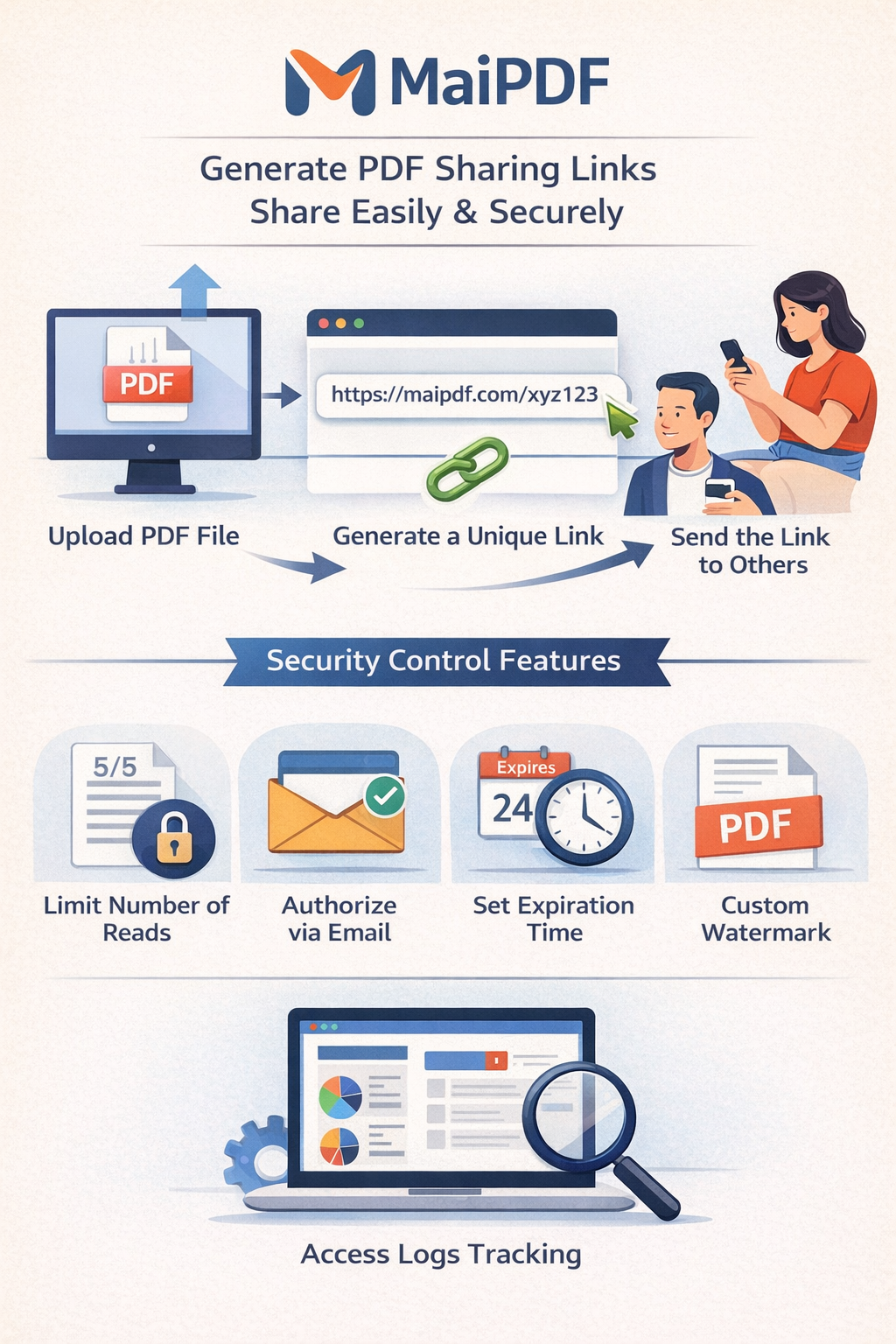
You upload your document to a tracking service like MaiPDF. The file is stored securely on cloud servers.
The service generates a unique URL (and optional QR code) for your document. This link is the tracking mechanism.
Instead of attaching the PDF, you share the tracked link via email, messaging apps, or embed it on a webpage.
When someone clicks the link and views the PDF, the system records the event — including timestamp, device type, and approximate location.
Technical Details
The tracking happens at the link level, not inside the PDF file itself. This means:
- No hidden code or trackers are embedded in the PDF
- The reader doesn't need to install any software
- The document is displayed through a secure online viewer
- Analytics are collected when the viewer loads, not from the PDF file
This approach is fundamentally different from older methods that tried to embed tracking pixels inside PDF files (which was unreliable and often blocked by PDF readers).
3. Step-by-Step: Track a PDF with MaiPDF
Here's how to set up PDF tracking in under 2 minutes using MaiPDF:
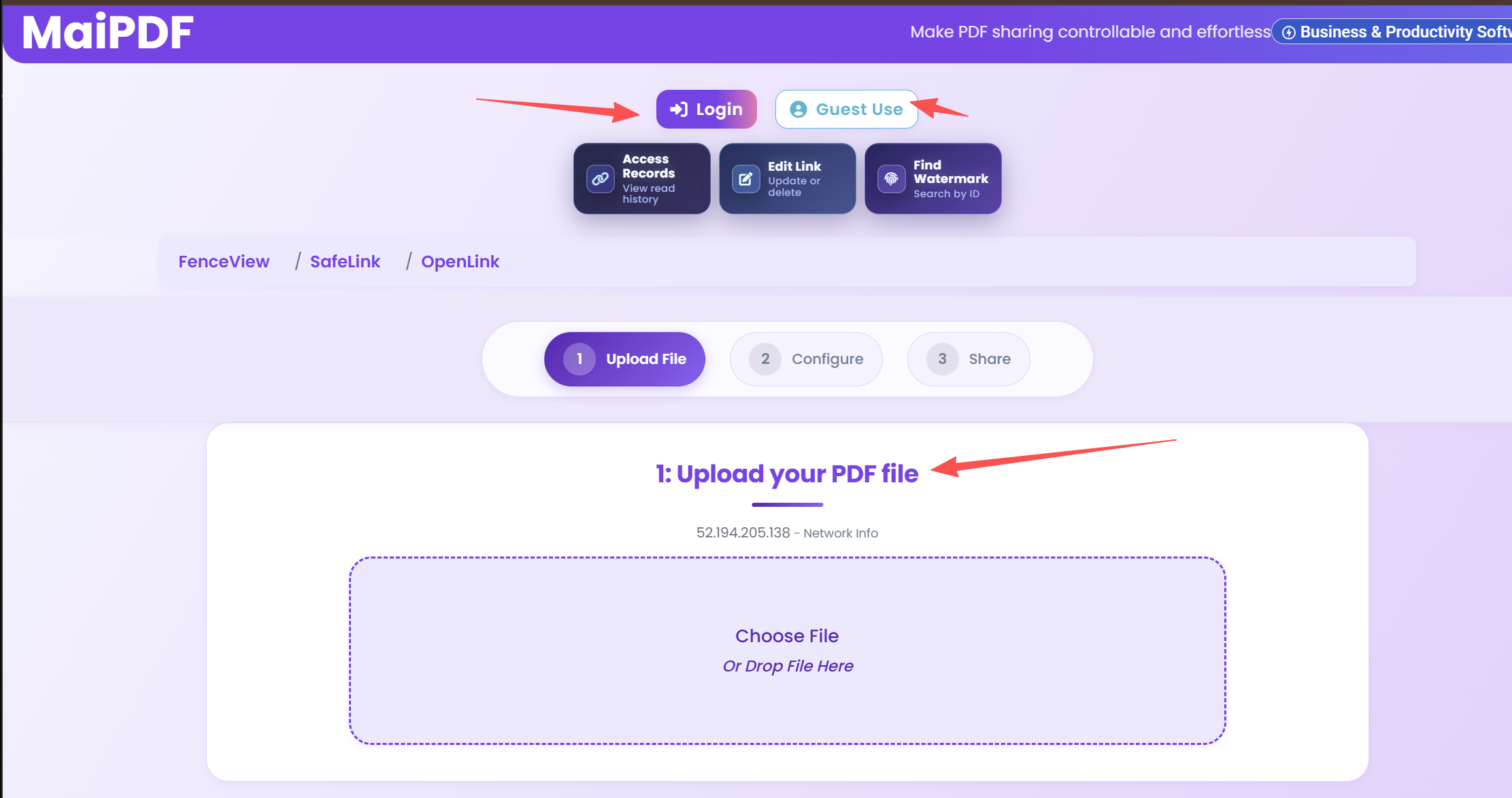
Step 1: Upload Your PDF
Go to maipdf.com and upload your PDF file. No account is required for basic tracking.
Step 2: Configure Security Settings
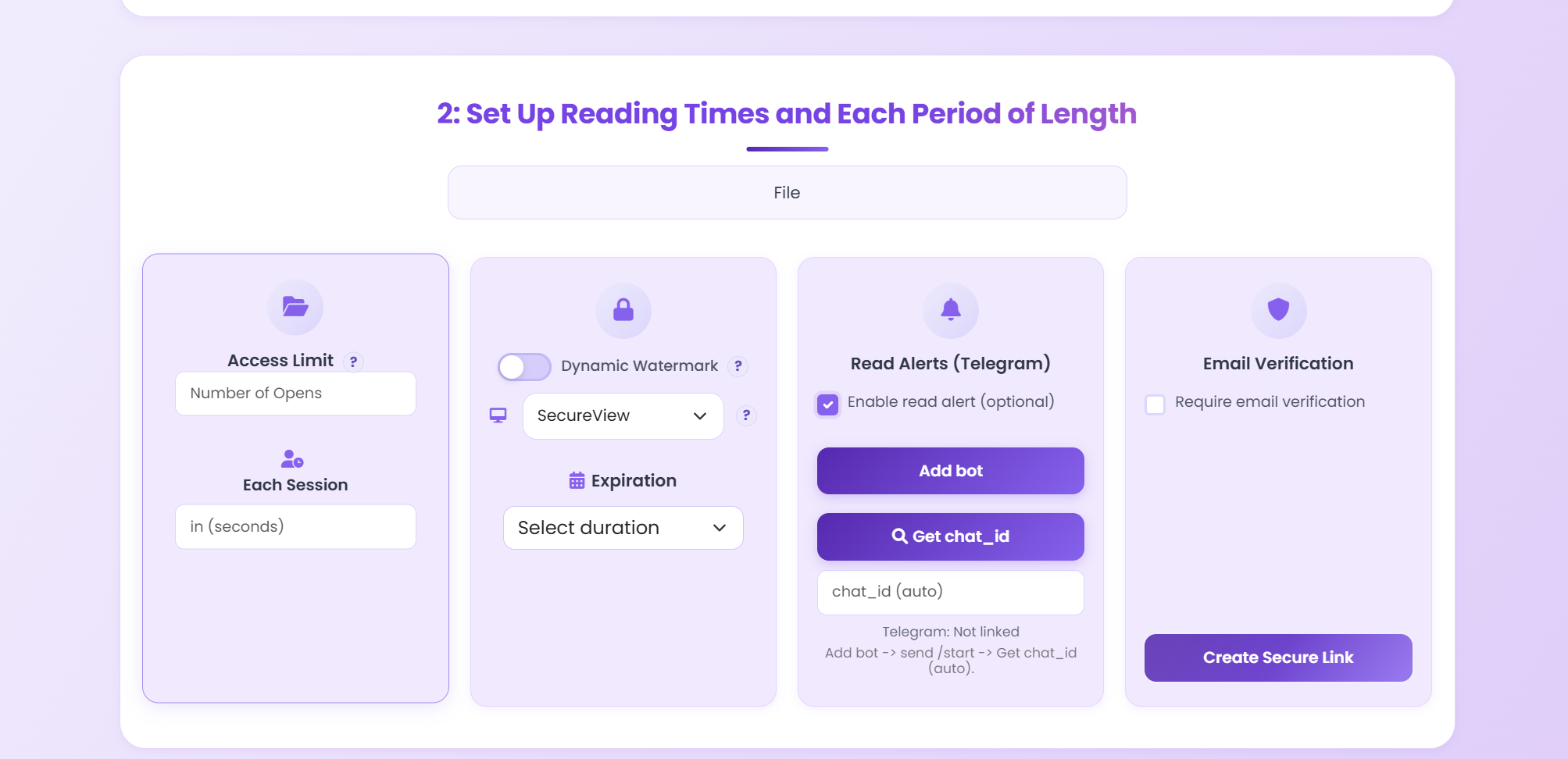
Before generating your link, you can optionally configure:
- View limits — Set a maximum number of times the PDF can be opened
- Expiration date — Make the link expire after a certain date
- Password protection — Require a password to view the document
- Download prevention — Disable the download button
- Watermark — Add a visible or dynamic watermark
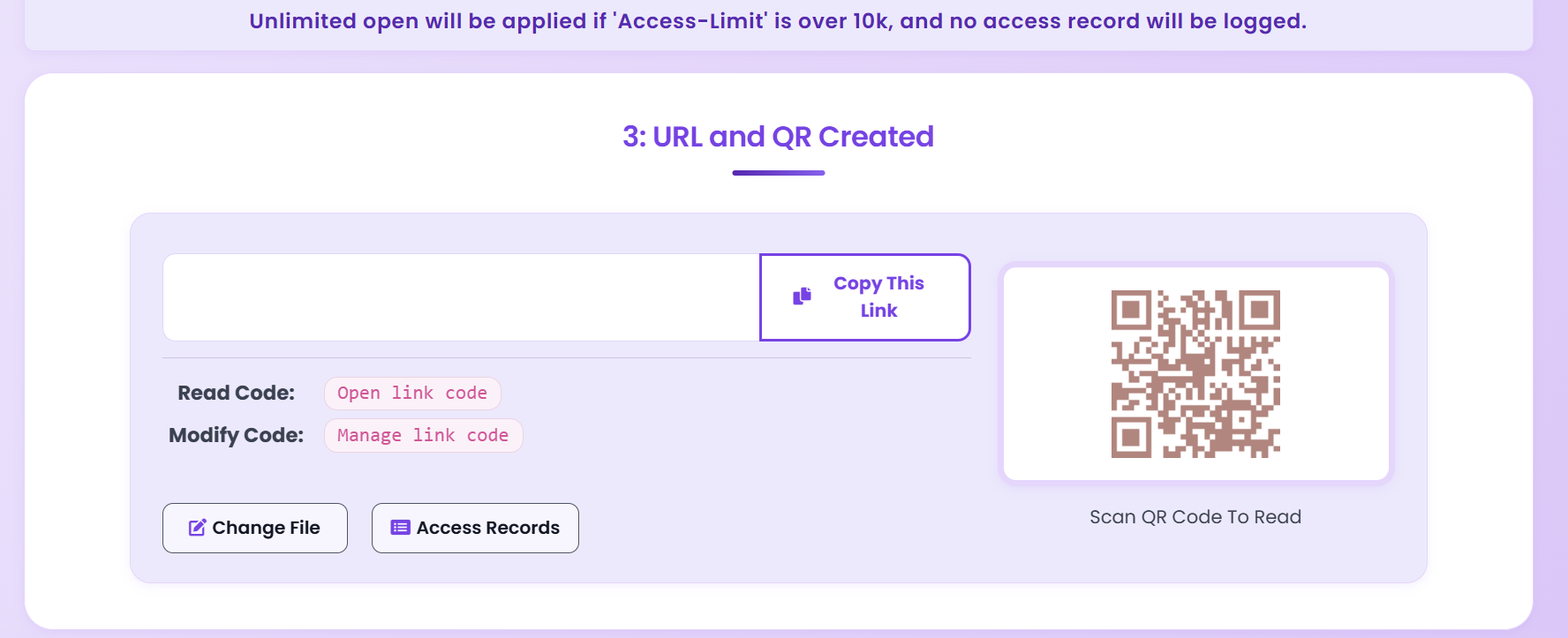
Step 3: Get Your Tracked Link & QR Code
MaiPDF generates both a shareable link and a QR code. Share either one — both are tracked.
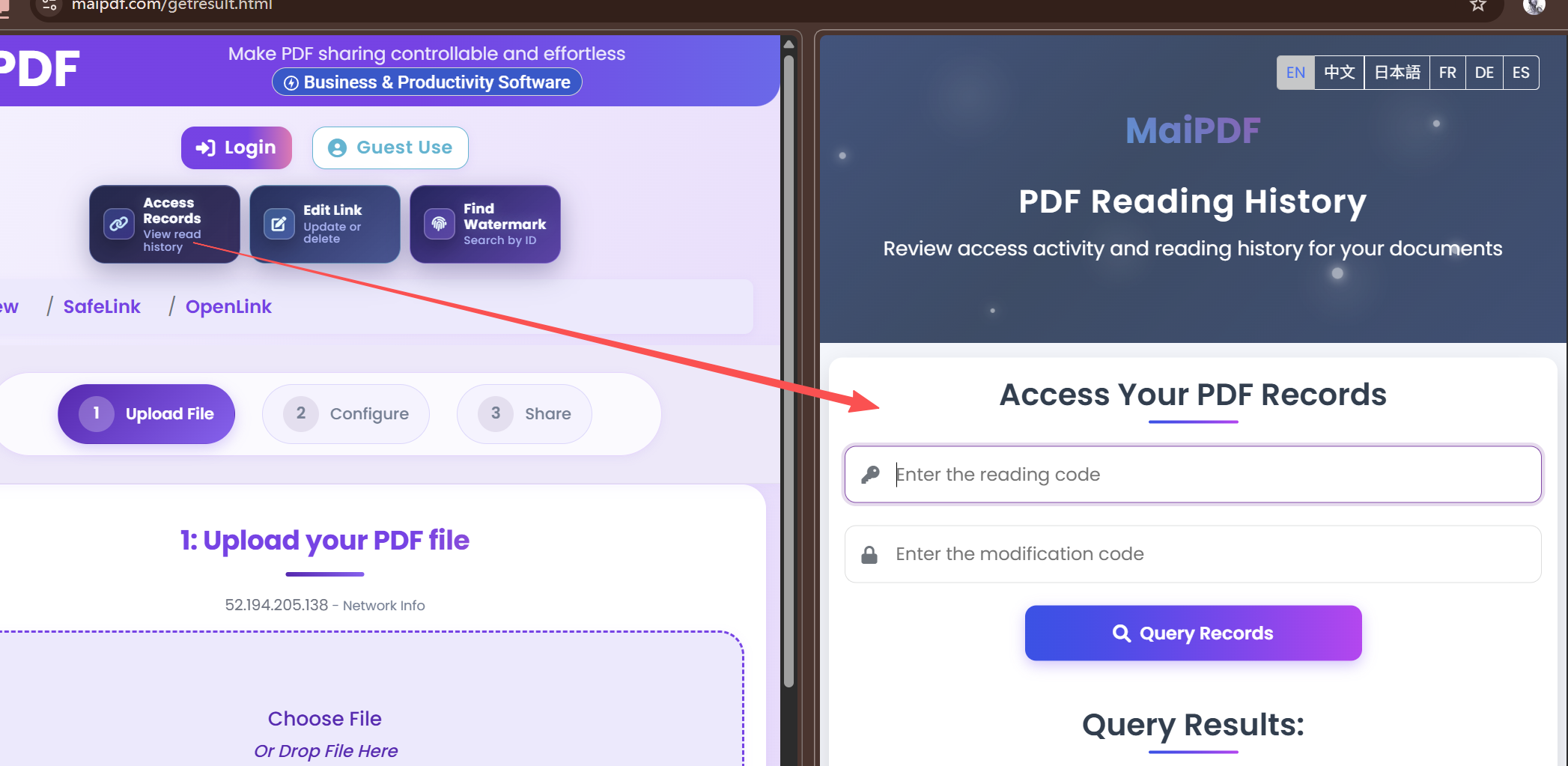
Step 4: Monitor Your Analytics Dashboard
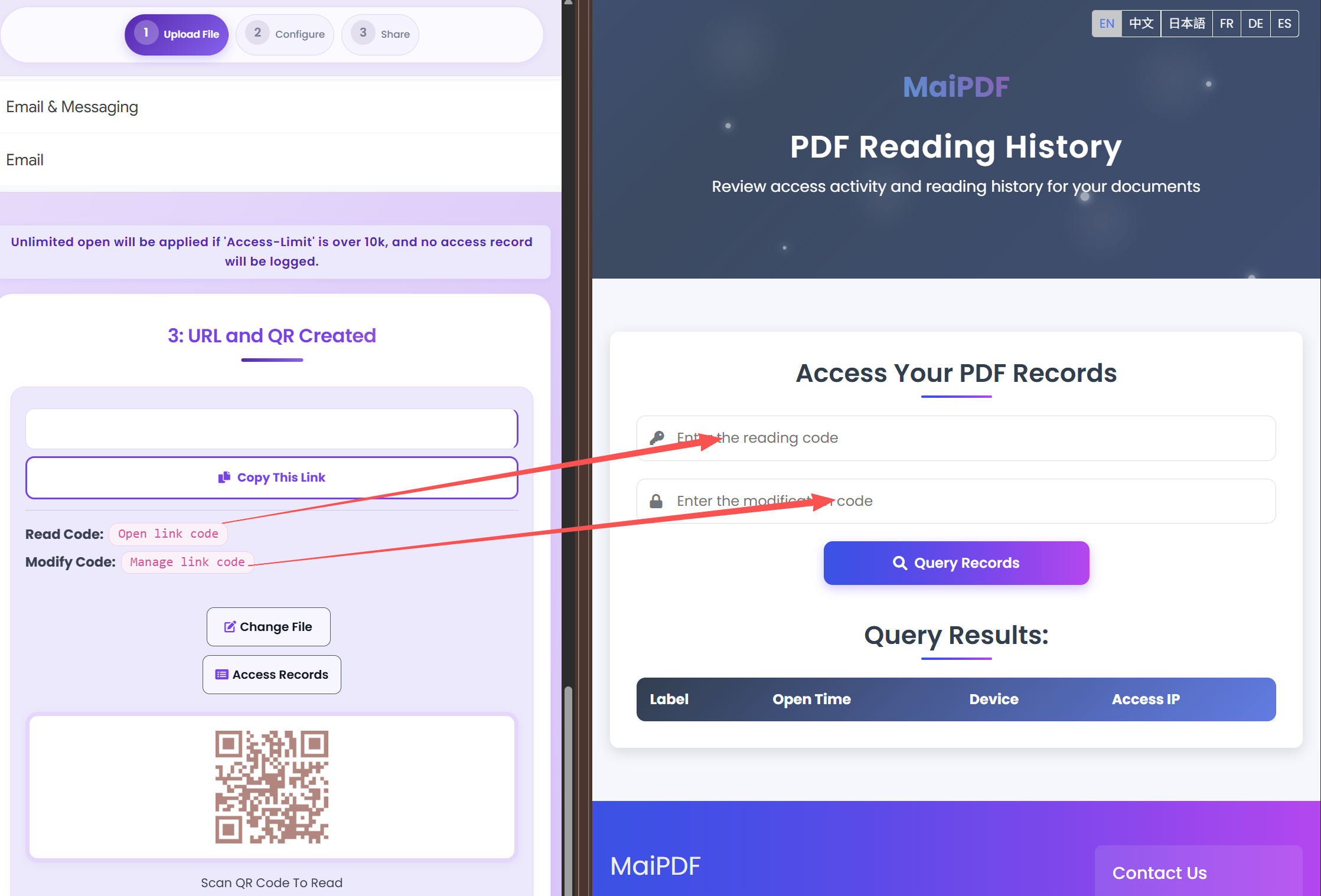
Once someone opens your link, you'll see the data in your tracking dashboard:
The dashboard shows:
- Total view count
- Timestamp of each view
- Remaining views (if a limit was set)
- Link status (active, expired, or limit reached)
4. Key PDF Analytics Metrics
Understanding what you can track helps you make better use of the data. Here are the main metrics available:
| Metric | What It Tells You | Why It Matters |
|---|---|---|
| View Count | How many times the PDF was opened | Measures overall engagement and reach |
| First Open Time | When the document was first viewed | Time your follow-up calls or emails |
| Last Open Time | Most recent view timestamp | Know if someone revisiting your document |
| Remaining Views | Views left before the limit is reached | Control distribution of sensitive documents |
| Link Status | Active, expired, or disabled | Manage document lifecycle |
| Device / Browser | What device the viewer used | Optimize document formatting for common devices |
5. Real-World Use Cases
Sales Proposals & Pitch Decks
Sales teams share dozens of proposals weekly. PDF tracking lets you:
- Know exactly when a prospect opens your proposal
- Follow up at the perfect moment — right after they've read it
- Identify which proposals are getting ignored vs. actively reviewed
- Set view limits so proposals can't be freely forwarded to competitors
→ Read more: Secure Sales Pitch Deck Sharing
Legal Documents & Contracts
For law firms and legal departments:
- Confirm that all parties have received and opened contracts
- Create an audit trail of document access
- Set expiration dates for draft versions
- Prevent unauthorized distribution with view limits
HR & Training Materials
Human resources teams can:
- Verify employees have opened mandatory policy documents
- Track completion of training material distribution
- Ensure confidential HR documents aren't being forwarded
→ Read more: Training Materials Distribution Guide
Publishing & Content Previews
Authors and publishers sharing preview chapters:
- Track interest levels by monitoring view counts
- Limit preview access to prevent full distribution
- Update the preview content without changing the shared link
→ Read more: Ebook Preview Security Guide
Confidential Reports
For financial reports, board documents, and investor updates:
- Know exactly who has accessed sensitive information
- Set strict view limits and expiration dates
- Add watermarks to deter unauthorized screenshots
→ Read more: Protecting Confidential Documents
6. PDF Tracking Tools Compared
Several tools offer PDF tracking with different capabilities. Here's how they compare:
| Feature | MaiPDF | DocSend | Email Attachment |
|---|---|---|---|
| View tracking | ✓ Yes | ✓ Yes | ✗ No |
| View count limits | ✓ Yes | ✗ No | ✗ No |
| Link expiration | ✓ Yes | ✓ Yes | ✗ No |
| QR code generation | ✓ Yes | ✗ No | ✗ No |
| Dynamic watermarks | ✓ Yes | ✗ No | ✗ No |
| Replace PDF (same link) | ✓ Yes | ✓ Yes | ✗ No |
| Free tier | ✓ Yes | ✗ Trial only | ✓ Yes |
| No account required | ✓ Yes | ✗ No | ✓ Yes |
7. Privacy & Ethical Considerations
PDF tracking raises important questions about privacy. Here's how to use it responsibly:
What PDF Tracking Does NOT Do
- It does not install software on the reader's device
- It does not access the reader's personal files or data
- It does not record screen content or keystrokes
- It does not track the reader after they close the document
Best Practices for Ethical PDF Tracking
- Be transparent — Let recipients know the document is shared via a tracked link
- Use for legitimate purposes — Business proposals, contract confirmations, training verification
- Respect data minimization — Only collect analytics you actually need
- Don't use for surveillance — PDF tracking is a business tool, not a spying tool
8. Best Practices for PDF Tracking
Before Sharing
- Choose the right security level — Not every document needs maximum restrictions. Match security to sensitivity.
- Set appropriate view limits — For proposals, 5-10 views is usually sufficient. For highly confidential docs, use 1-3 views.
- Consider expiration dates — Time-sensitive documents should expire automatically.
- Add watermarks for sensitive content — Dynamic watermarks show the viewer's information, deterring screenshots.
After Sharing
- Monitor the analytics dashboard — Check for views within the expected timeframe.
- Follow up strategically — Wait until the document has been opened before following up.
- Replace outdated content — Use the replace PDF feature to update documents without changing the shared link.
- Revoke access if needed — Disable the link if the document is no longer relevant or if access should be terminated.
For Teams
- Establish a consistent workflow for tracked document sharing
- Use descriptive file names so analytics are meaningful
- Review analytics weekly to identify patterns
9. Frequently Asked Questions
Can I track who opens my PDF?
Yes. By sharing your PDF through a tracked link service like MaiPDF, you can see when someone opens your document, how many times it was viewed, and basic device/location information — without requiring the reader to install anything.
How does PDF tracking work?
PDF tracking works by generating a unique shareable link for your document. When someone opens the link, the system records the view event including timestamp, device type, and approximate location. The PDF itself is displayed through a secure viewer rather than being downloaded directly.
Is PDF tracking free?
MaiPDF offers free PDF tracking with basic analytics including view counts and timestamps. You can upload a PDF, generate a tracked link, and start monitoring opens at no cost.
Can I track PDF views without the reader knowing?
When you share a PDF via a tracked link, the tracking happens through the link itself. There are no visible trackers or pop-ups for the reader. They simply click the link and view the document normally while the system records analytics in the background.
Can I limit how many times my PDF is opened?
Yes. MaiPDF allows you to set a maximum view count. Once the limit is reached, the link becomes inactive and the PDF can no longer be accessed. This is ideal for confidential documents and time-sensitive proposals.
Does PDF tracking work on mobile?
Yes. Tracked PDF links work on any device with a web browser — desktops, laptops, tablets, and smartphones. No app installation is required.
Can I update my PDF after sharing the link?
Yes. With MaiPDF's Replace PDF feature, you can upload a new version of your document and the existing link will automatically serve the updated file. All previous analytics are preserved.
Start Tracking Your PDFs Today
Upload a PDF, get a tracked link, and see who opens your documents — all for free.
Try MaiPDF Free