Sales Pitch Deck Security
Share pitch decks with prospects without worrying about unauthorized forwarding. Control access, track views, and protect proprietary pricing.
8 min read March 23, 2026 Security
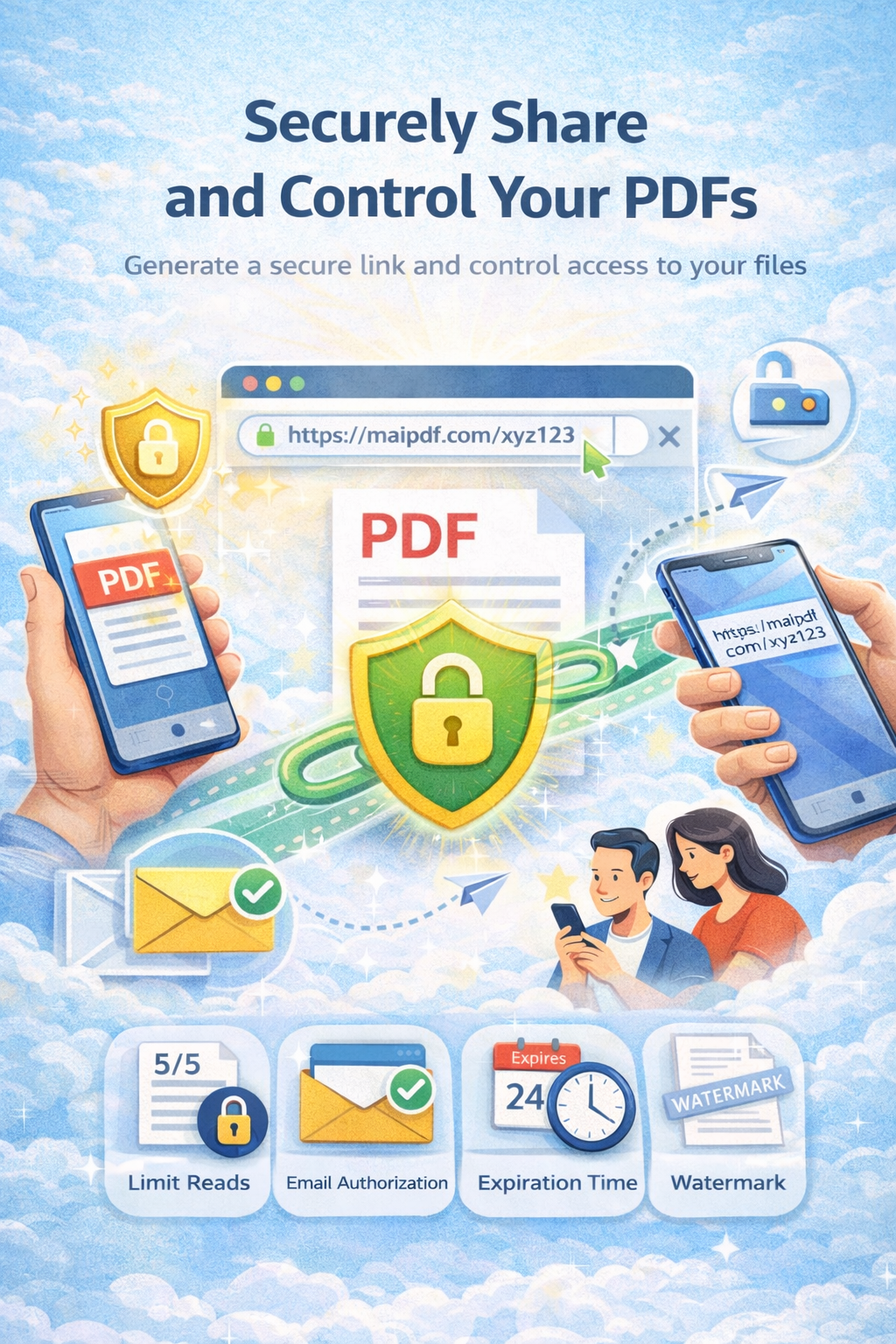
Share pitch decks with prospects without worrying about unauthorized forwarding. Control access, track views, and protect proprietary pricing.
8 min read March 23, 2026 Security
Sales pitch decks contain proprietary pricing, competitive positioning, and strategic insights. When shared via email or cloud links, they can be forwarded to competitors in seconds. MaiPDF lets you share pitch decks through secure links with full control over who views them, how many times, and for how long — while tracking every open in real time.
How It Works
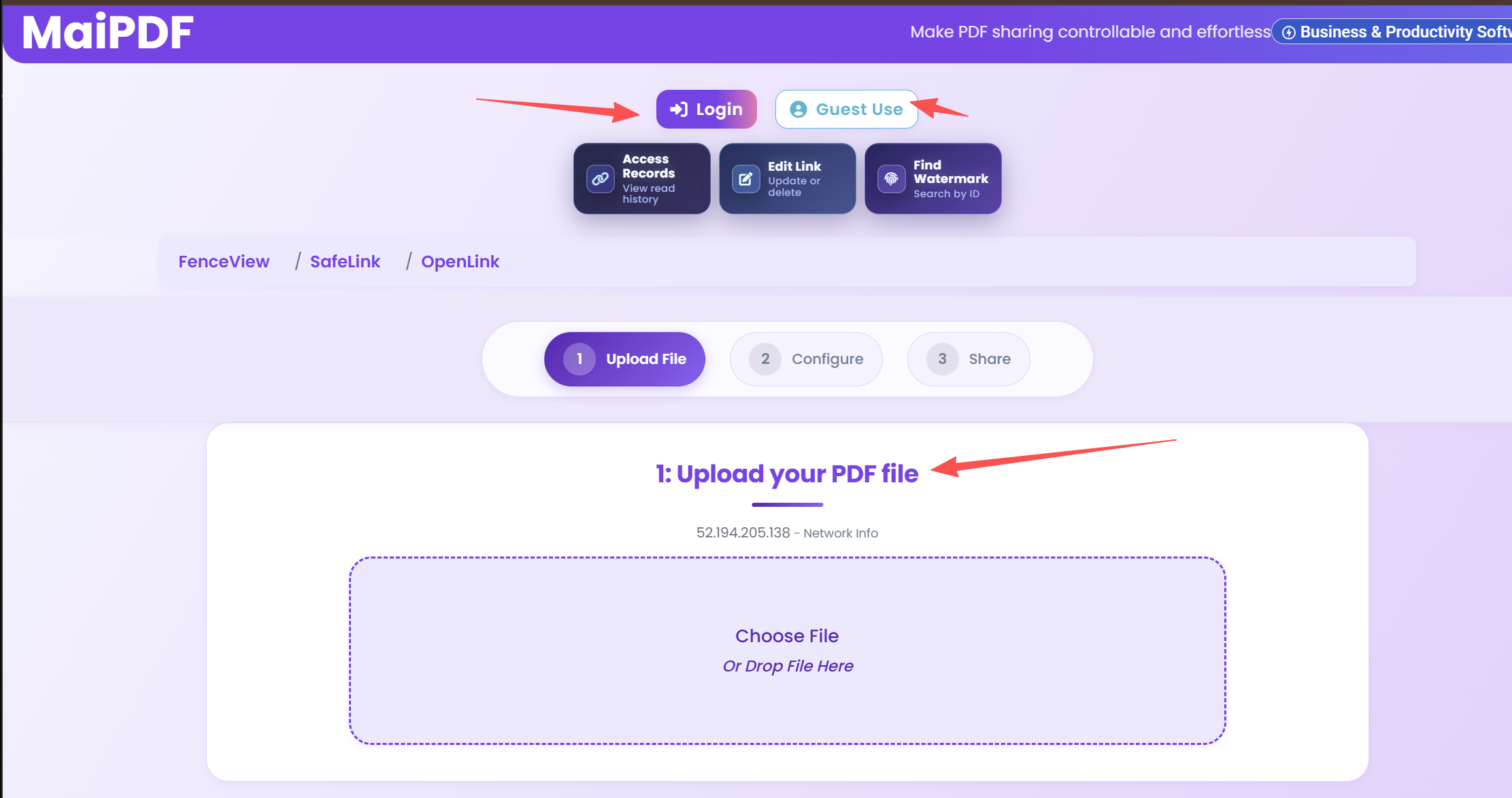
Drag and drop your sales deck PDF. Files are encrypted during upload and stored securely on the cloud.
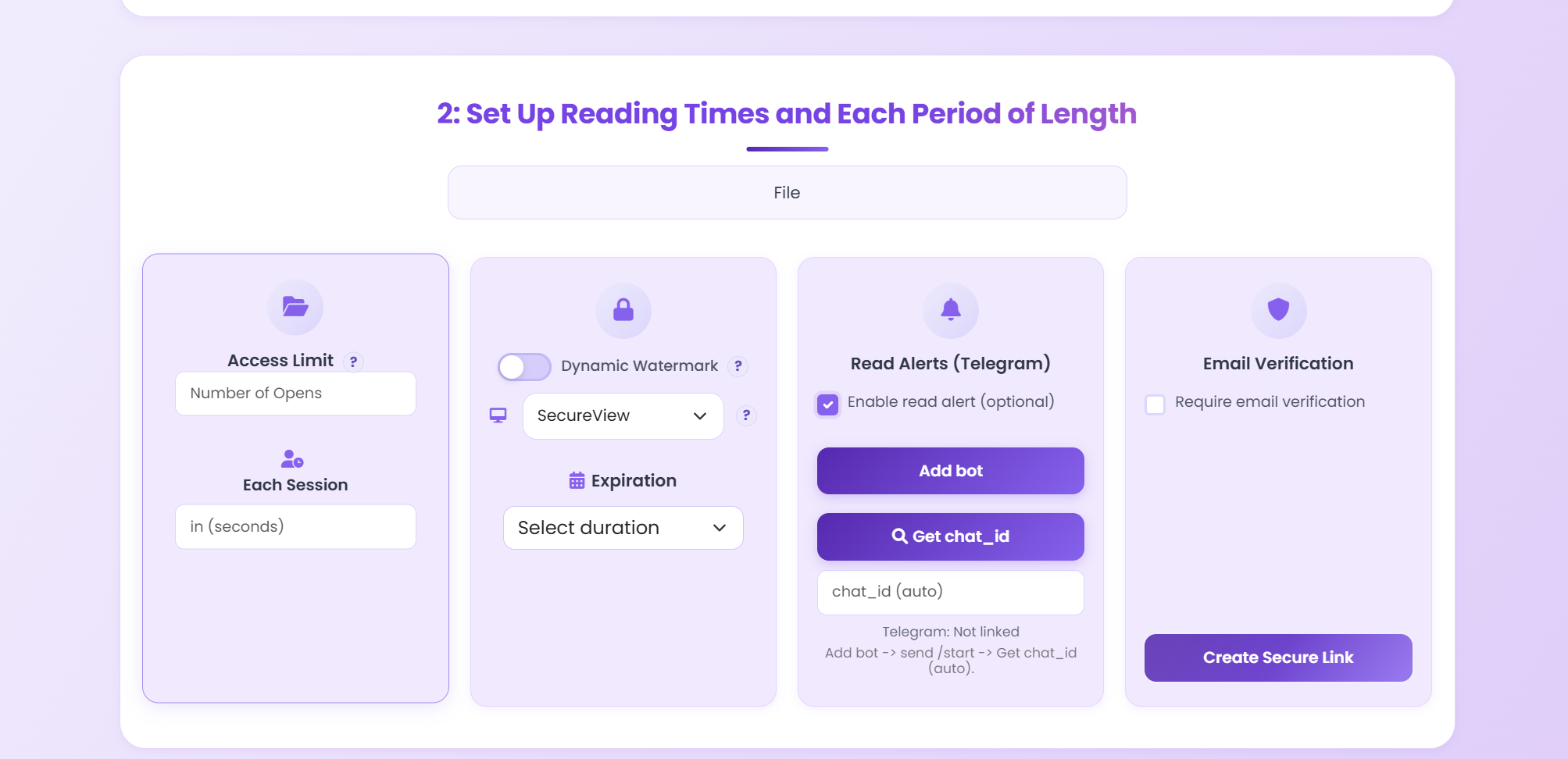
Set password protection, view limits, dynamic watermarks, expiration dates, and disable downloads.
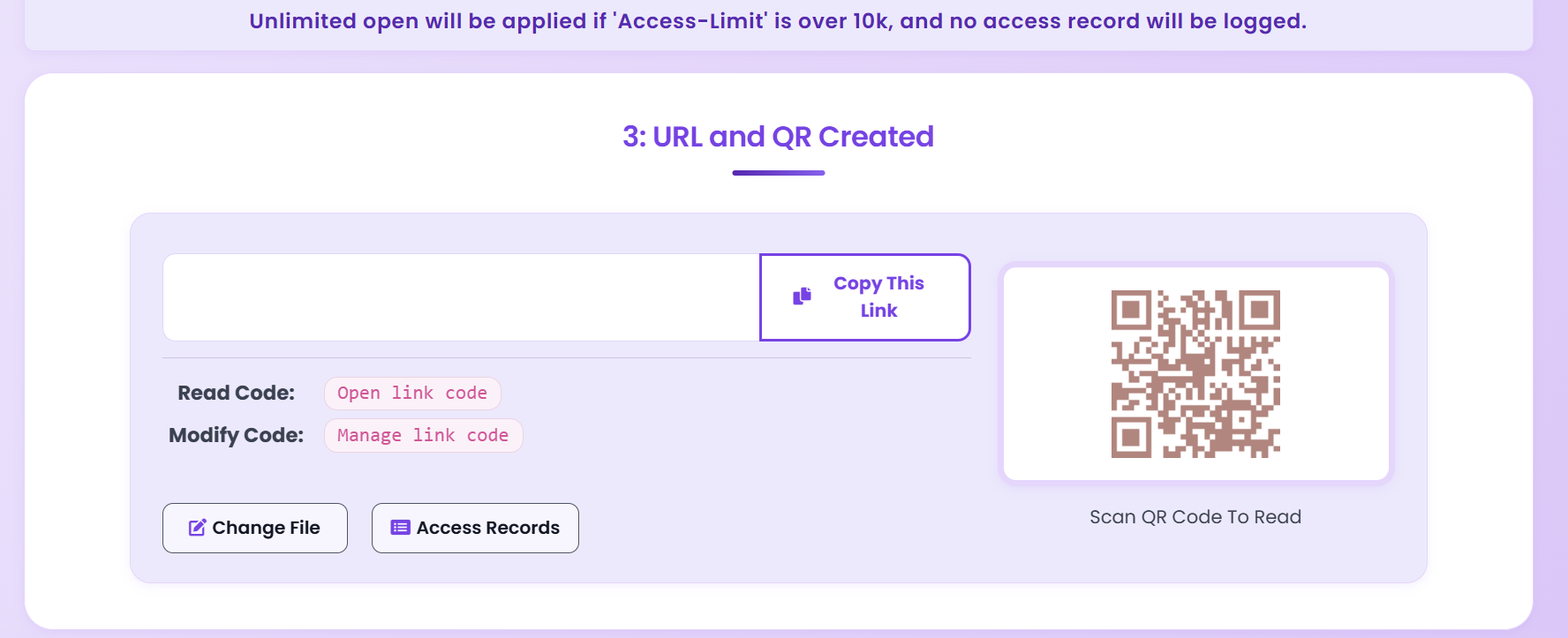
Get a secure link and QR code. Share via email or CRM, then track who opens it in real time.
Security Features
Set exactly how many times a prospect can open your deck — 1, 3, or 5 views. Once reached, access is automatically revoked.
Require a password before viewing. Share the password separately through a secure channel to ensure only the intended recipient can access it.
Overlay viewer-specific information (IP, timestamp) on every page. Deters screenshots and traces leaks back to the source.
Set links to expire after your negotiation window closes. Access automatically ends on the date you choose — no manual cleanup needed.
Require a one-time email code before viewing. Know exactly which person opened your deck — not just which device.
See when your deck was opened, from which location, and on what device. Prioritize follow-ups with the most engaged prospects.
Disable download and print buttons completely. Prospects can view the deck online but cannot save a local copy to forward.
Disable any link instantly from your dashboard. Even if the link was forwarded, it becomes inaccessible the moment you revoke.
Security Checklist
| Capability | Email Attachment | Google Drive / Dropbox | MaiPDF Secure Link |
|---|---|---|---|
| Prevent forwarding | |||
| Block downloads | |||
| View limit | |||
| Expiration date | |||
| Dynamic watermark | |||
| Real-time open tracking | |||
| Revoke access instantly | |||
| Password protection |
FAQ
Related Articles
Track who opens your PDFs, when they view them, and how engaged they are — in real time.
Add dynamic or static watermarks to trace leaks and deter unauthorized sharing.
Update the file behind a shared link without changing the URL. Recipients always see the latest version.
How financial teams share sensitive reports with view limits and audit trails.
Upload your sales deck, configure security settings, and share a protected link — it takes less than a minute.
Practical guide
Send a controlled link so the prospect can preview the deck without receiving a raw attachment.
Use analytics to see whether the deck was reopened, forwarded internally, or ignored before scheduling the next touch.
Use MaiPDF App DRM and .maipdf packaging when the deck includes non-public pricing, roadmap, investor material, or partner terms.
Updated MaiPDF protection path
SendPDFOnline pages now describe MaiPDF as a two-level product family: Online Cloud Sharing creates quick browser links and QR codes, while the MaiPDF App creates protected .maipdf packages for sensitive PDFs that need App DRM controls.
Upload a PDF, share a browser link or QR code, and keep read code / modify code management.
Package the PDF in the MaiPDF App with local encryption, license rules, expiry, open limits, and revoke control.
Use protected viewer, device binding, screenshot-aware controls, watermark trace, and license management where supported.
No web page can fully stop screenshots. MaiPDF App DRM is positioned as the stronger path: reduce casual copying, bind access to identity/devices, revoke licenses, and trace leaks with visible watermark information.