How to Show PDF Online
Upload once, share by link or QR, and keep control with access limits and view records. Recipients open the PDF in the browser—no app needed.
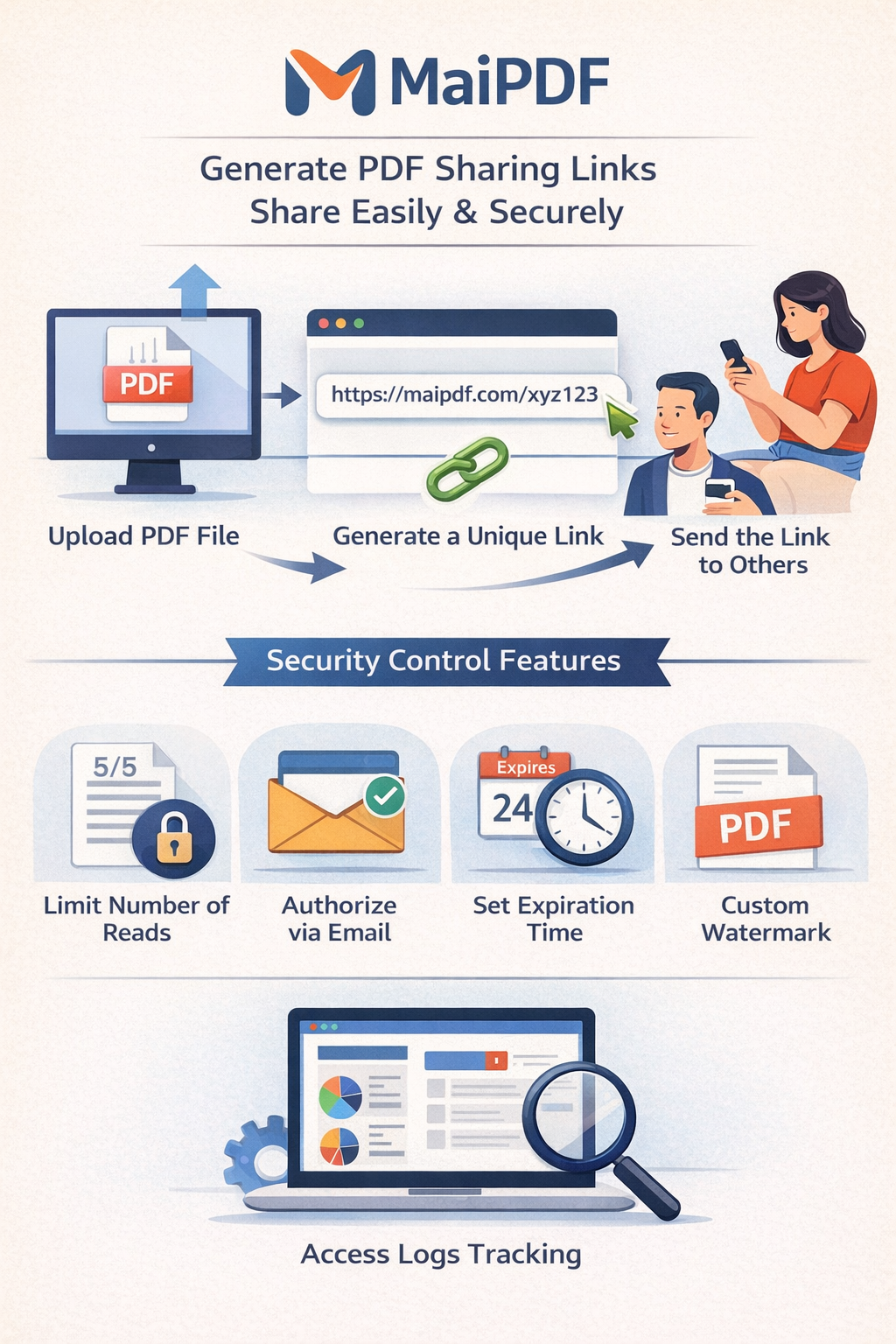
Upload once, share by link or QR, and keep control with access limits and view records. Recipients open the PDF in the browser—no app needed.
Article
Email attachments get saved, forwarded, and mixed with old versions. When you show a PDF online with a link, everyone sees the same file, you can update it without resending, and you can add view limits, expiry, and optional verification. No software install for your recipients.
Workflow
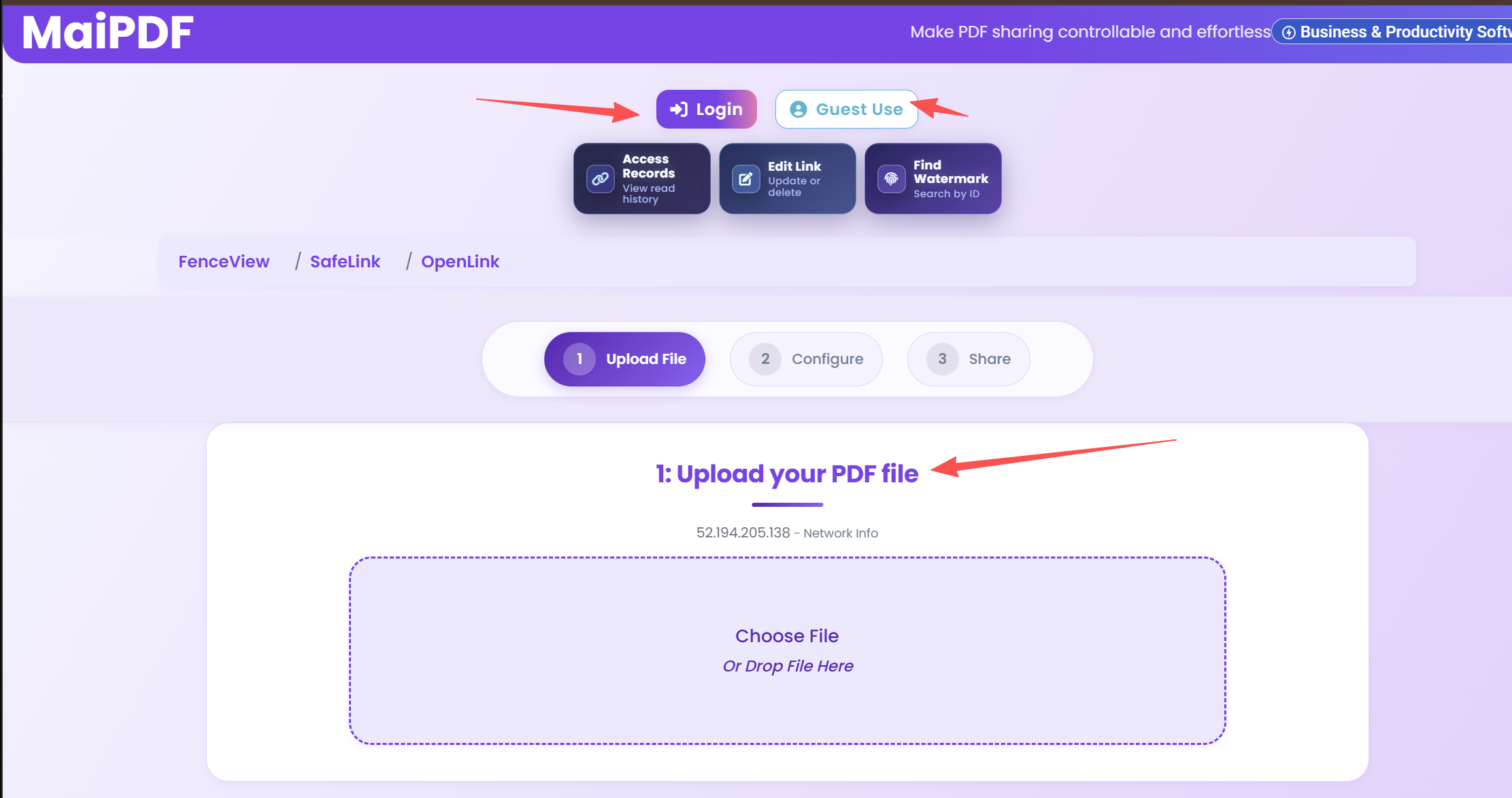
Upload your file and pick access mode. No account required.
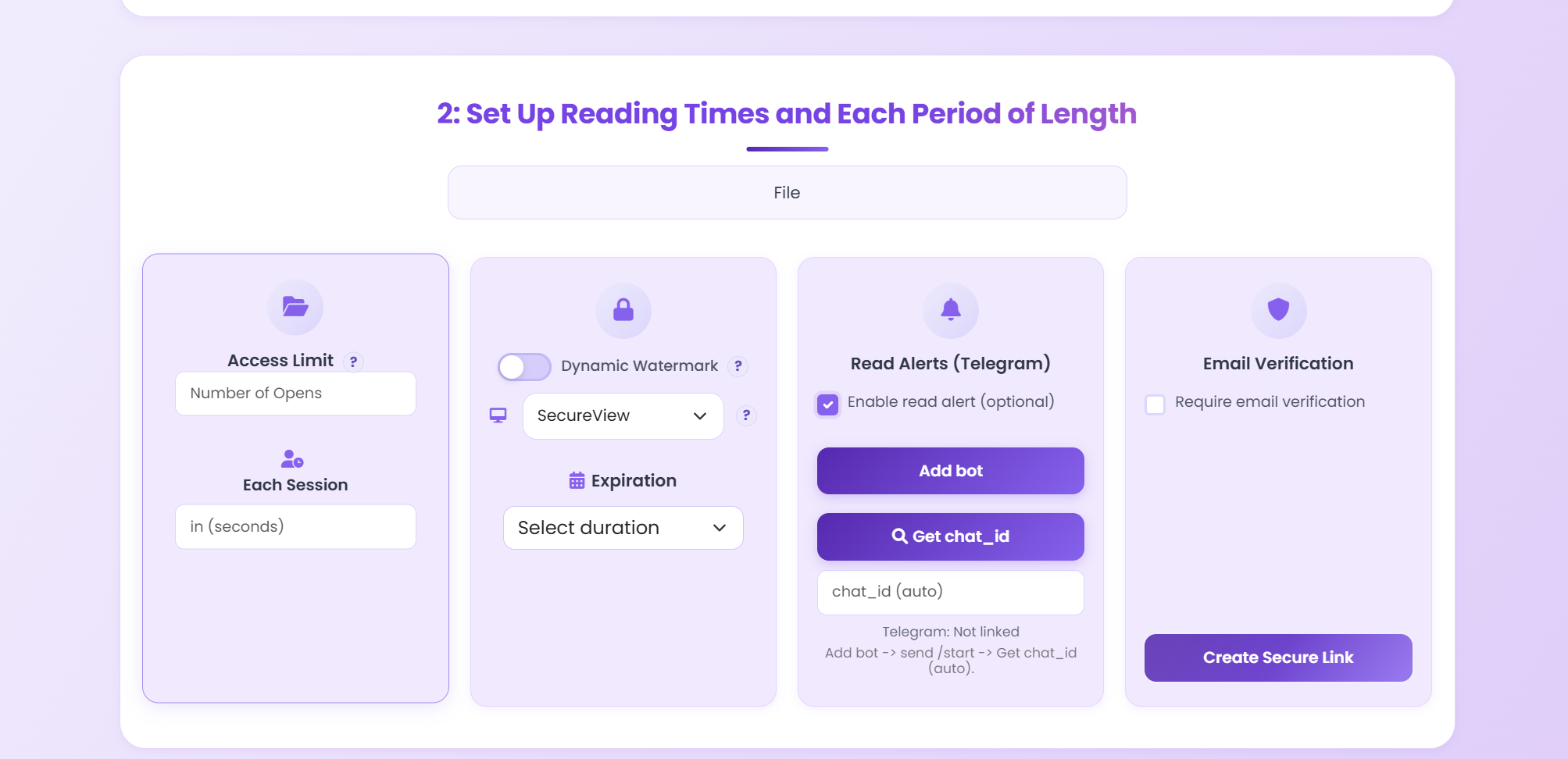
Set expiry, watermark, and verification if needed.
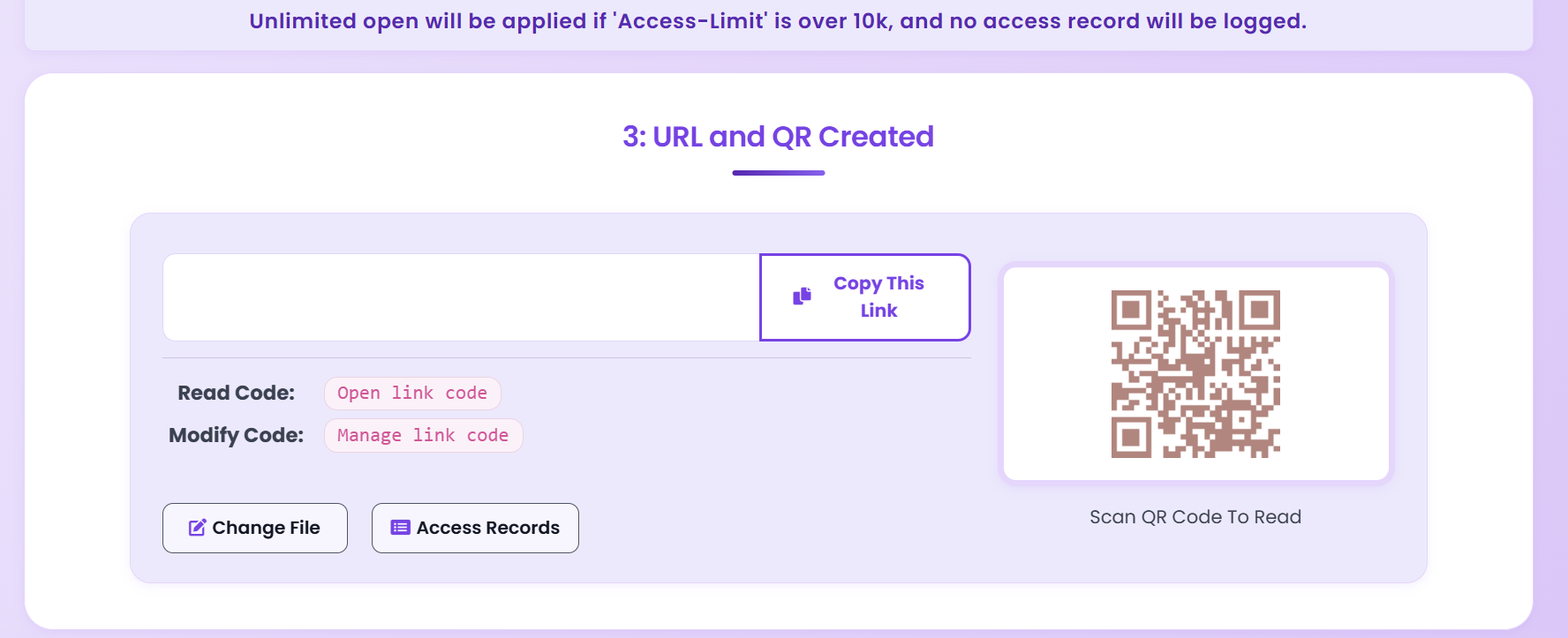
Send link or QR. Use access records to see opens.
Viewer
The PDF opens in the browser with zoom and page navigation. You can require email verification before reading sensitive files.
FAQ
No. The PDF opens in the browser on desktop and mobile. No app or download required unless you allow it.
Yes. After you create the link, you get a QR code to share. Anyone who scans it can open the PDF in their browser.
Read more
Secure sharing with control.
Security options explained.
View PDFs in browser.
Full control and tracking.
Free. No sign-up required.
Start Free