PDF Sharing Methods: Link, QR, Controlled Viewer, or App DRM?

Use this page to pick the right path: a quick online PDF link, a QR code, a controlled browser viewer, or MaiPDF App DRM / .maipdf when screenshots and forwarded copies are the real risk.

Link + QR   Access control   App DRM for screenshots
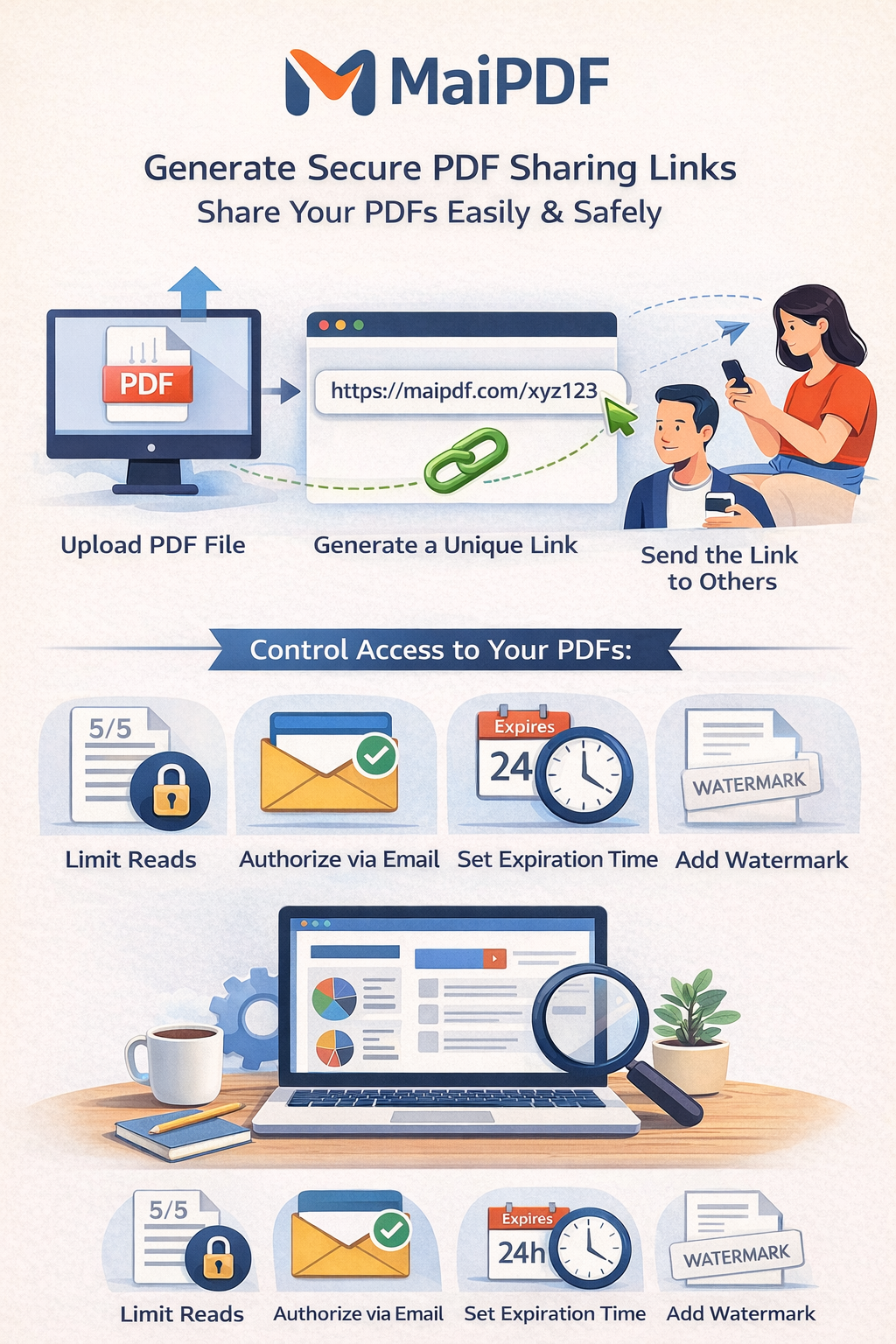
Share PDF online methods overview

Choose the Right Method in 30 Seconds

Method Best for What to enable Main risk
Secure Link Proposals, sales decks, client docs Password + expiry + watermark Link forwarding
QR Sharing Events, brochures, printed handouts Expiry + optional view limits Public scan access if unrestricted
Email Invite Formal one-to-one delivery Email verification + access records Attachment version drift
Controlled Viewer Confidential or internal documents No-download + watermark + view limits Overly strict settings hurt usability
MaiPDF App DRM / .maipdf Paid training, contracts, investor decks, sensitive files where screenshots matter Protected viewer + license rules + revoke + watermark trace No software can stop someone filming the screen with another phone

When a browser link is enough — and when to move to App DRM

For most PDF sharing, Online Cloud Sharing is the right first choice: upload once, send a link or QR code, set expiry and watermarks, then check access records.

Move to MaiPDF App DRM when the file itself must remain license-controlled after it leaves your browser workflow. The App packages a protected .maipdf file and opens it inside a protected viewer with license checks, revocation, and watermark tracing.

Choose Online Cloud Sharing

Fast links, QR codes, expiry, watermarks, and access logs for everyday sharing.

Choose App DRM

Screenshot-sensitive PDFs, forwarded copies, device rules, license revoke, and traceable leaks.

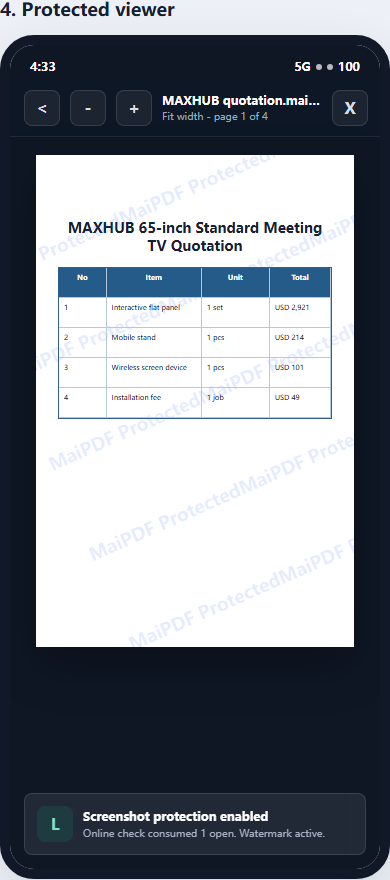
MaiPDF App protected viewer for .maipdf files

Honest boundary: no software can stop a separate phone camera, but App DRM makes casual capture and copied files much less useful.

Set Up in 3 Steps

1

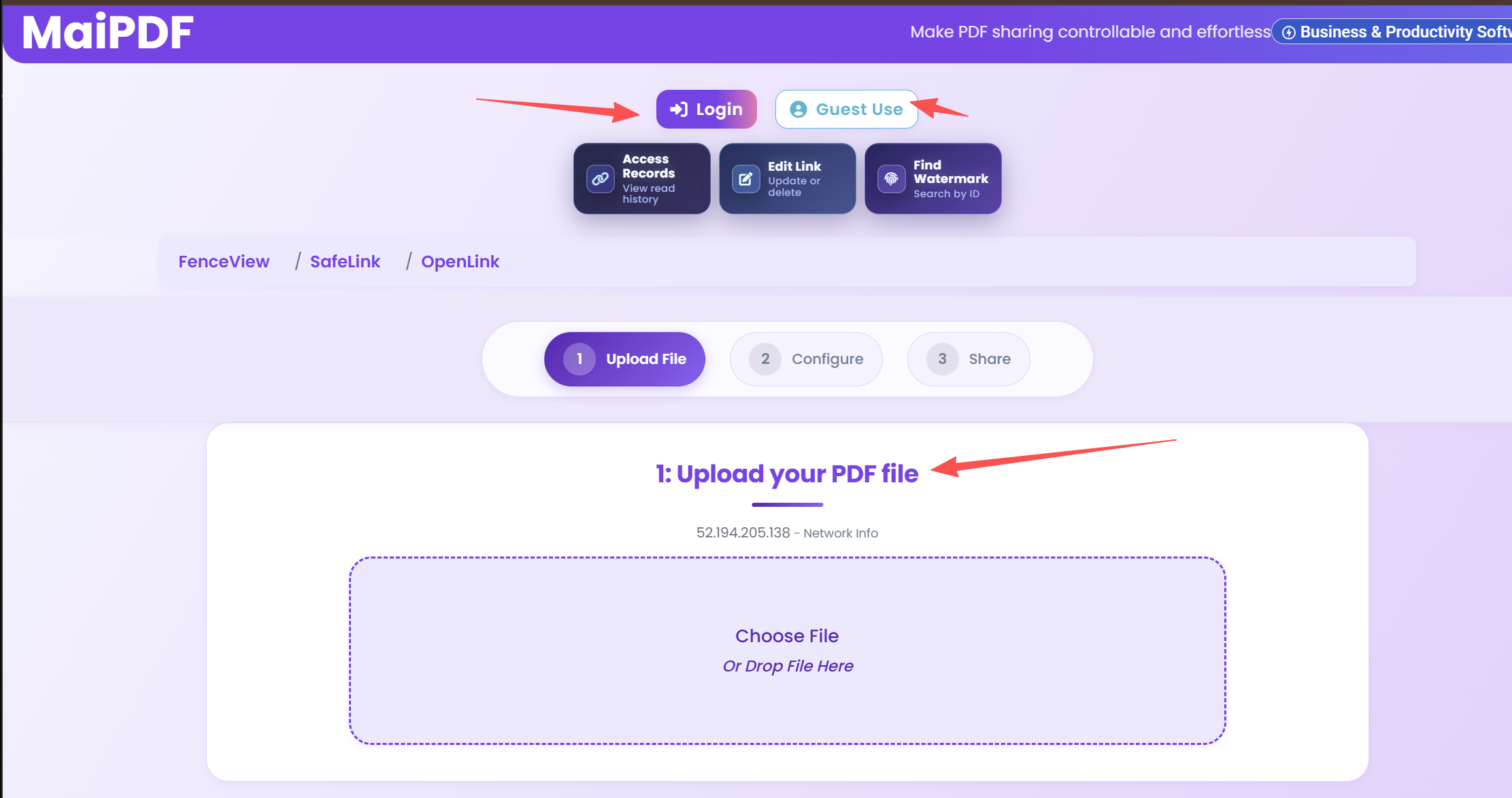
Upload PDF

Upload file and define audience.

Upload PDF file in MaiPDF
2

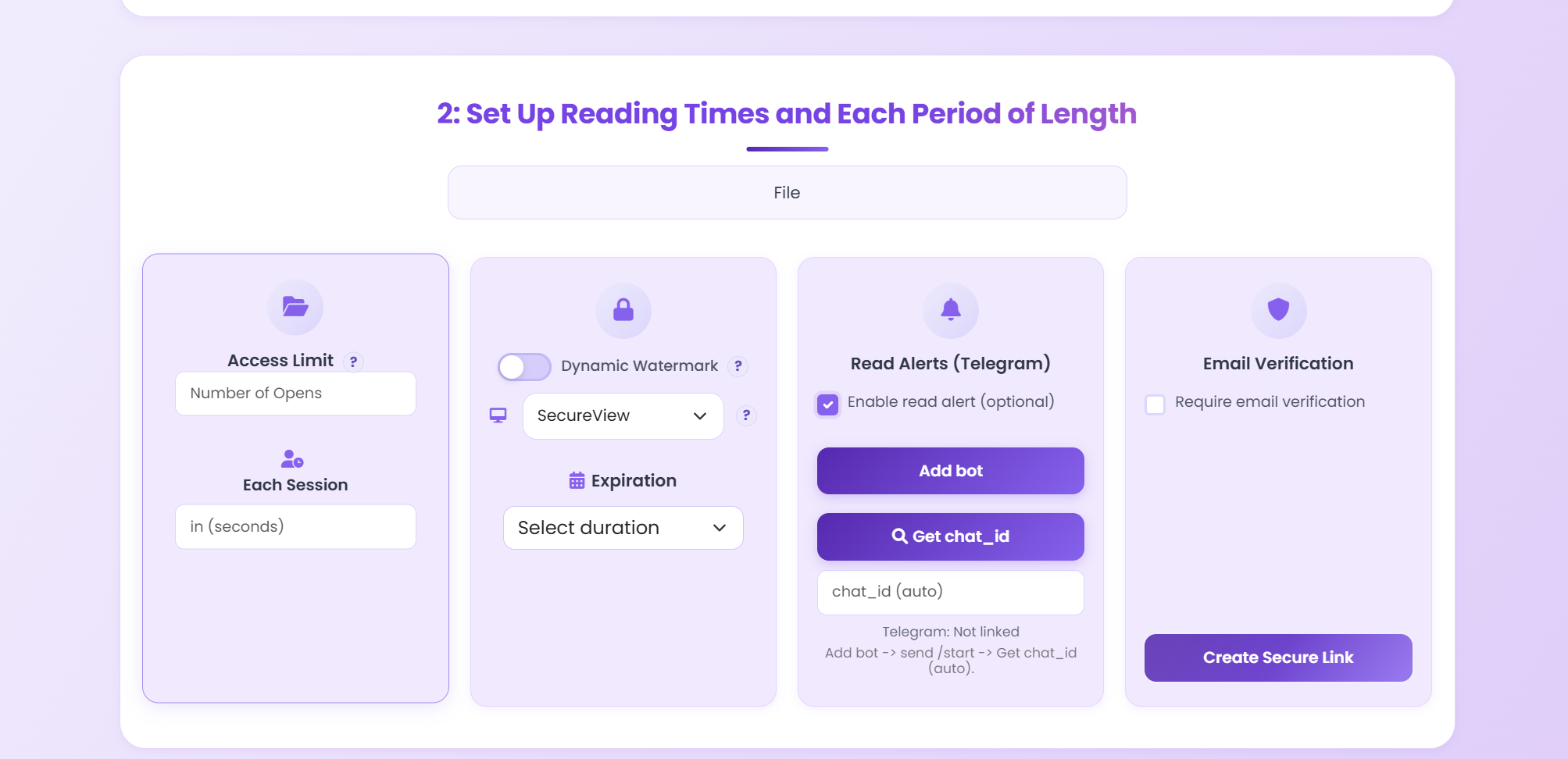
Apply Controls

Set expiry, limits, and watermark.

Set PDF expiration and controls
3

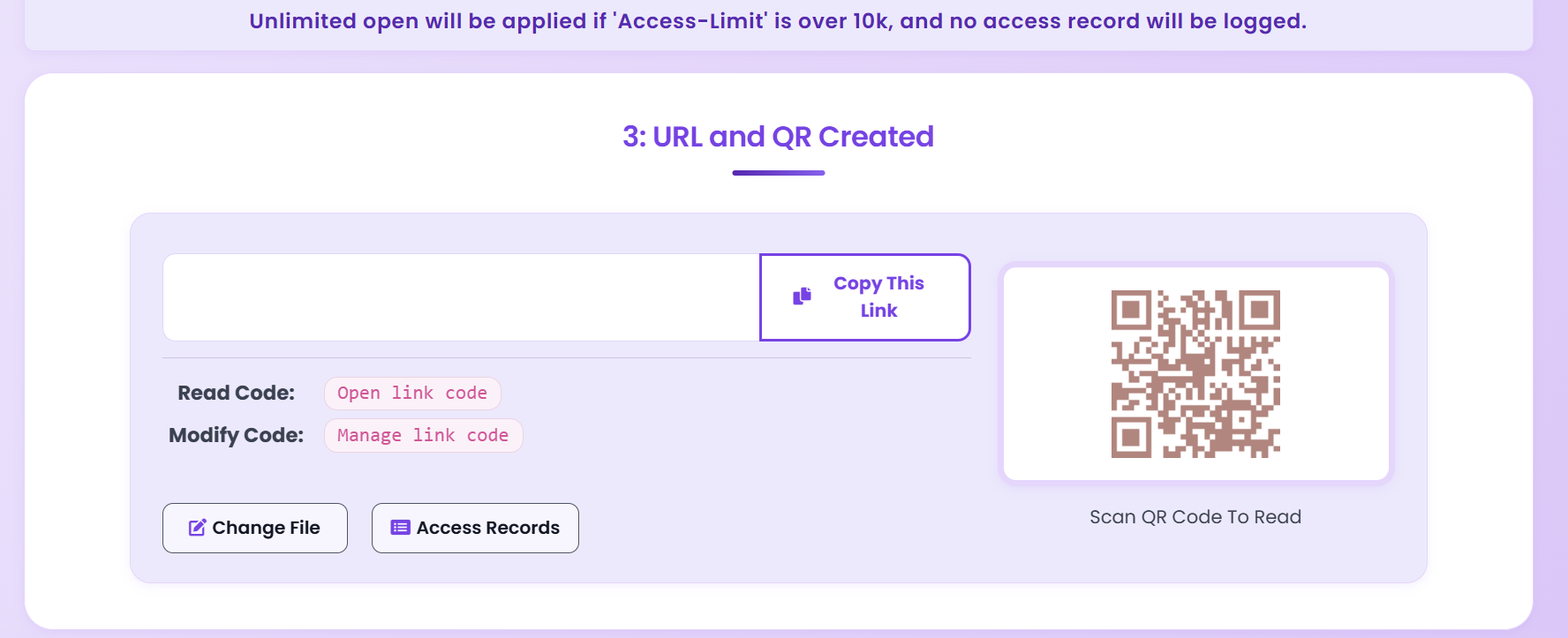
Share Link / QR

Send link or QR and track opens.

PDF sharing result with secure link and QR code

PDF Sharing Flow (Link + Control + Tracking)

PDF sharing workflow flowchart in English

Check Who Opened Your PDF

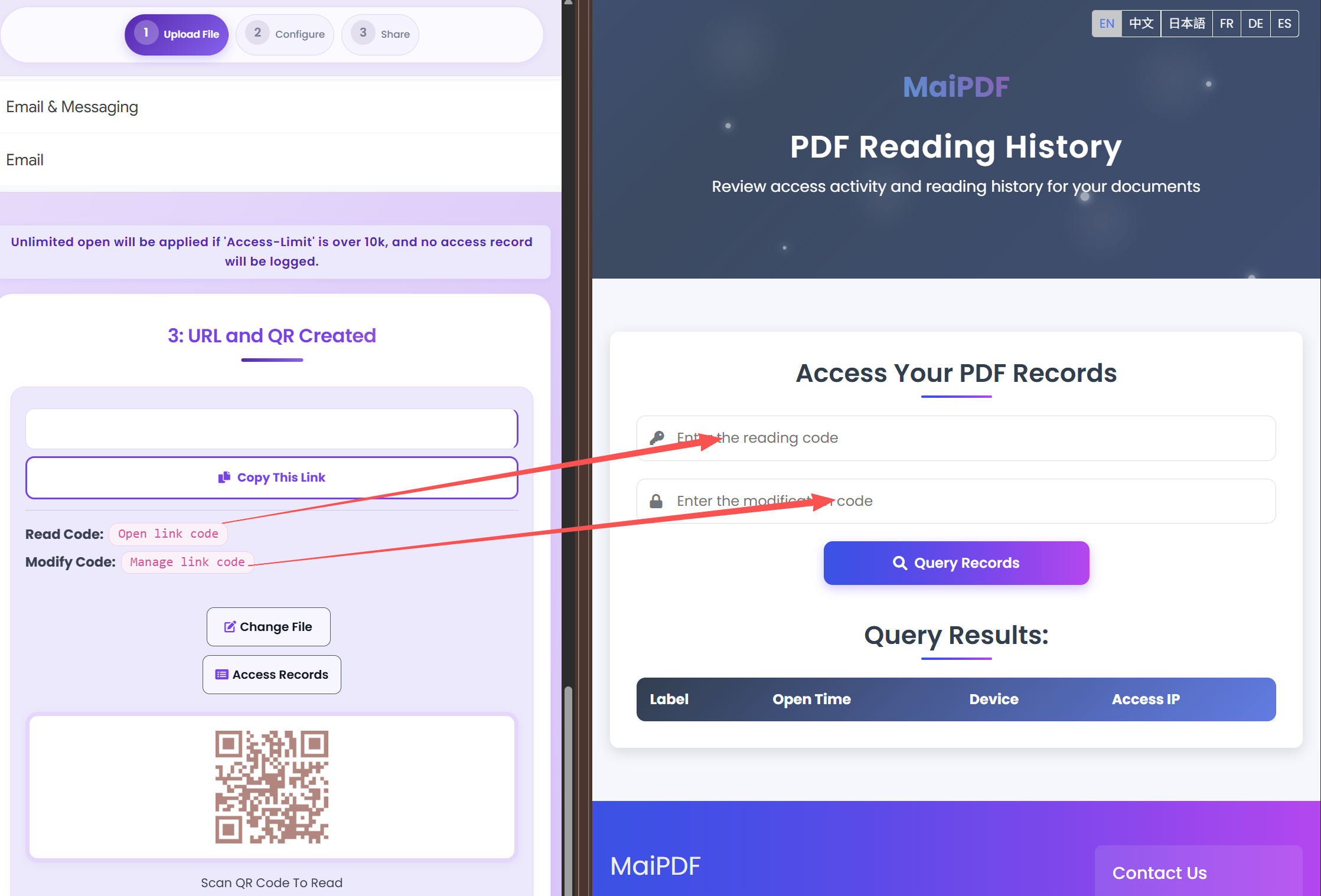
Use Read Code + Modification Code to query access records. This is the fastest way to audit shared links.

  • Copy Read Code and Modify Code from share result.
  • Open Access Records and paste both codes.
  • Query records to review open history.
How to use read code and modification code to check PDF access records

Security Layers You Should Combine

Password

Baseline protection for client access links.

Expiration

Limit exposure window for temporary docs.

View Limits

Restrict repeated open attempts.

Watermark

Discourage leaks with viewer identity overlay.

Implementation Checklist

Before You Share

  • Lock the final file version and remove draft pages.
  • Choose an access policy: open, verified, or restricted viewers.
  • Set a clear expiry window for time-sensitive documents.
  • Decide if download/print should be disabled for this audience.

After You Share

  • Check access records in the first 24 hours to confirm engagement.
  • Follow up when a key recipient has viewed the file multiple times.
  • Revoke or tighten access immediately if the link is forwarded.
  • Replace the file on the same link to avoid version drift.

Recommended Settings by Scenario

Scenario Recommended controls Follow-up action
Sales proposal Password + 7-day expiry + watermark Review open timeline before pricing follow-up
Investor update Verified viewer + no-download + revoke switch Disable access after board cycle ends
Training materials QR sharing + view limits + printable allowed Track completion and refresh old versions

Continue Reading

Share PDF Online

Core link sharing workflow.

Secure PDF Sharing Guide

Layered protection checklist.

PDF Link Sharing Guide

Practical link setup patterns.

Replace PDF Without Changing Link

Update file while keeping same URL.

Ready to Share PDFs with More Control?

Use the method matrix above, then apply only the controls your scenario needs.

Try MaiPDF Back to Articles

Which PDF sharing method should you choose?

Fast public or low-risk sharing

Use Online Cloud Sharing to upload the PDF, create a link or QR code, and send it through email, chat, or a website. Add a password or expiry date when the audience is known but not highly sensitive.

Client review and sales material

Use browser sharing plus view analytics so you can see whether a prospect opened the file, which link they used, and whether follow-up is needed.

Sensitive contracts and internal files

Use MaiPDF App DRM and package the document as a .maipdf file when forwarding, copying, device control, or post-share revocation matters more than convenience.

Use Online Cloud Sharing for speed; use MaiPDF App DRM when screenshots, forwarding, or device access matter

SendPDFOnline pages now describe MaiPDF as a two-level product family: Online Cloud Sharing creates quick browser links and QR codes, while the MaiPDF App creates protected .maipdf packages for sensitive PDFs that need App DRM controls.

Fast cloud link

Upload a PDF, share a browser link or QR code, and keep read code / modify code management.

Protected .maipdf file

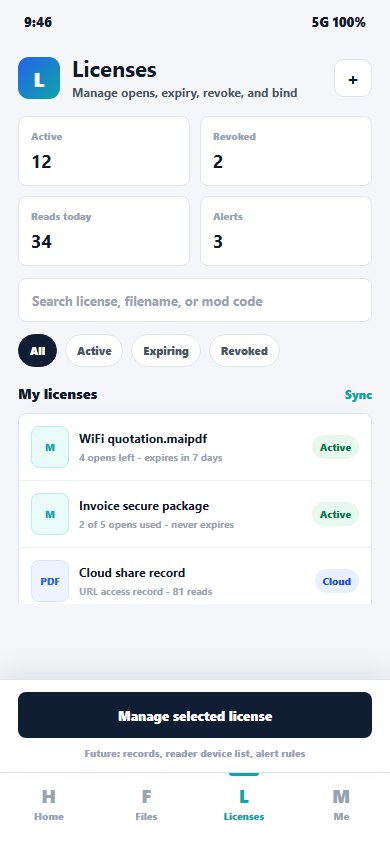
Package the PDF in the MaiPDF App with local encryption, license rules, expiry, open limits, and revoke control.

App-only protections

Use protected viewer, device binding, screenshot-aware controls, watermark trace, and license management where supported.

No web page can fully stop screenshots. MaiPDF App DRM is positioned as the stronger path: reduce casual copying, bind access to identity/devices, revoke licenses, and trace leaks with visible watermark information.

MaiPDF App DRM license manager

Need stronger control?

Create protected .maipdf documents with MaiPDF App DRM.