Why Choosing the Right PDF Sharing Method Matters
In today's digital landscape, selecting the appropriate PDF sharing method is not just about convenience—it's about security, compliance, and professional document management. The wrong choice can lead to data breaches, unauthorized access, or compliance violations that cost businesses millions annually.
According to recent cybersecurity reports, over 60% of data breaches involving documents occur due to improper sharing methods. This makes choosing the right PDF sharing platform and method critical for businesses of all sizes.
Key Considerations When Choosing a PDF Sharing Method
- Document Security Requirements: Different documents require different security levels. Confidential business contracts need enterprise-grade encryption, while public documents may only need basic access control.
- Recipient Accessibility Needs: Consider how your recipients will access the PDF. Mobile users benefit from QR codes, while desktop users prefer direct links. Some recipients may need offline access.
- Collaboration Requirements: If multiple people need to work on the document, you'll need features like version control, comment tracking, and real-time updates.
- Tracking and Analytics Needs: Business documents often require detailed analytics—who viewed what, when, and for how long. This is crucial for compliance and security audits.
- File Size and Type: Large PDFs (over 100MB) require specialized sharing methods. Some platforms have size limitations that could affect your workflow.
- Compliance Requirements: Industries like healthcare, finance, and legal have specific compliance needs (HIPAA, GDPR, etc.) that must be met by your sharing method.
- Integration Needs: Consider whether the sharing method integrates with your existing tools (CRM, email, project management software).
The Cost of Poor PDF Sharing Methods
$4.45M
Average cost of a data breach in 2024
287 days
Average time to identify a breach
60%
Breaches caused by improper sharing
Professional PDF Sharing Methods
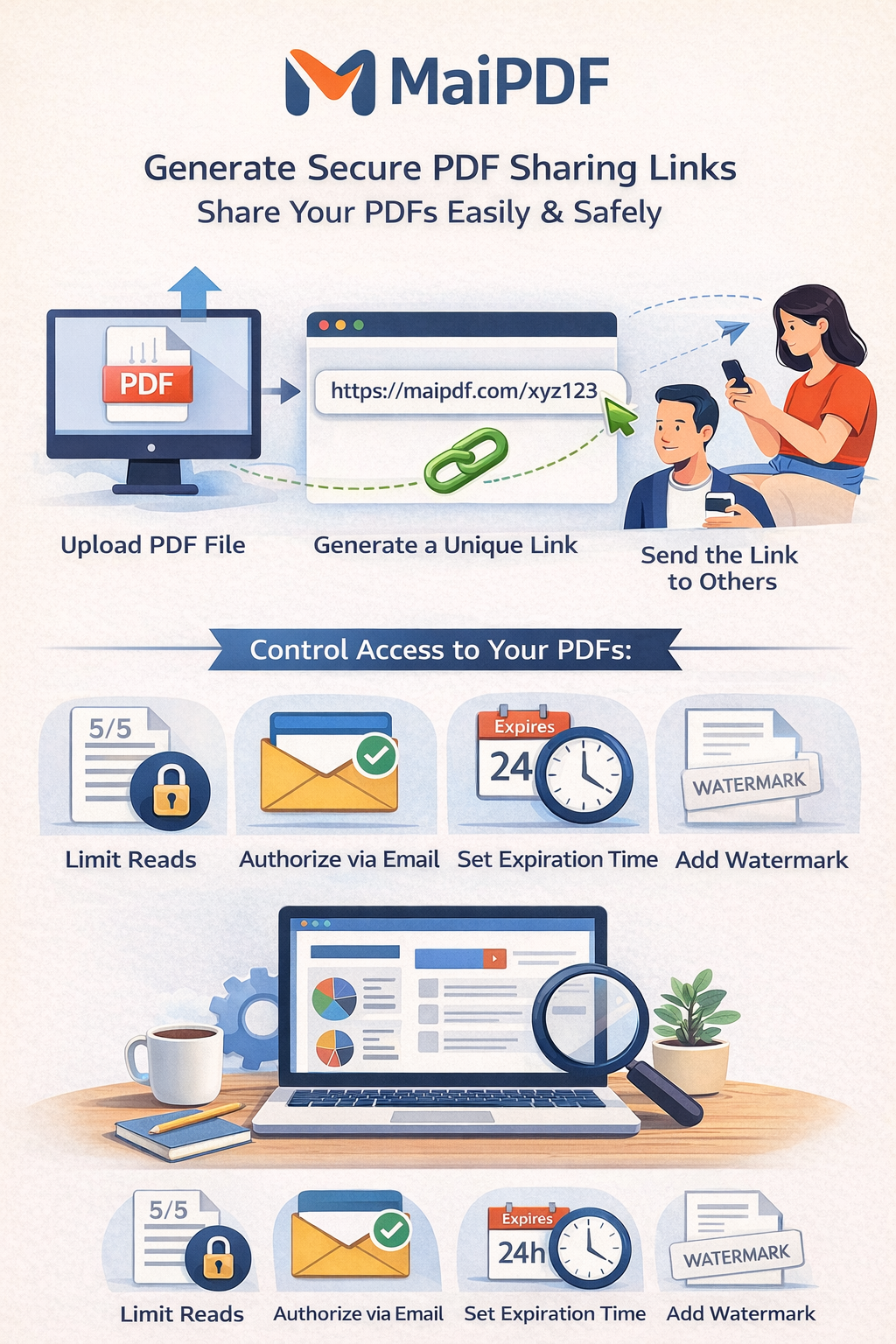
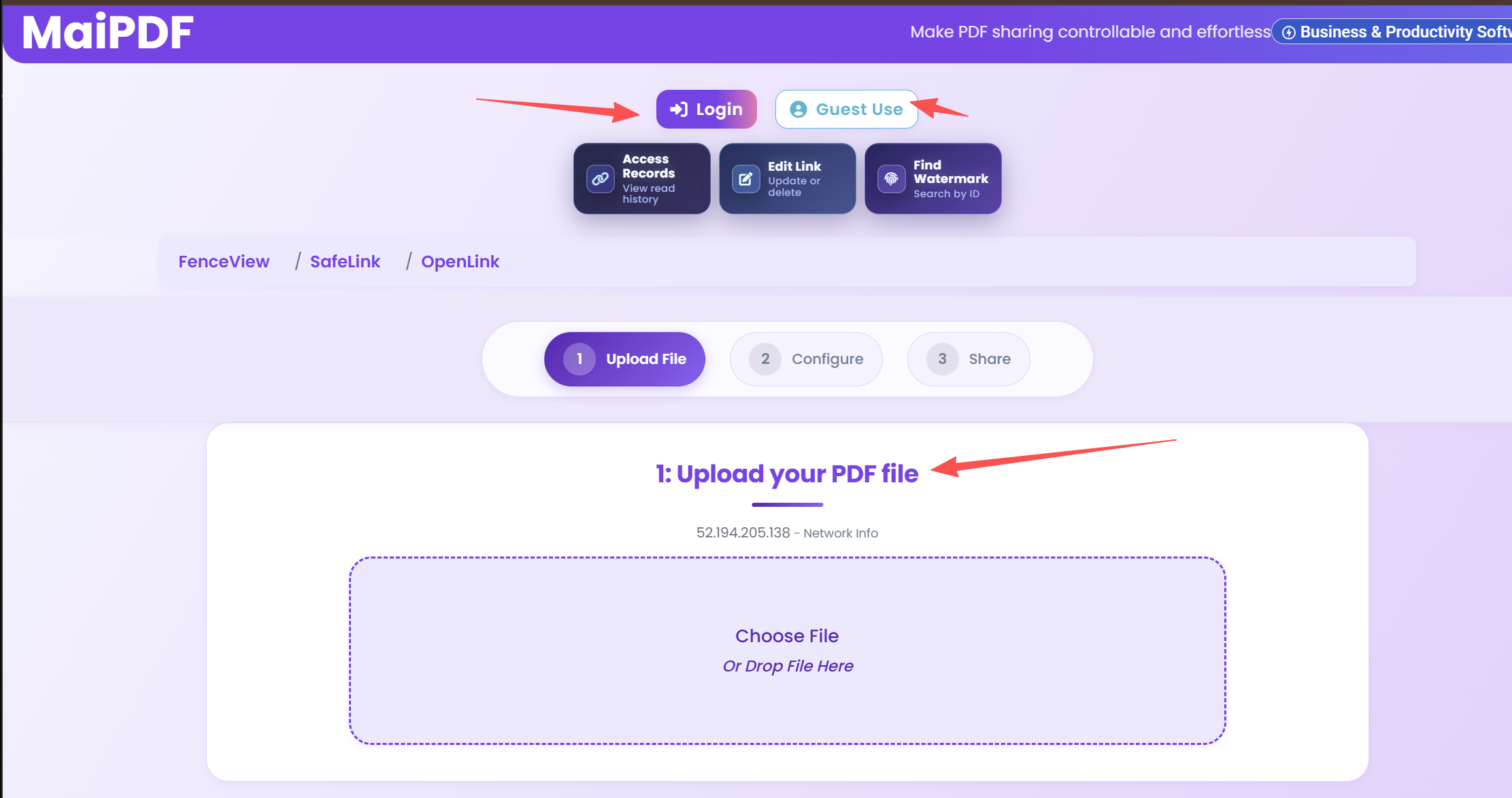
MaiPDF provides enterprise-grade sharing solutions with advanced security features and comprehensive access control.
Secure Direct Links
Generate encrypted, customizable sharing links with advanced security controls
- Password protection
- Expiration dates
- Access tracking
QR Code Sharing
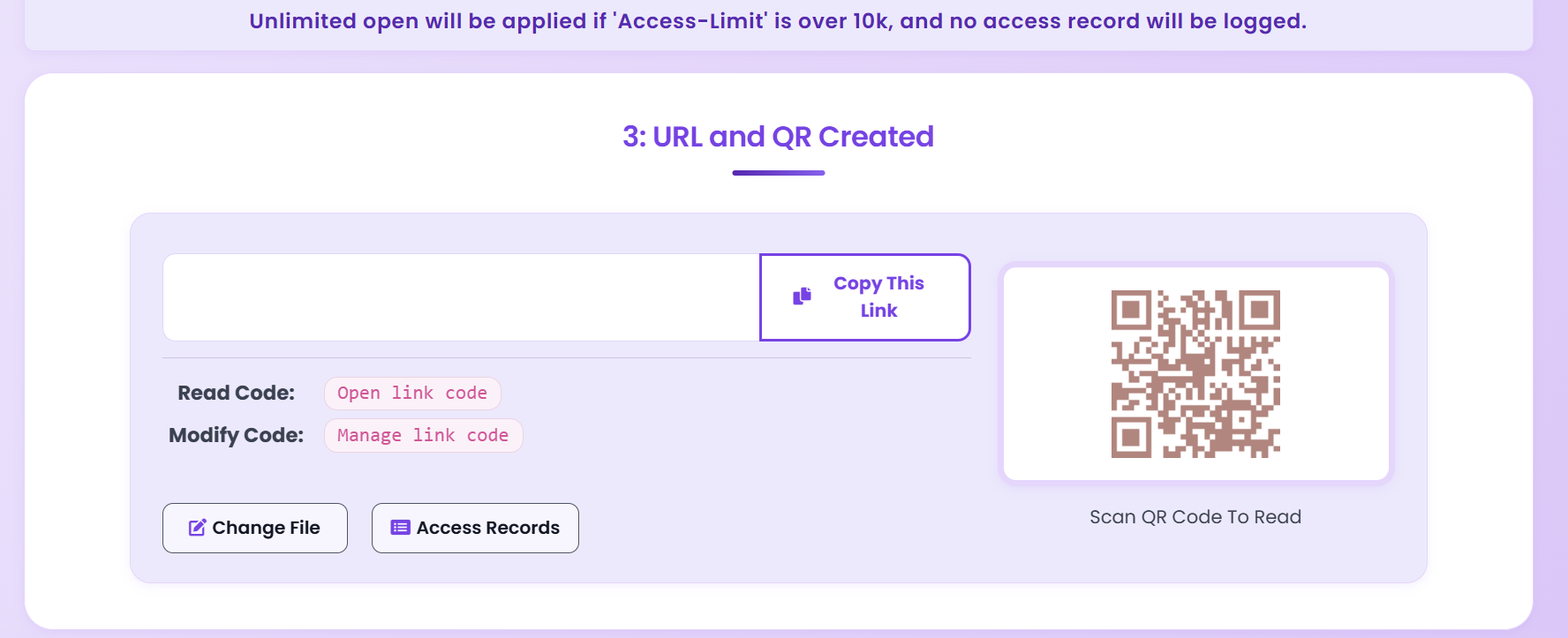
Create scannable QR codes for instant mobile access and offline distribution
- Mobile-friendly access
- Offline distribution
- Print-ready codes
Email Integration
Seamlessly share PDFs through email with embedded security controls
- Email templates
- Bulk sharing
- Delivery tracking
Advanced Security Features
Access Control
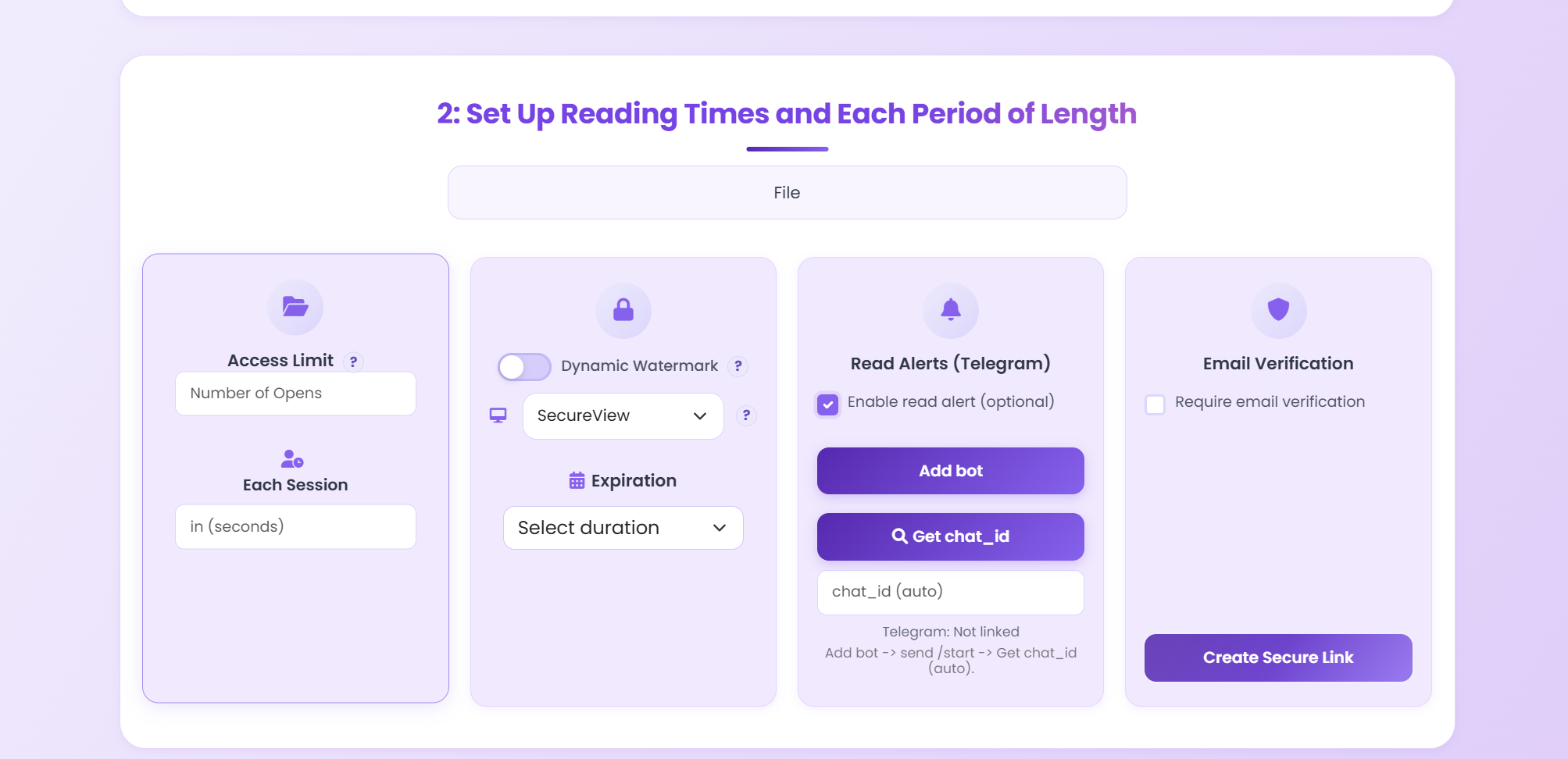
- Password protection with strong encryption
- Time-based access restrictions
- View count limitations
- IP address whitelisting
Content Protection
- Dynamic watermarking
- Download prevention
- Print restrictions
- Screen capture protection
Best Practices for Professional PDF Sharing
Follow these industry-proven best practices to ensure secure, efficient, and compliant PDF sharing.
-
Choose the Appropriate Sharing Method
Match your sharing method to your use case. For one-time document delivery, use secure links. For printed materials or presentations, QR codes work best. For ongoing collaboration, consider platforms with built-in version control and commenting features.
-
Set Appropriate Security Levels
Don't over-secure or under-secure. For public documents, basic password protection may suffice. For confidential business documents, implement multi-layer security: password + email verification + view limits + watermarks + download restrictions.
-
Configure Access Permissions Carefully
Use the principle of least privilege—only grant the minimum access necessary. Set expiration dates that align with project timelines. Implement view limits to prevent unauthorized distribution. Use IP whitelisting for sensitive internal documents.
-
Monitor Document Usage Actively
Regular monitoring helps identify suspicious activity early. Set up alerts for unusual access patterns (e.g., access from unexpected locations, multiple failed login attempts). Review analytics weekly for business documents, daily for highly sensitive materials.
-
Regularly Review and Update Sharing Settings
Security needs change over time. Review sharing settings monthly. Revoke access for former employees immediately. Update passwords quarterly. Review and remove expired links to reduce attack surface.
-
Educate Recipients on Security
Provide clear instructions on how to access shared PDFs securely. Warn recipients about phishing attempts. Encourage them to use strong passwords and secure networks when accessing sensitive documents.
-
Maintain Audit Trails
Ensure your sharing method provides comprehensive audit trails. This is essential for compliance audits, security investigations, and legal requirements. Document all access attempts, successful and failed.
Pro Tips for Effective PDF Sharing
- Test Before Sharing: Always test your sharing link or QR code yourself before sending it to recipients. Verify all security settings work as expected.
- Use Descriptive Link Names: When possible, customize link names to be descriptive (e.g., "Q4-Report-Client-ABC" instead of random strings). This helps with organization and security.
- Implement Two-Factor Authentication: For highly sensitive documents, require recipients to verify their identity through multiple methods (email + SMS, for example).
- Set Realistic Expiration Dates: Balance security with usability. Too short expiration frustrates legitimate users; too long increases security risk.
- Use Watermarks Strategically: Dynamic watermarks that show viewer information are powerful deterrents against unauthorized sharing. Use them for confidential business documents.
- Monitor Geographic Access: Set up alerts for access from unexpected countries or regions. This can indicate unauthorized access or account compromise.
- Regular Security Audits: Conduct quarterly reviews of all active shared links. Remove or update links that are no longer needed or have outdated security settings.
Common PDF Sharing Mistakes to Avoid
Security Mistakes
- Using Weak Passwords: Avoid common passwords like "password123" or "123456". Use strong, unique passwords for each shared document.
- Sharing Passwords in the Same Email: Never send the password in the same email as the sharing link. Use separate, secure channels for password delivery.
- Not Setting Expiration Dates: Links that never expire are security risks. Always set appropriate expiration dates, even for long-term projects.
- Ignoring Access Logs: Failing to monitor who accesses your documents leaves you blind to security threats. Review access logs regularly.
- Over-Sharing Permissions: Granting download permissions when online viewing is sufficient increases the risk of unauthorized distribution.
Operational Mistakes
- Not Testing Before Sending: Always test your sharing method before sending to recipients to avoid embarrassing errors.
- Poor Organization: Using random link names makes it difficult to manage multiple shared documents. Use descriptive, organized naming conventions.
- Ignoring Recipient Feedback: If recipients report access issues, investigate immediately. This could indicate security problems or usability issues.
- Not Updating Security Settings: Security needs evolve. Regularly review and update your sharing security settings to match current threats.
Ready to Master PDF Sharing?
Start using MaiPDF's enterprise-grade sharing features today. No registration required - completely free.
Start Sharing Free
Learn More