Analytics · 6 min read

PDF Analytics Dashboard

Track every PDF open in real time. See who viewed, when, how many times, and from what device — all from your MaiPDF dashboard.

Free to use   No sign-up required   Works on any device
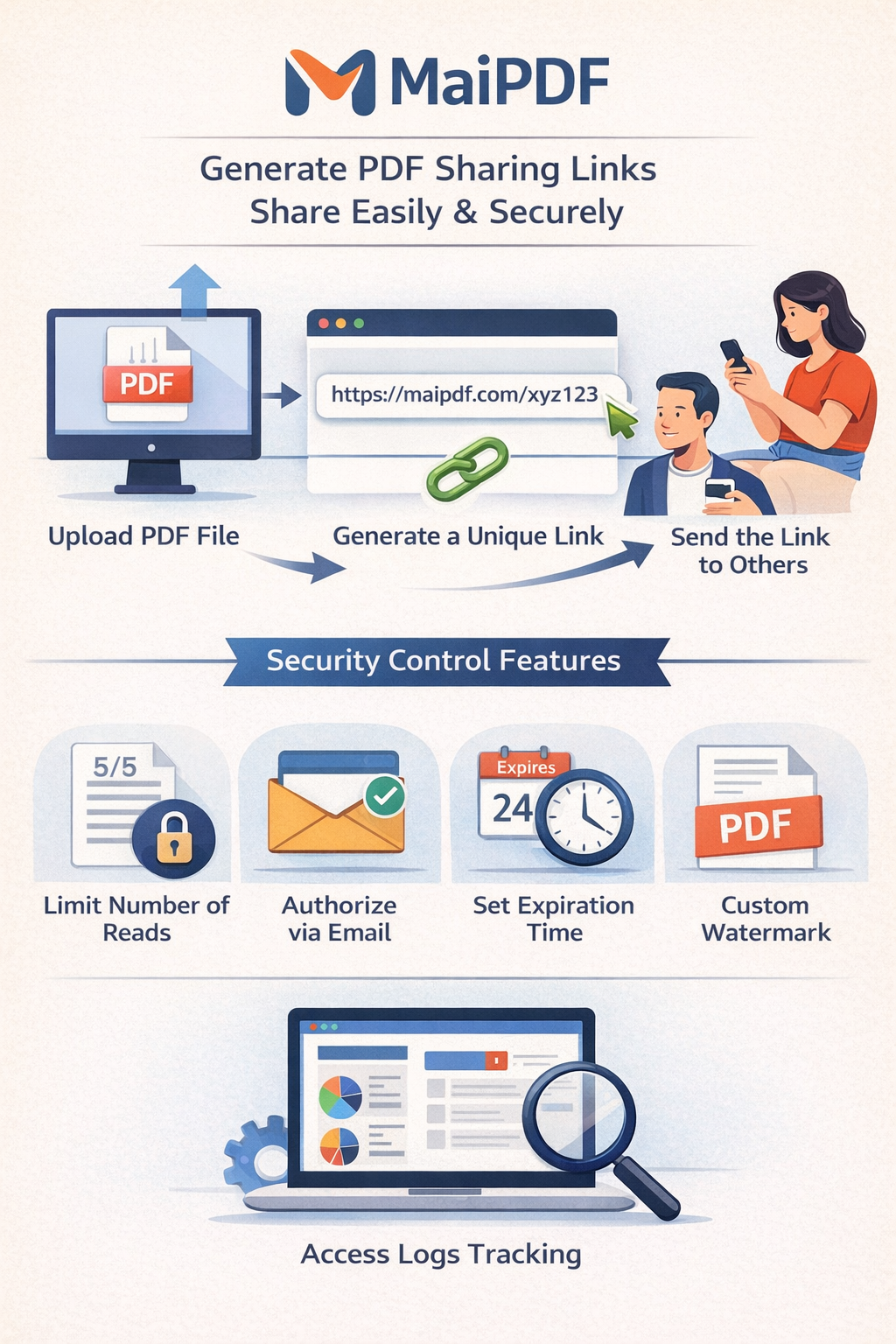
MaiPDF analytics dashboard showing PDF open events

Track a PDF in 3 Steps

1

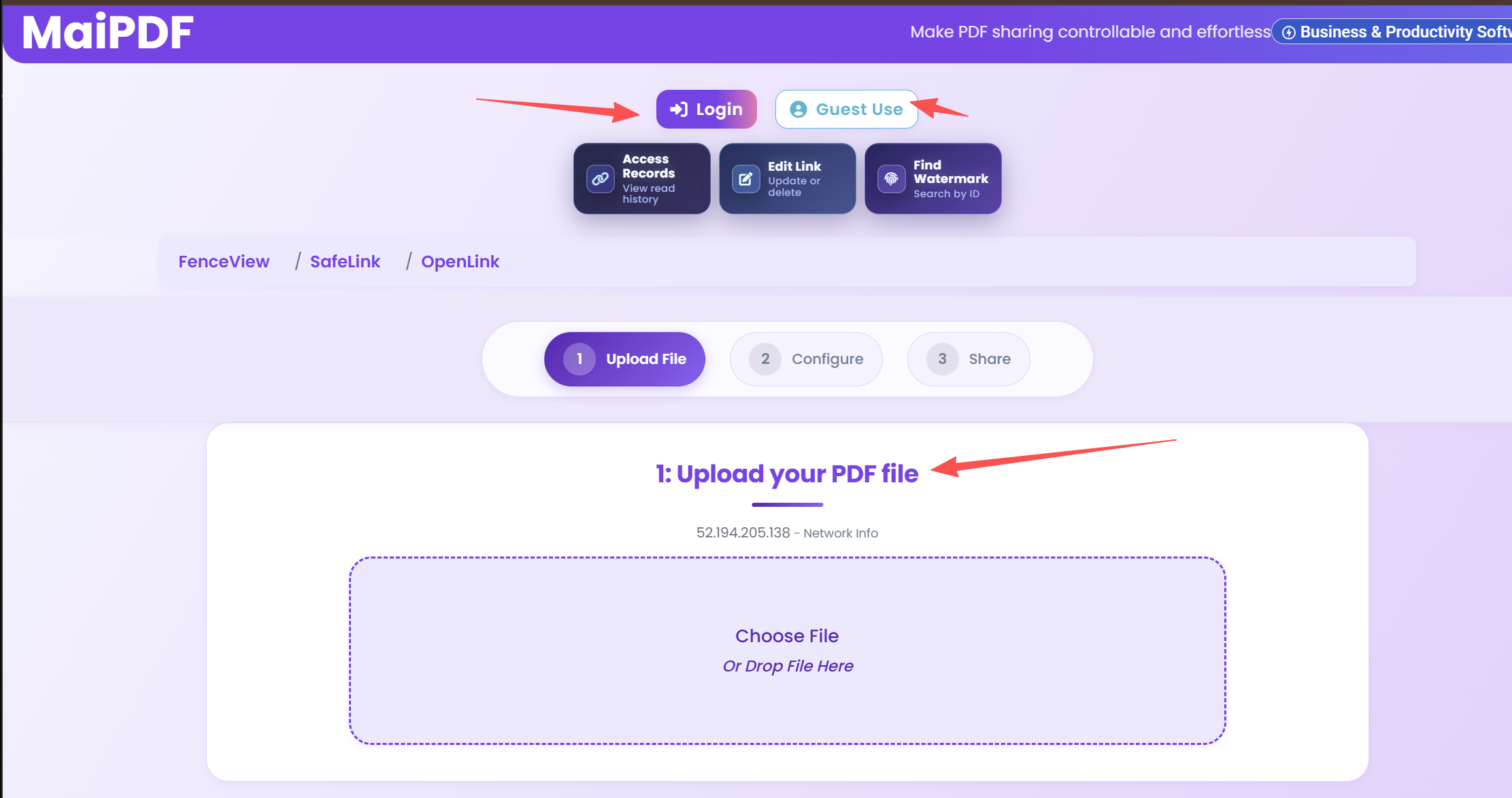
Upload Your PDF

Drag and drop your document. MaiPDF hosts it securely and begins tracking from the first open.

Upload a PDF to MaiPDF for tracking
2

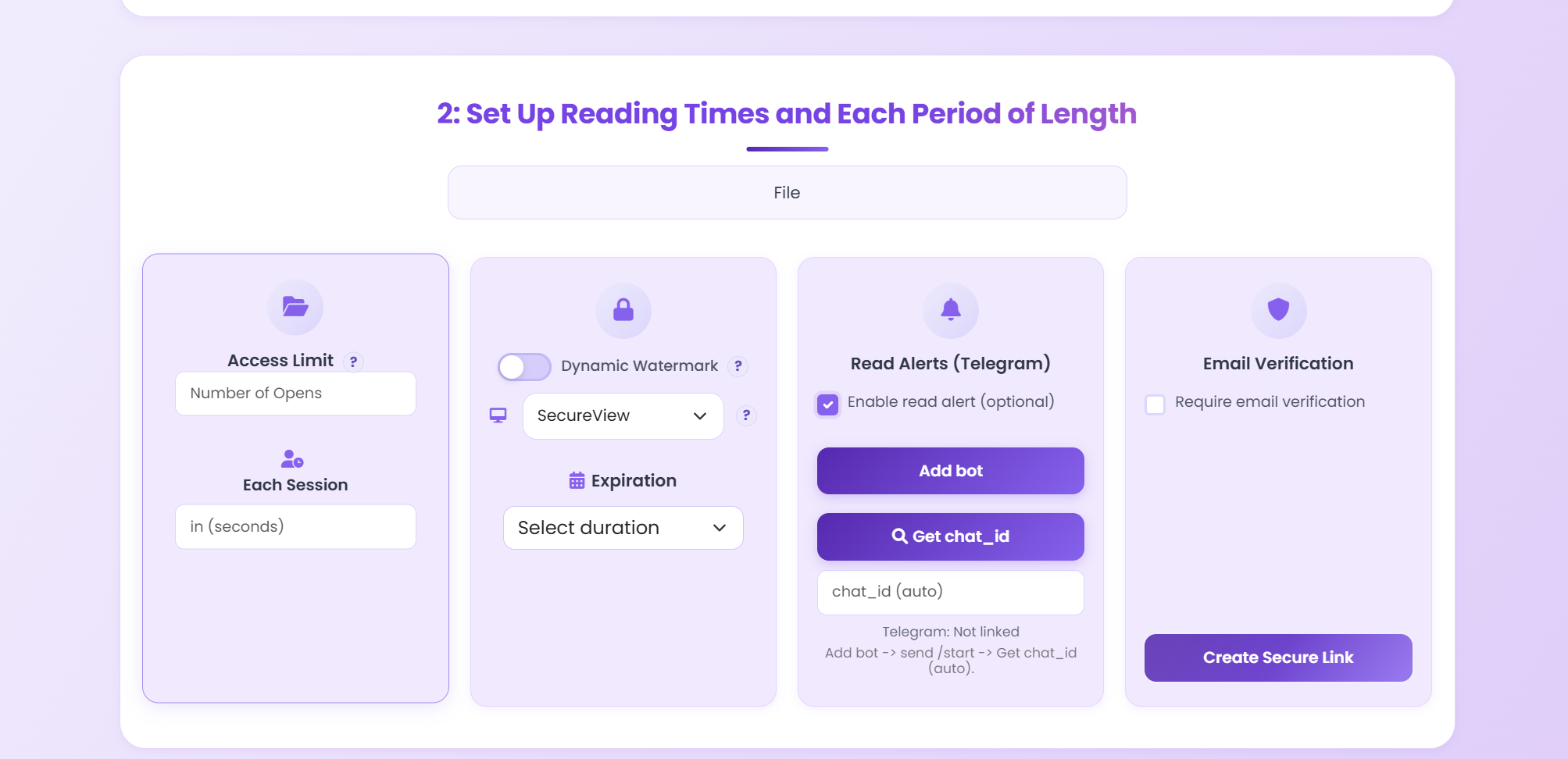
Enable Alerts & Options

Turn on Telegram notifications, set view limits, require email verification, and choose your security preferences.

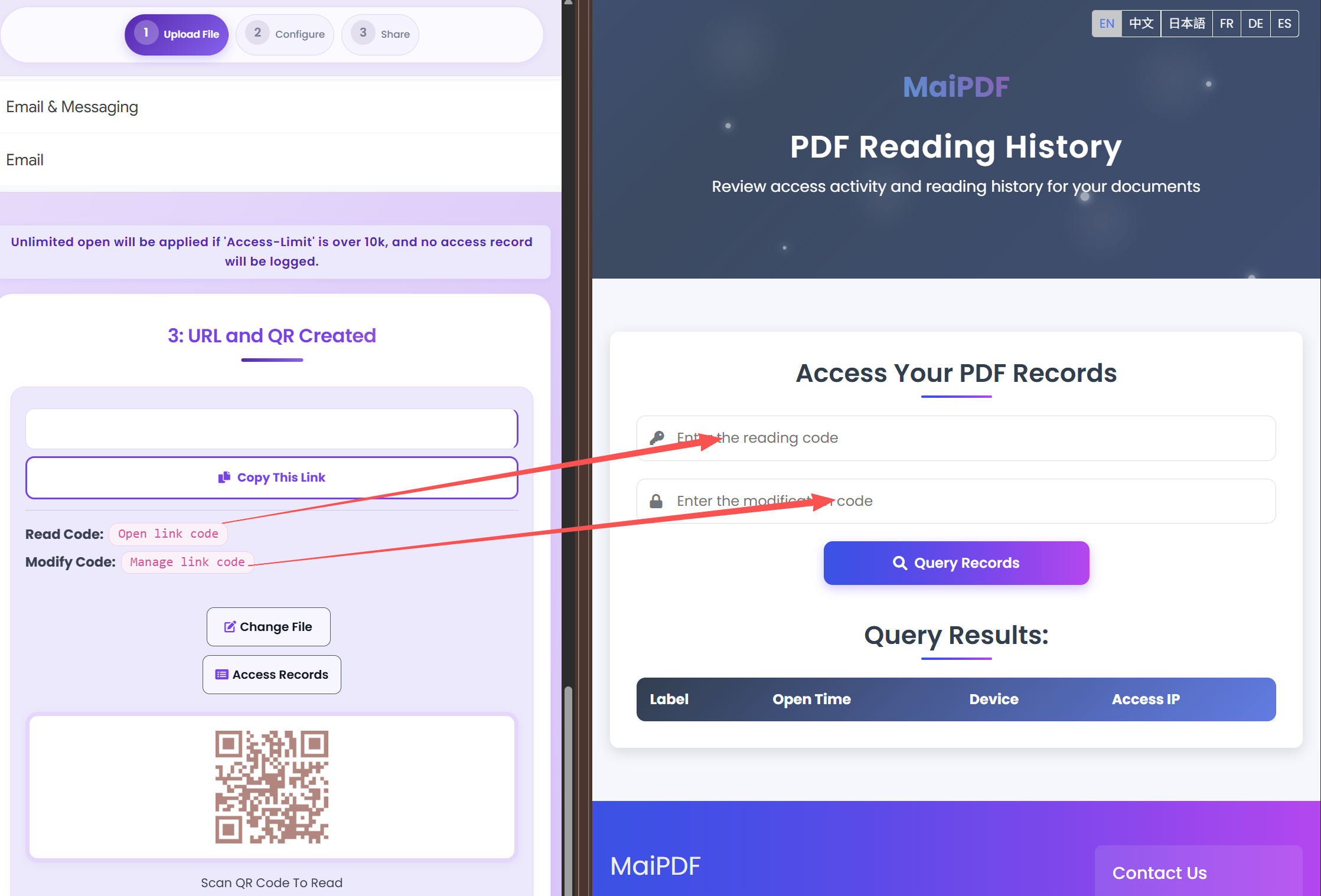
Enable Telegram alerts and set PDF tracking options
3

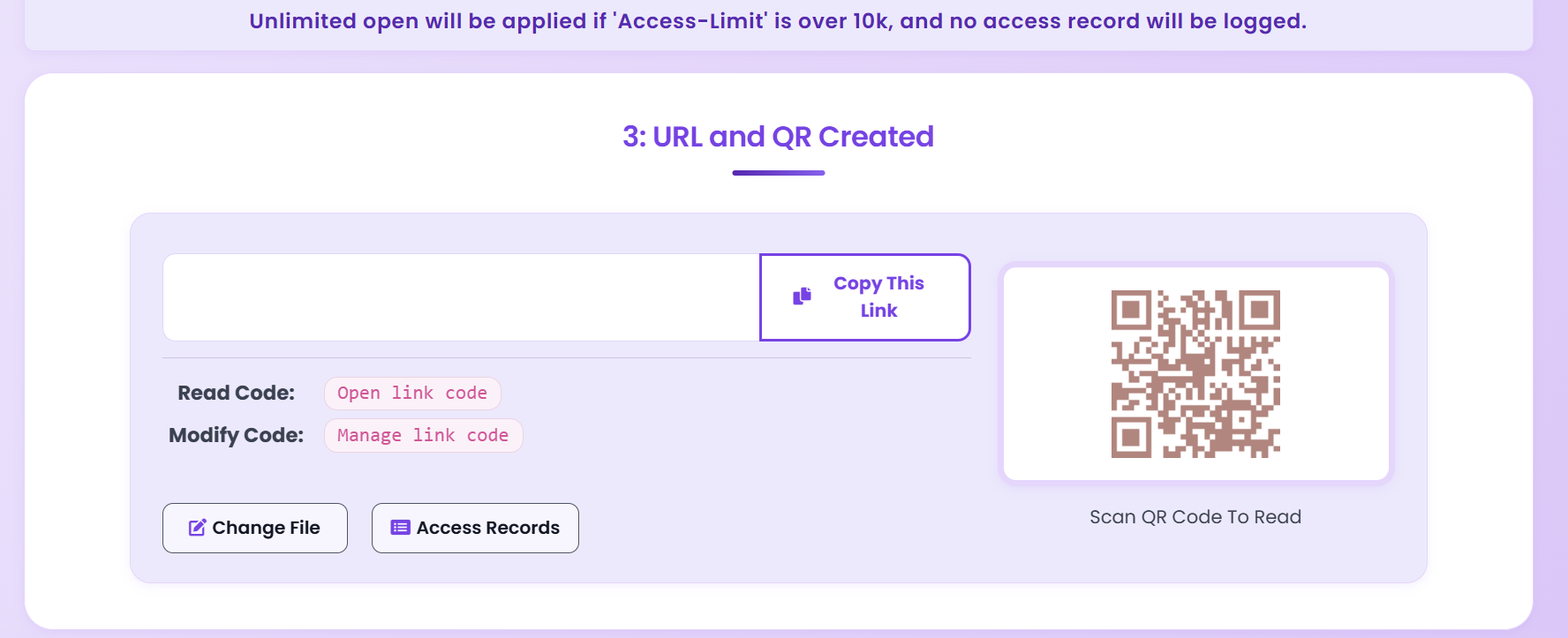
Share & Monitor

Send the link or QR code. Every open is logged in your dashboard with timestamps, device info, and viewer identity.

Share PDF link and monitor opens in real time

Everything Your Dashboard Tracks

Real-Time Tracking

Every PDF open is logged the instant it happens. No delays, no batching — see activity as it occurs.

View Counts

See exactly how many times each document has been opened, broken down by unique viewers and total opens.

Timestamps

Every access event includes a precise date and time, so you know exactly when your PDF was viewed.

Device Info

Identify the browser, operating system, and device type of every viewer — desktop, tablet, or mobile.

Telegram Alerts

Get instant push notifications on Telegram the moment someone opens your PDF, including viewer details.

CSV Export

Download all access records as a CSV file for offline analysis, compliance reporting, or CRM integration.

Email Verify Gate

Require viewers to verify their email before accessing the PDF, linking every open to a verified identity.

Dashboard Overview

A single page showing all your shared PDFs, total views, recent activity, and quick links to detailed logs.

Detailed Viewer Logs

Every time someone opens your PDF, a new row appears in your access records. You can filter by date, export to CSV, or check individual viewer details at a glance.

  • IP address and approximate location
  • Browser and OS fingerprint
  • Verified email (if gate is enabled)
  • One-click CSV download
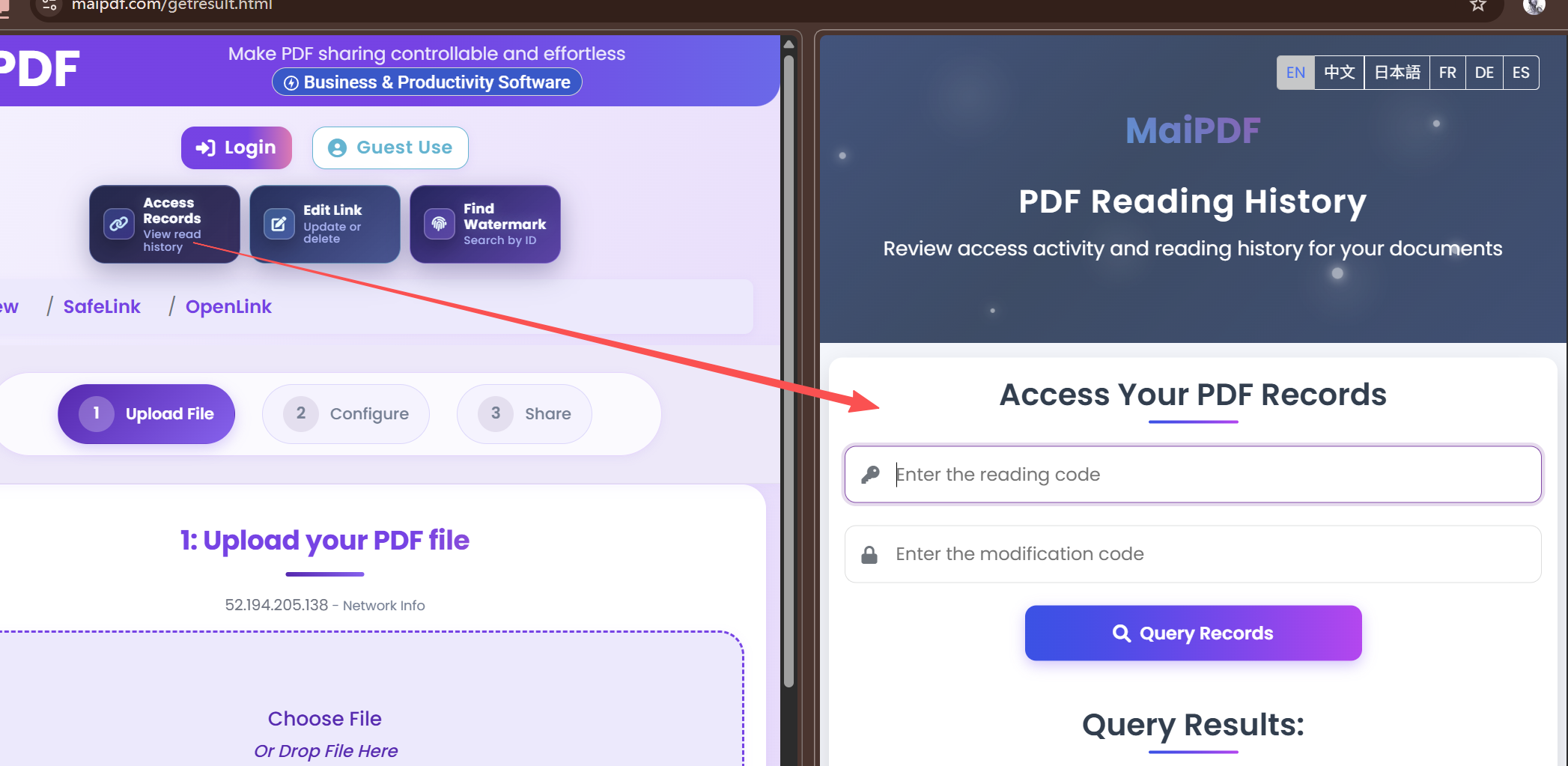
MaiPDF access records page showing viewer logs
Setting up access record verification in MaiPDF

Who Needs PDF Analytics?

Sales Proposals

Know the moment a prospect opens your proposal and follow up at the perfect time.

Legal Documents

Prove that a contract or NDA was opened, with timestamps and device records for compliance.

HR Onboarding

Confirm new hires have reviewed policy documents and handbooks before their start date.

Investor Relations

Track which investors reviewed quarterly reports and follow up with those who haven't.

Frequently Asked Questions

MaiPDF records the timestamp, viewer IP, browser, operating system, device type, and approximate location for each open event. If email verification is enabled, the viewer's email address is also captured.

Yes. You can enable Telegram push notifications that alert you within seconds of a PDF being opened, including the viewer's details.

Yes. MaiPDF allows you to export all access records as a CSV file for offline analysis, reporting, or compliance documentation.

No. Every single open event is recorded regardless of volume. You can review the full history in your dashboard or export it at any time.

The open event is still recorded with a timestamp, browser, and device info. The IP and location will reflect the VPN exit node. For verified identity, enable email verification to know exactly who viewed.

Explore More Use Cases

Security

PDF Encryption & DRM

Encrypt PDFs for view-only access with anti-screenshot protection and dynamic watermarks.

Hosting

Free PDF Hosting

Upload a PDF and get a permanent link with security controls and analytics.

Tracking

PDF Open Tracking

Get notified the moment someone opens your PDF with detailed device and location data.

Control

PDF Expiration Dates

Set auto-expiry on shared PDFs so access is revoked after a specific date or view count.

Ready to Track Your PDFs?

Upload a PDF and start seeing who opens it, when, and from where — it takes less than a minute.