Encrypt PDFs for view-only access. No downloading, no printing, no copying — with FenceView anti-screenshot protection and dynamic watermarks.
Free to use No sign-up required Works on any device

How It Works
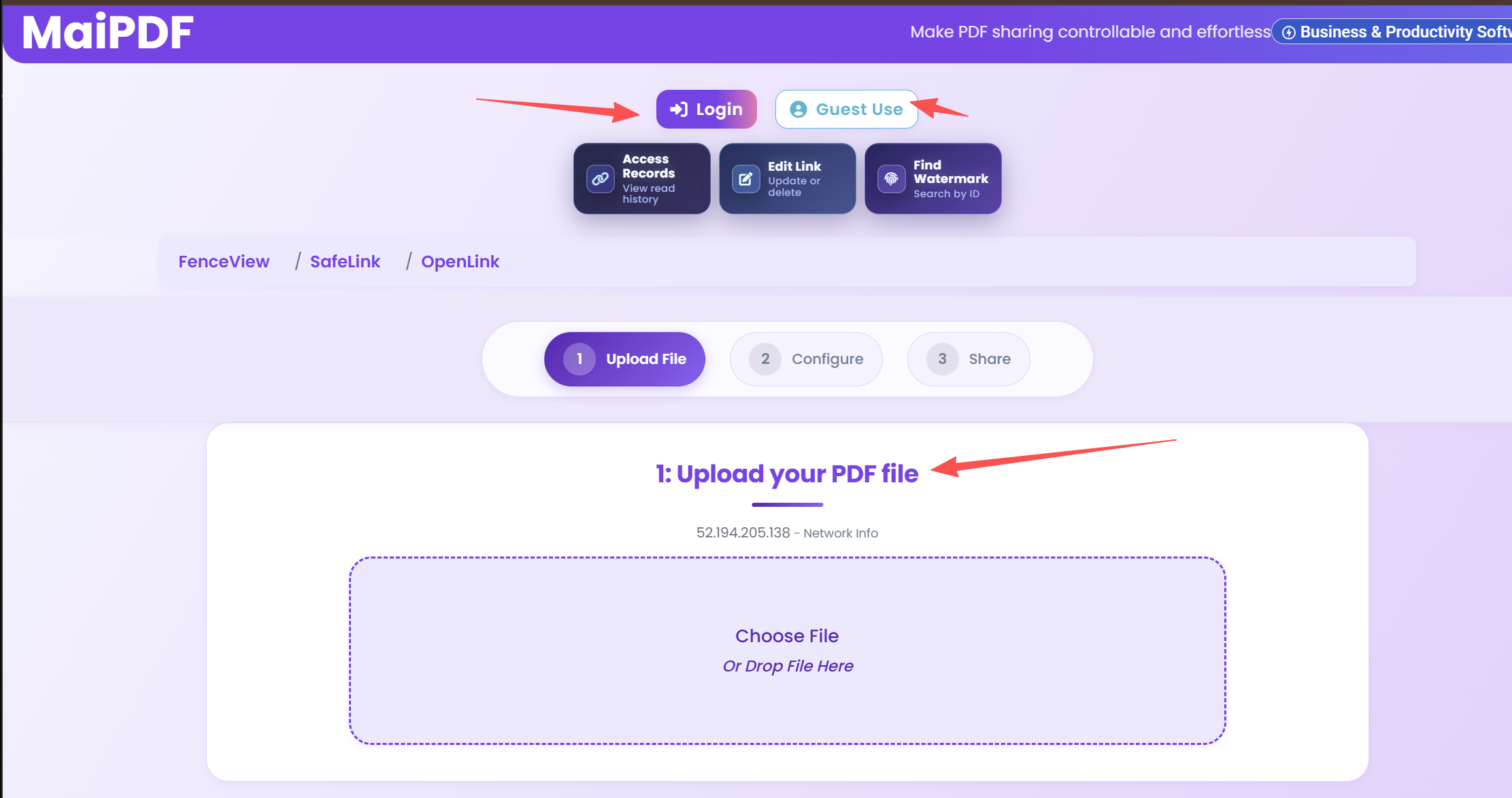
Drag and drop or click to upload. MaiPDF converts each page into encrypted images on the server.
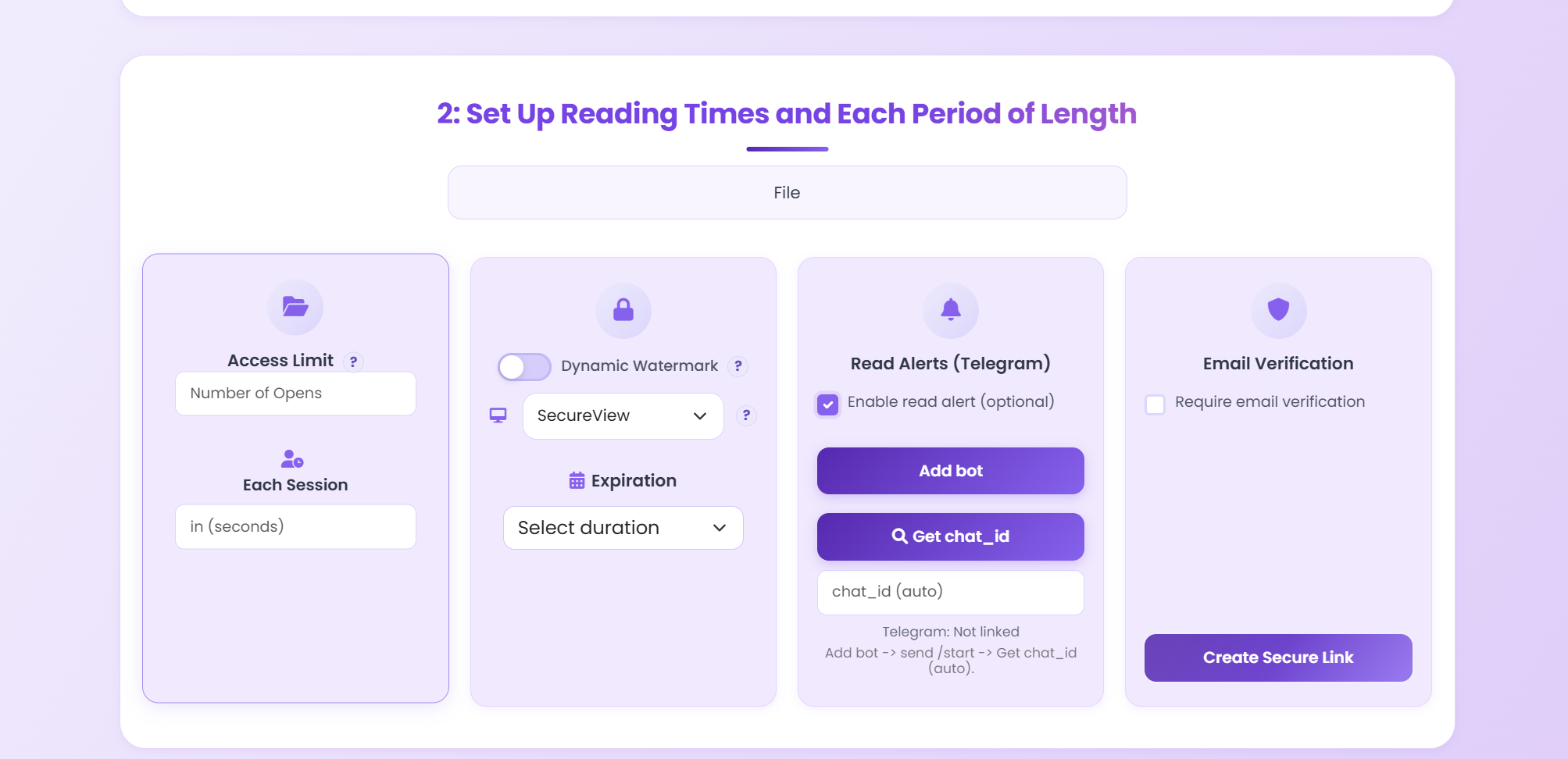
Disable download, print, and copy. Enable FenceView, set view limits, add expiration, and choose watermark style.
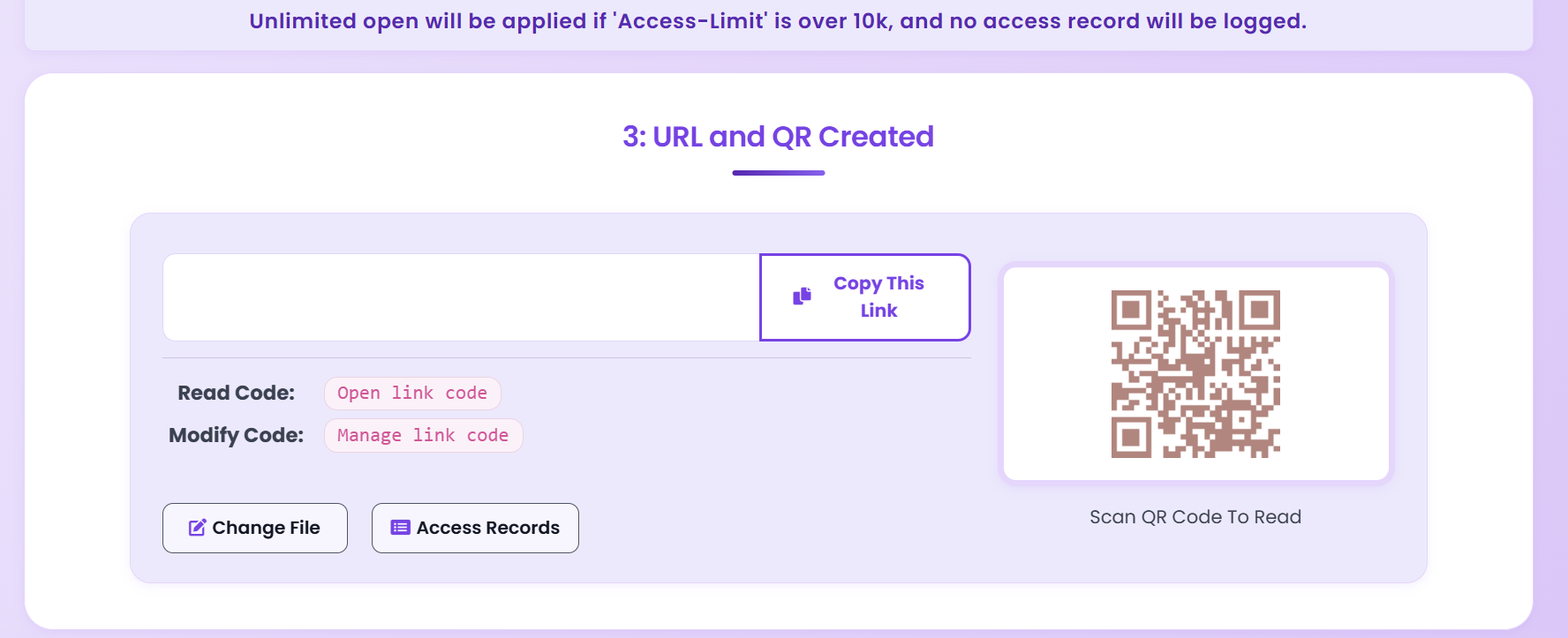
Get an instant encrypted link and QR code. Recipients view in the cloud — the original file never leaves your control.
DRM Features
The download button is completely removed. The original PDF file never reaches the recipient's device.
Printing is disabled at the viewer level. Browser print shortcuts and right-click menus are blocked.
Text selection is disabled. Since pages are rendered as images, there is no selectable text to extract.
A moving stripe overlay makes screenshots and screen recordings unusable, deterring casual screen capture.
Viewer-specific watermarks show the recipient's identity on every page, creating an audit trail for leaks.
Pages are converted to encrypted images on the server. No PDF parsing tools can extract the original content.
Set a maximum open count or an expiration date. Once the limit is reached, the document becomes inaccessible.
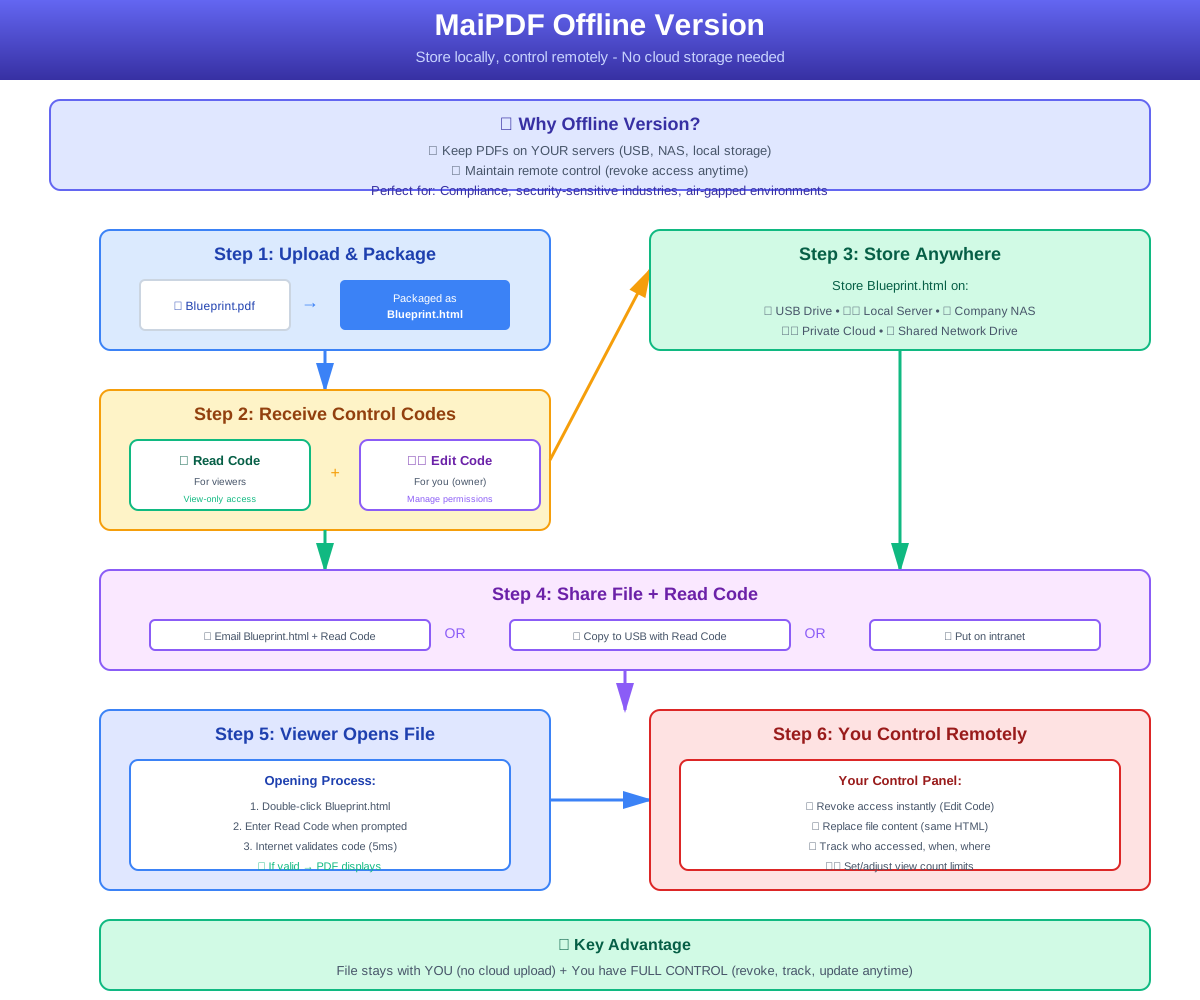
Export an encrypted offline viewer as a single HTML file. Recipients view without internet but cannot extract the PDF.
Offline Mode
Need to share encrypted documents without requiring internet access? MaiPDF can export your PDF as a self-contained HTML file with all encryption and watermark protections baked in.
Comparison
FAQ
Related
Track every PDF open in real time — who viewed, when, and from what device.
Upload a PDF and get a permanent link with security controls and analytics.
Add dynamic watermarks that identify the viewer and deter unauthorized sharing.
Gate documents behind email verification, passwords, and view count limits.
Upload a PDF, enable DRM protection, and share a secure link — it takes less than a minute.
Updated MaiPDF protection path
SendPDFOnline pages now describe MaiPDF as a two-level product family: Online Cloud Sharing creates quick browser links and QR codes, while the MaiPDF App creates protected .maipdf packages for sensitive PDFs that need App DRM controls.
Upload a PDF, share a browser link or QR code, and keep read code / modify code management.
Package the PDF in the MaiPDF App with local encryption, license rules, expiry, open limits, and revoke control.
Use protected viewer, device binding, screenshot-aware controls, watermark trace, and license management where supported.
No web page can fully stop screenshots. MaiPDF App DRM is positioned as the stronger path: reduce casual copying, bind access to identity/devices, revoke licenses, and trace leaks with visible watermark information.