7 min read | Analytics
PDF Sharing Analytics
Know exactly who opens your PDFs, when, and how often. Real-time view tracking, device info, and Telegram alerts for every document.
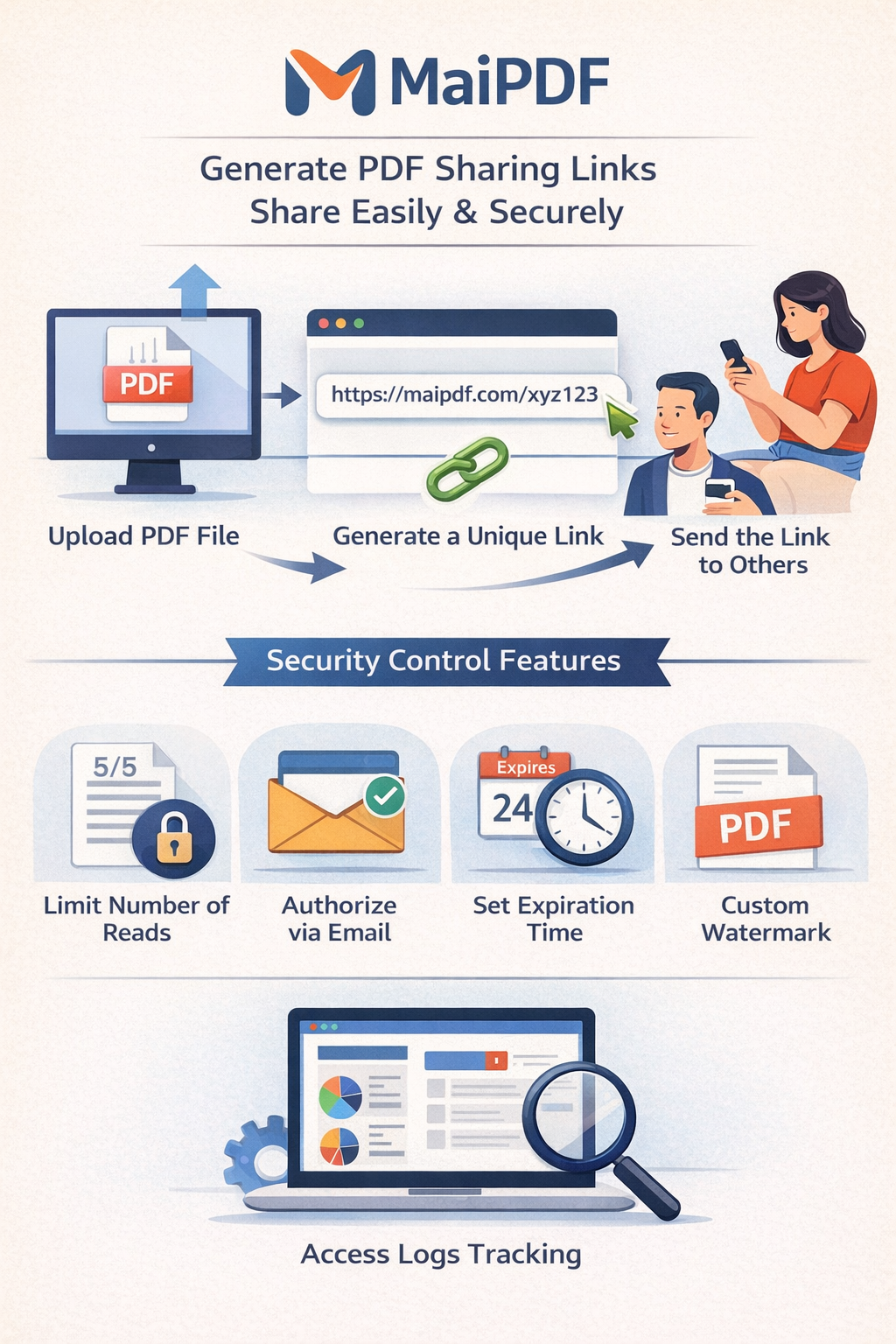
Know exactly who opens your PDFs, when, and how often. Real-time view tracking, device info, and Telegram alerts for every document.
How It Works
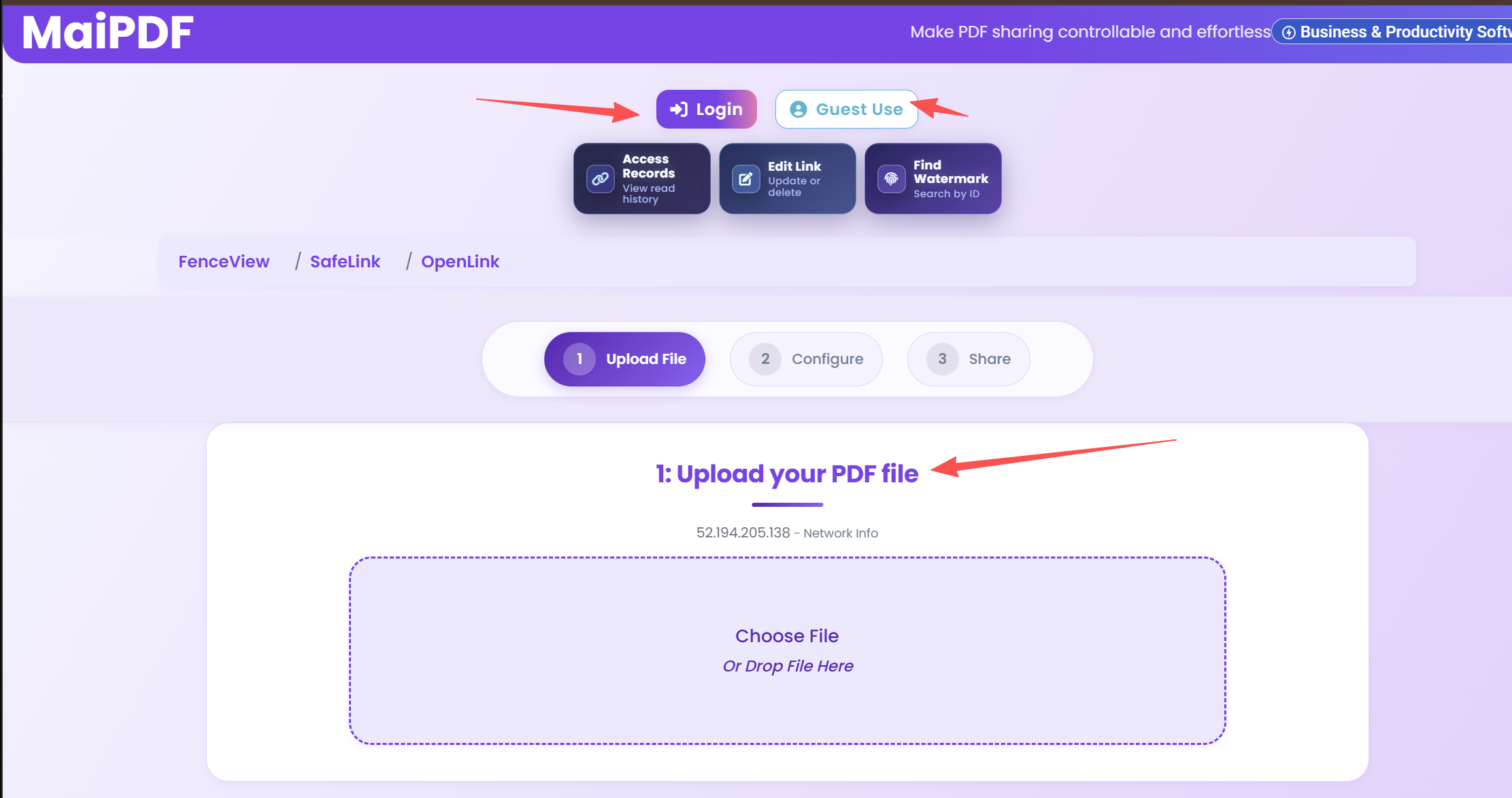
Upload any document. Analytics tracking is enabled automatically for every shared file.
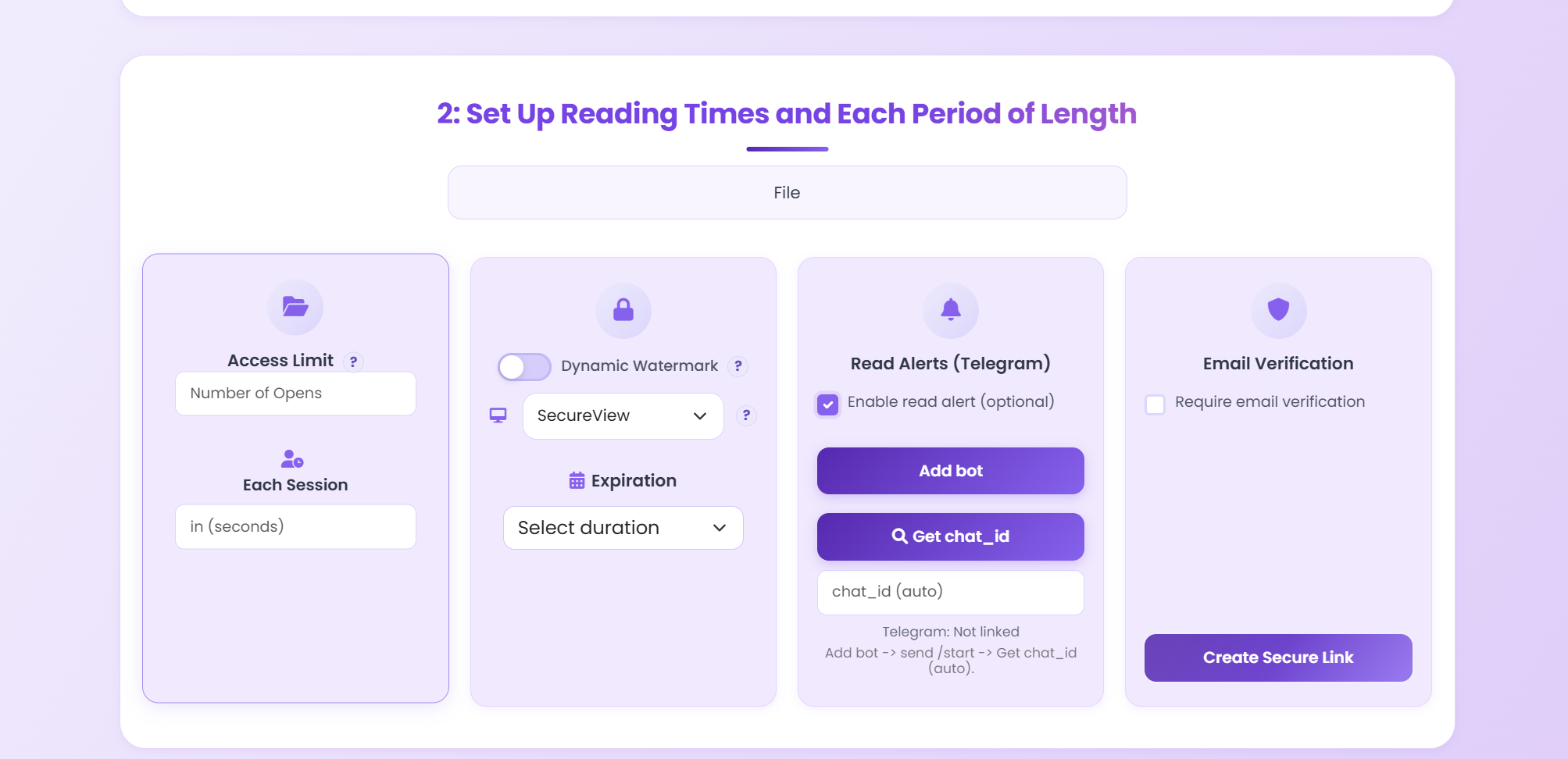
Enable Telegram notifications, set email verification, and choose your security preferences.
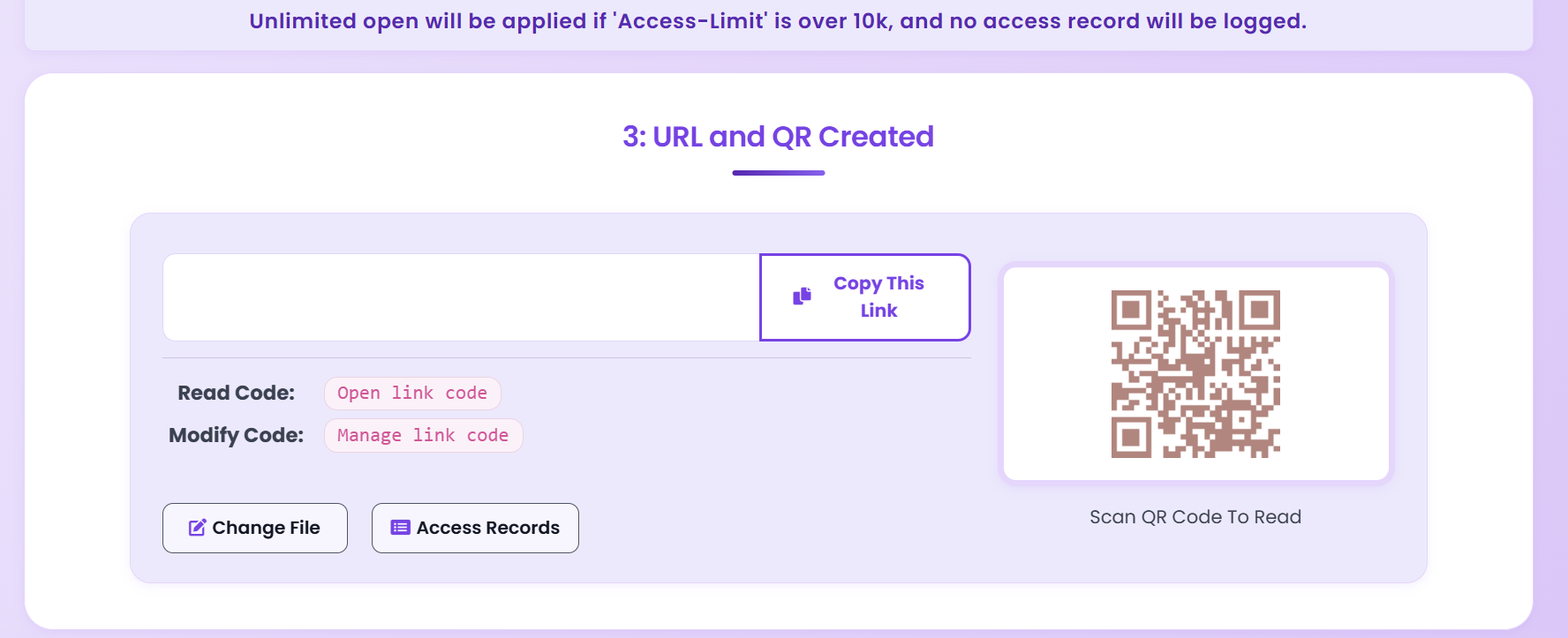
Share the link. Every view is logged with timestamp, device, and location — viewable from your dashboard.
Analytics Features
See the total number of times your PDF has been opened, updated in real time on your dashboard.
Every view is logged with an exact date and time, so you know precisely when each person opened your document.
Identify the browser, operating system, and approximate geographic location of each viewer.
Receive an instant Telegram message the moment someone opens your PDF — no need to check the dashboard.
Download the full access log with viewer details, timestamps, and device info for your own records.
Require viewers to verify their email before accessing the PDF, so you always know exactly who read it.
A single dashboard shows all your shared documents, their view counts, and recent activity at a glance.
Access Records
Navigate to your document's access record page to see a detailed log of every view. Each entry includes the viewer's device, browser, timestamp, and verified email (if enabled).
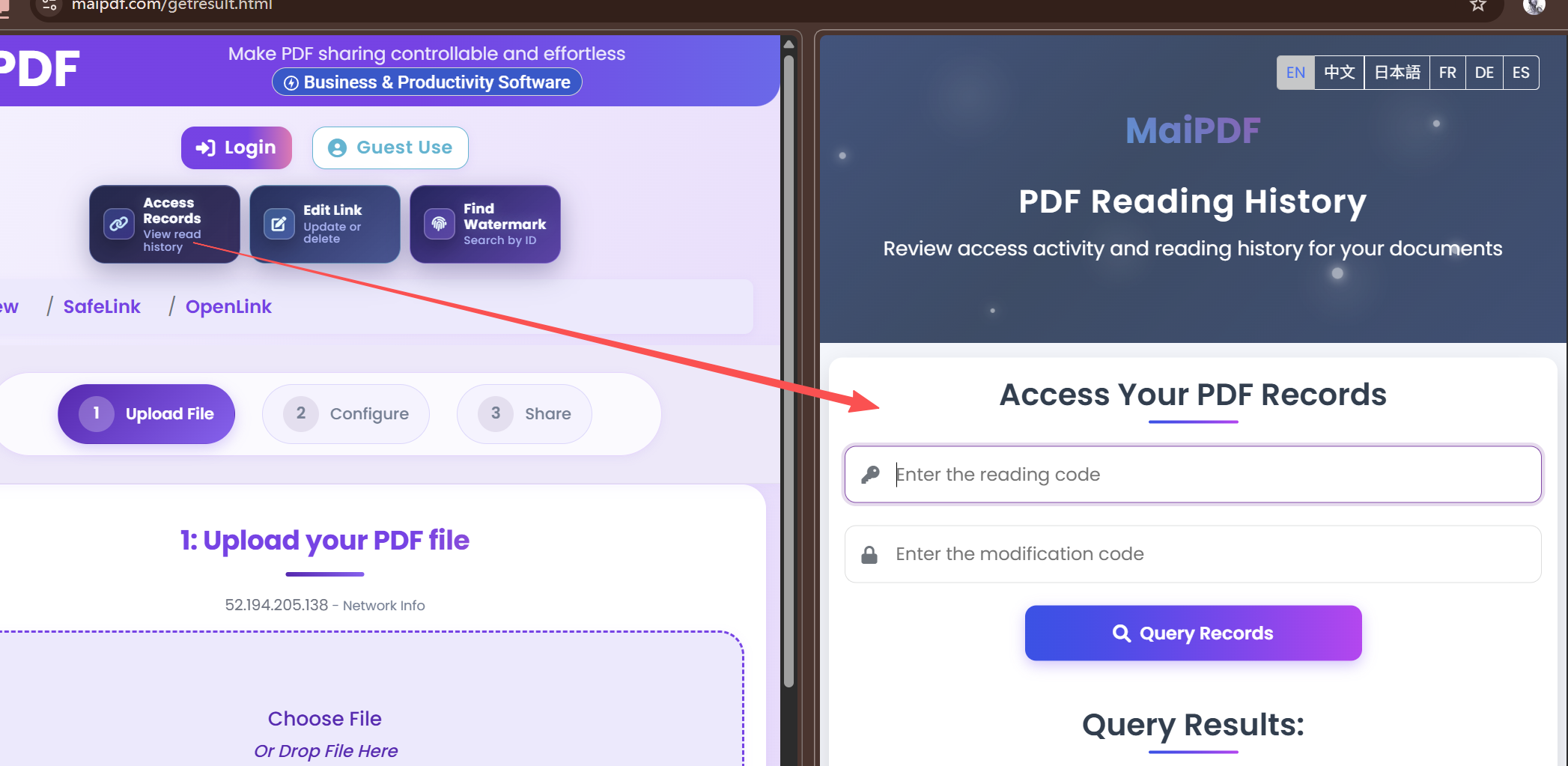
Detailed Logs
The access record table shows each viewer's information in a structured format. Use this data to follow up with prospects, verify document reads, or maintain an audit trail.
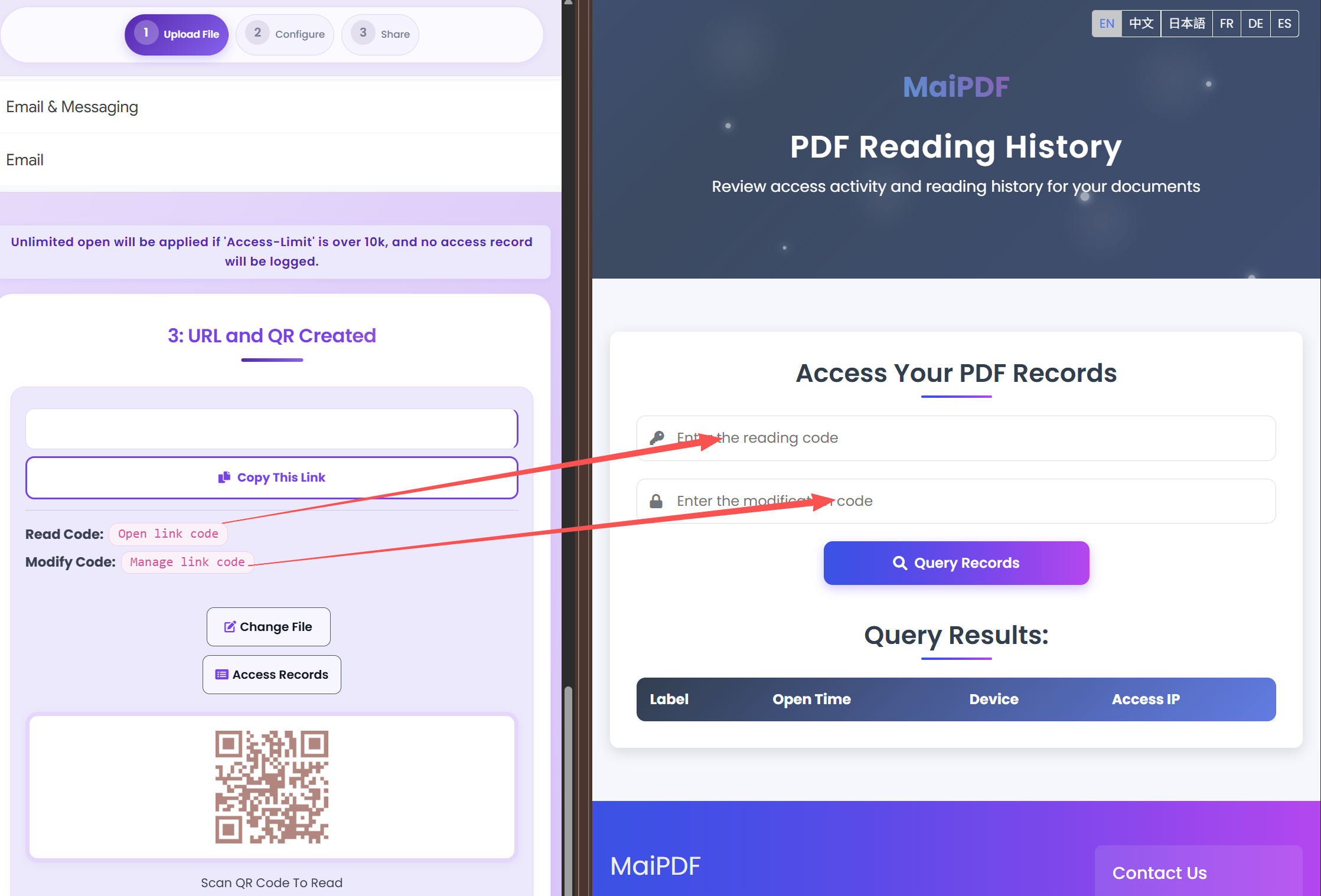
Comparison
FAQ
Related
Add dynamic watermarks and professional branding to every PDF you share.
Set view limits, require email verification, and revoke access to your shared PDFs.
Monitor document engagement with detailed view logs and real-time notifications.
Share confidential documents with passwords, expiration dates, and download restrictions.
Upload a PDF and start tracking views instantly — with Telegram alerts, device info, and full access records.
Updated MaiPDF protection path
SendPDFOnline pages now describe MaiPDF as a two-level product family: Online Cloud Sharing creates quick browser links and QR codes, while the MaiPDF App creates protected .maipdf packages for sensitive PDFs that need App DRM controls.
Upload a PDF, share a browser link or QR code, and keep read code / modify code management.
Package the PDF in the MaiPDF App with local encryption, license rules, expiry, open limits, and revoke control.
Use protected viewer, device binding, screenshot-aware controls, watermark trace, and license management where supported.
No web page can fully stop screenshots. MaiPDF App DRM is positioned as the stronger path: reduce casual copying, bind access to identity/devices, revoke licenses, and trace leaks with visible watermark information.