How to Prevent PDF Forwarding
You can't stop someone from copying a link, but you can make forwarding useless. Combine view limits, watermarks, and verification to control access.
7 min read March 23, 2026 Security
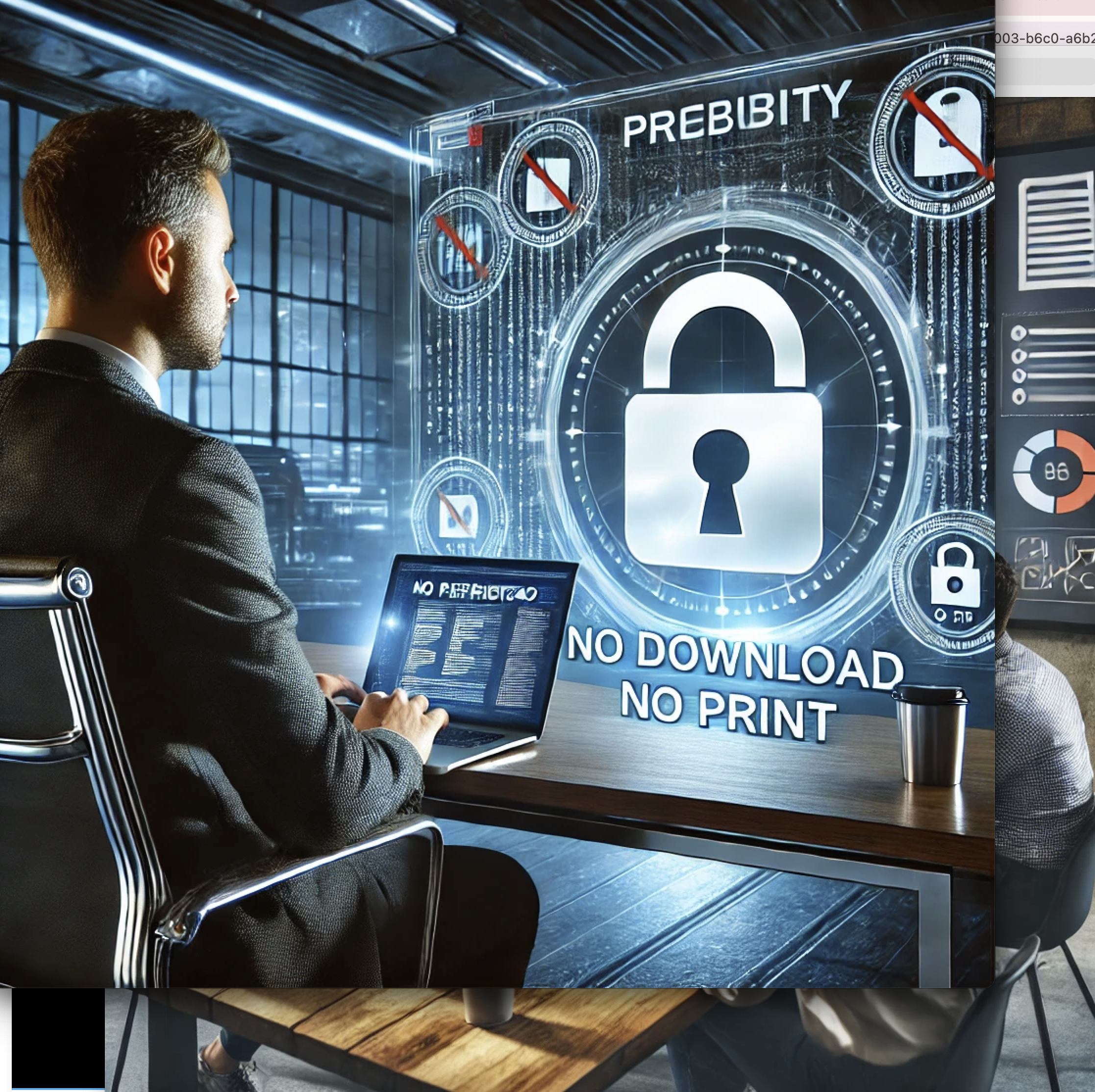
You can't stop someone from copying a link, but you can make forwarding useless. Combine view limits, watermarks, and verification to control access.
7 min read March 23, 2026 Security
You spent hours crafting a confidential proposal, a sensitive legal brief, or an exclusive preview chapter. You share it with one trusted recipient. The next day, it's been forwarded to five more people — none of whom were supposed to see it. PDF forwarding is one of the biggest document security risks in business today. Once a PDF file is attached to an email, you lose all control over who sees it, how many times it's opened, and where it ends up. This guide explains how to prevent unauthorized PDF forwarding using a combination of technical controls that make forwarding either impossible or useless.
How It Works
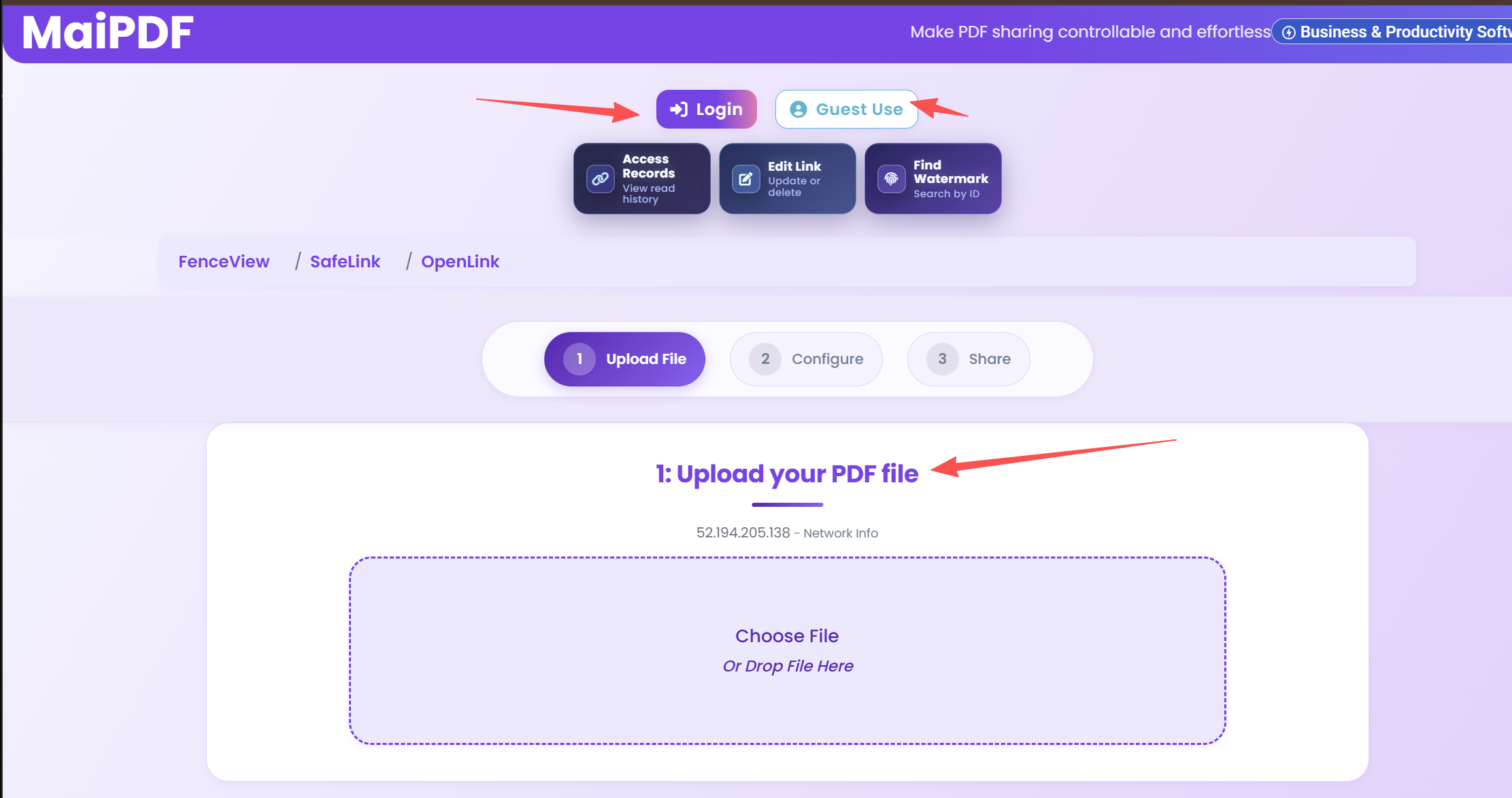
Go to MaiPDF and upload your confidential document. No account required.
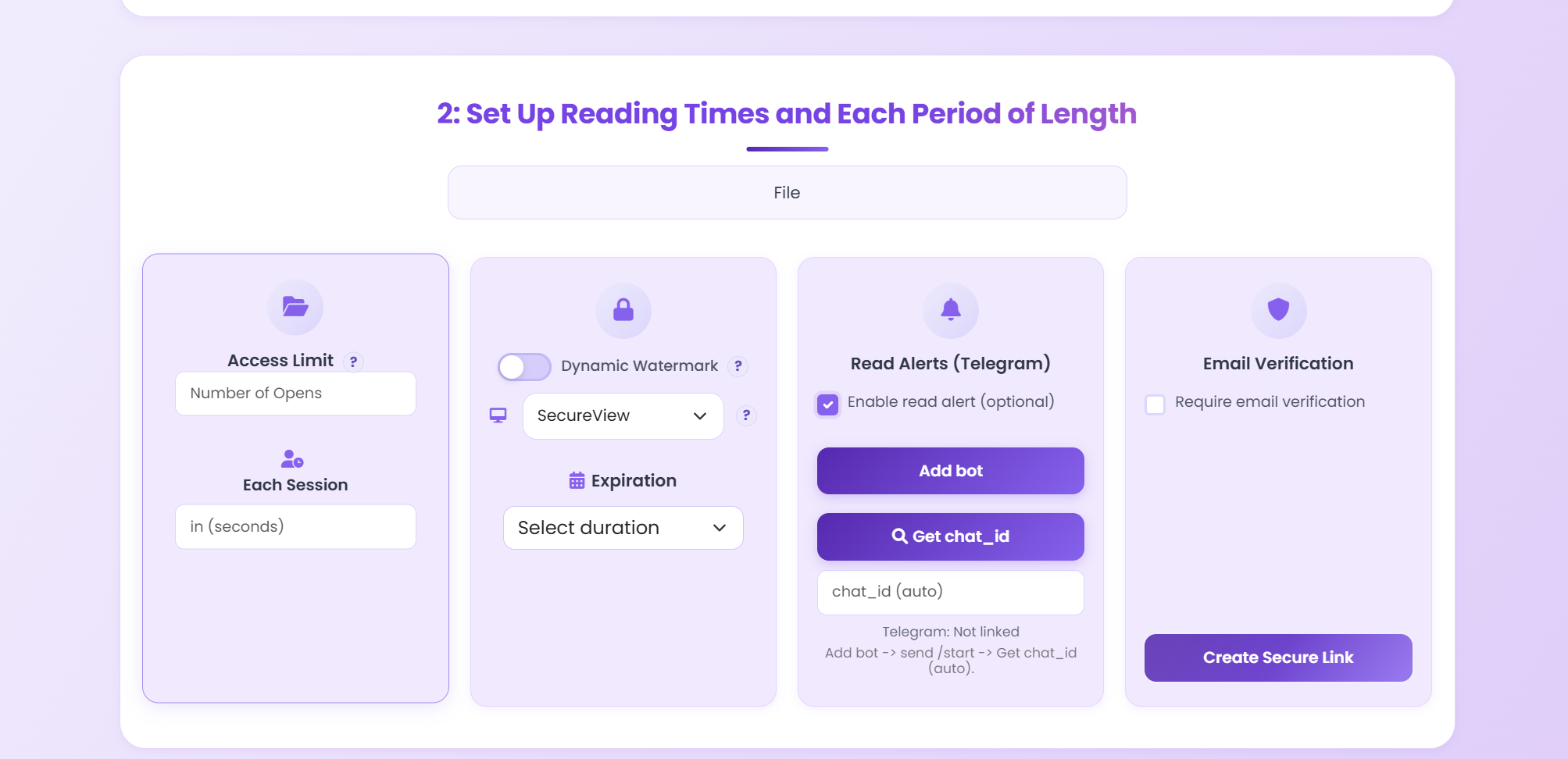
Enable view limits, dynamic watermarks, email verification, expiration, and disable downloads.
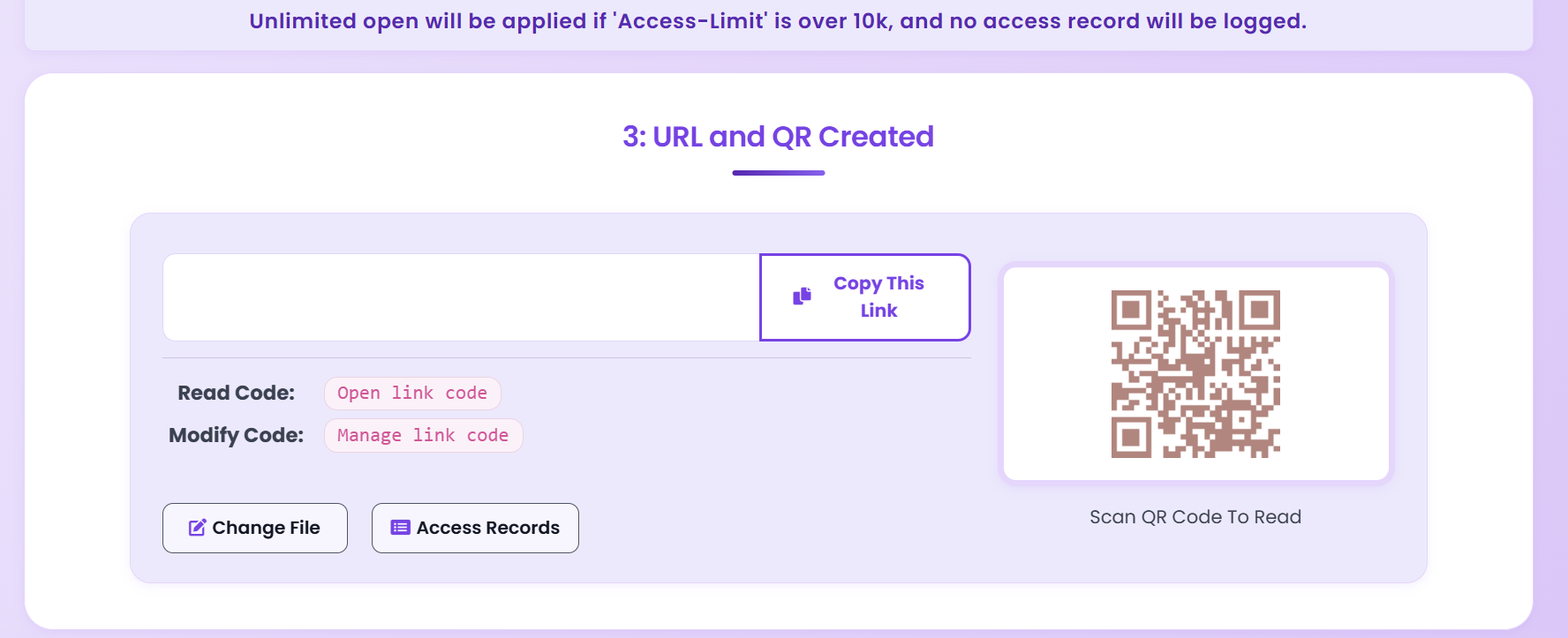
Share the protected link. Even if forwarded, view limits expire, watermarks identify the leaker, and unauthorized emails are blocked.
Protection Layers
Set a maximum number of opens. After the limit is reached, the link becomes inactive — even if forwarded.
Embed viewer-specific info (IP, timestamp) into the document. Screenshots reveal who captured them.
Only pre-approved email addresses can view the PDF. Forwarding the link to others won't work.
Set a date after which the link stops working. Limits the window of opportunity for forwarding.
Disable the download button so the document can only be viewed online — no file to attach and forward.
Disable printing so recipients cannot create physical or PDF copies of your document.
Disable the link at any time. Once revoked, nobody can access the document — even with the URL.
Get instant notifications when someone opens your PDF. Know immediately if unexpected views appear.
Anti-Forwarding Controls
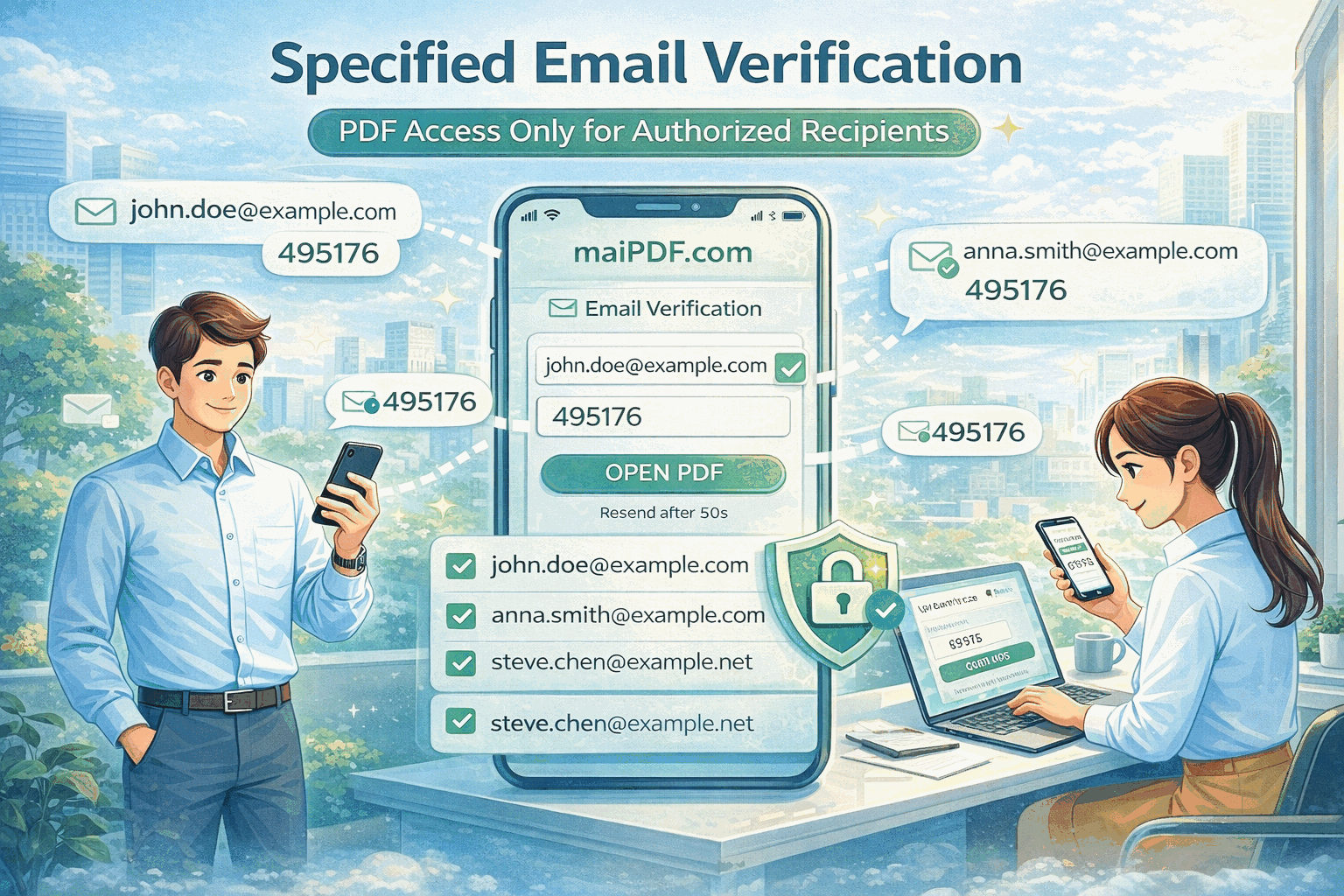
Require viewers to verify their email address before accessing the document. Only pre-approved email addresses can view the PDF — even if someone forwards the link, unauthorized recipients are blocked.
View Count Limits
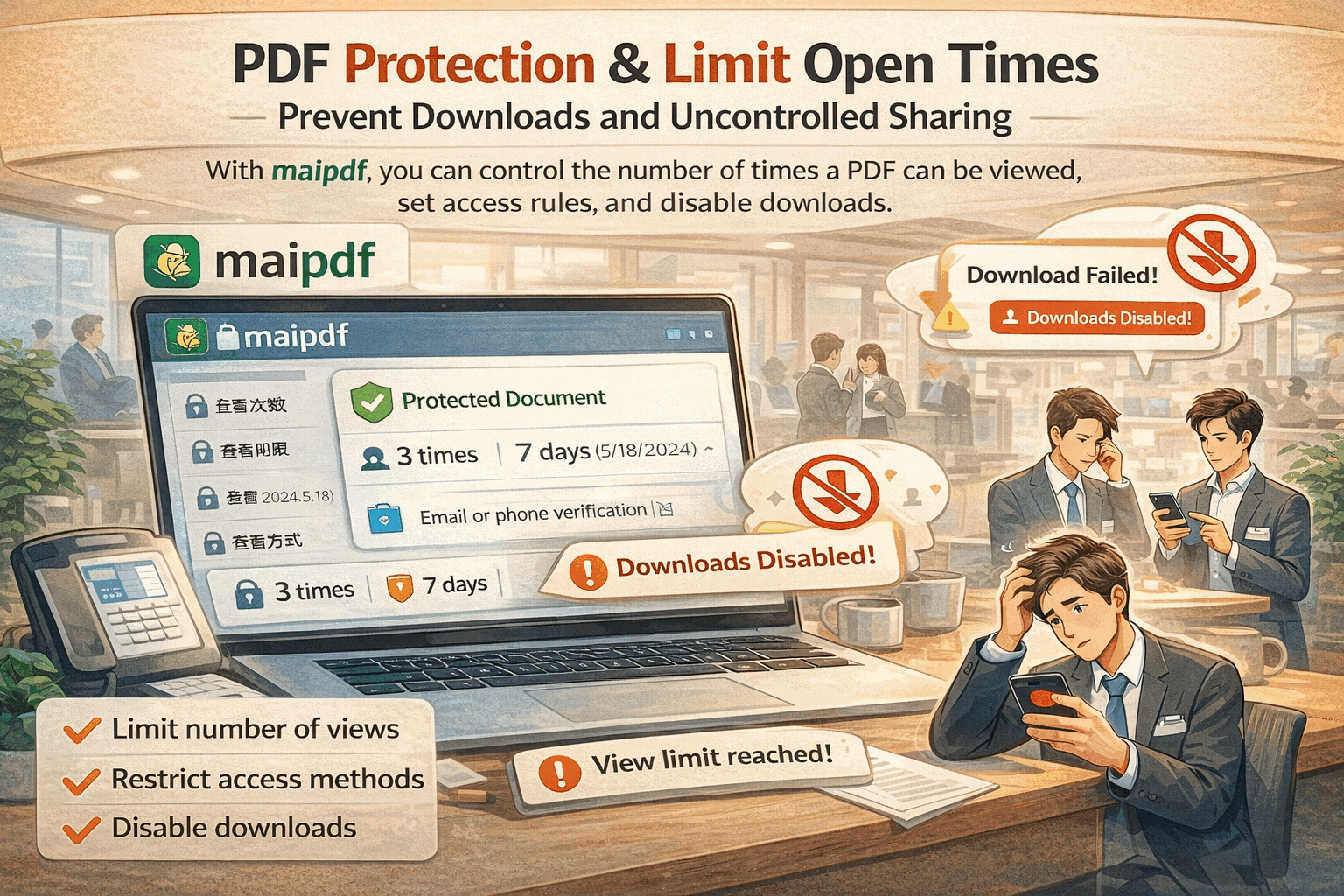
Set a maximum number of views. If you allow only 3 opens and the intended recipient uses 1, only 2 remain. Forwarded links quickly become inactive, making casual sharing useless.
Comparison
Checklist
FAQ
Related Articles
Manage who can view your PDFs with access controls, passwords, and verification.
Protect sensitive documents with view limits, watermarks, and email verification.
Monitor who opens your documents with real-time analytics and Telegram alerts.
Update shared PDFs while keeping the same URL. Old link stays, new content appears.
Upload a PDF, set view limits and watermarks, and share a secure link — all for free, no sign-up required.
Practical guide
Require password or email verification and avoid sending a raw PDF attachment that can be resent without friction.
Use dynamic watermarks and access records so copied pages and screenshots are tied back to a recipient or viewing session.
When the document must remain controlled after download, use MaiPDF App DRM and distribute a .maipdf file instead of a normal PDF.
Updated MaiPDF protection path
A normal PDF attachment can be forwarded forever. Online Cloud Sharing reduces that risk with tracked links, open limits, expiry, and watermarks. When the forwarded copy itself must stay controlled, move the document into MaiPDF App DRM: package it as a protected .maipdf file, open it inside the protected reader, and keep license control after delivery.
Best for quick browser access: link/QR sharing, read code, modify code, view limits, and access records.
Best when a file may be forwarded: package it with license rules, expiry, open limits, and revocation.
Use App screenshot blocking where supported, plus device/integrity checks before rendering sensitive pages.
Visible watermark codes make screenshots and photos attributable to a reader/open event.
Honest boundary: no software can stop someone filming a screen with another phone. The practical goal is to reduce casual forwarding, keep access revocable, and make leaks traceable.
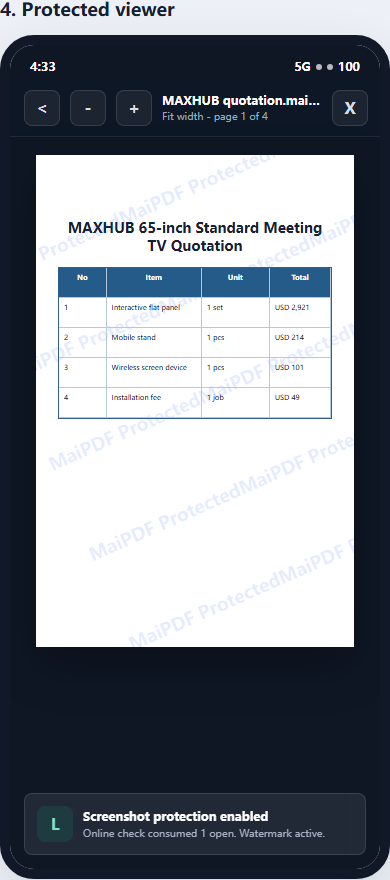
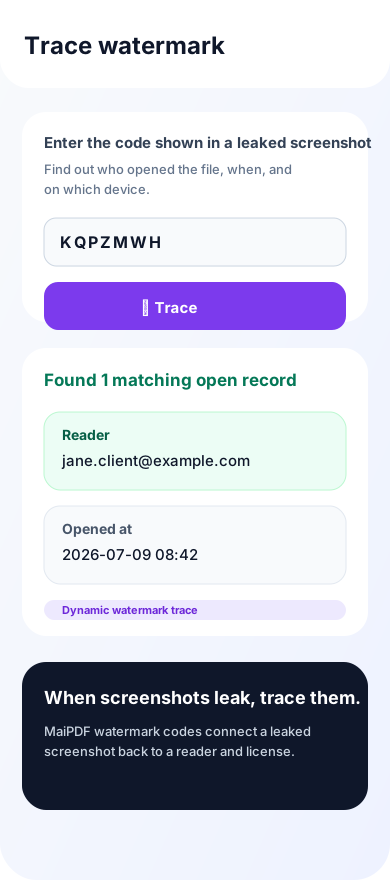
Use protected .maipdf files, screenshot-aware reading, license revoke, and watermark trace.