Share PDF Easily & Free
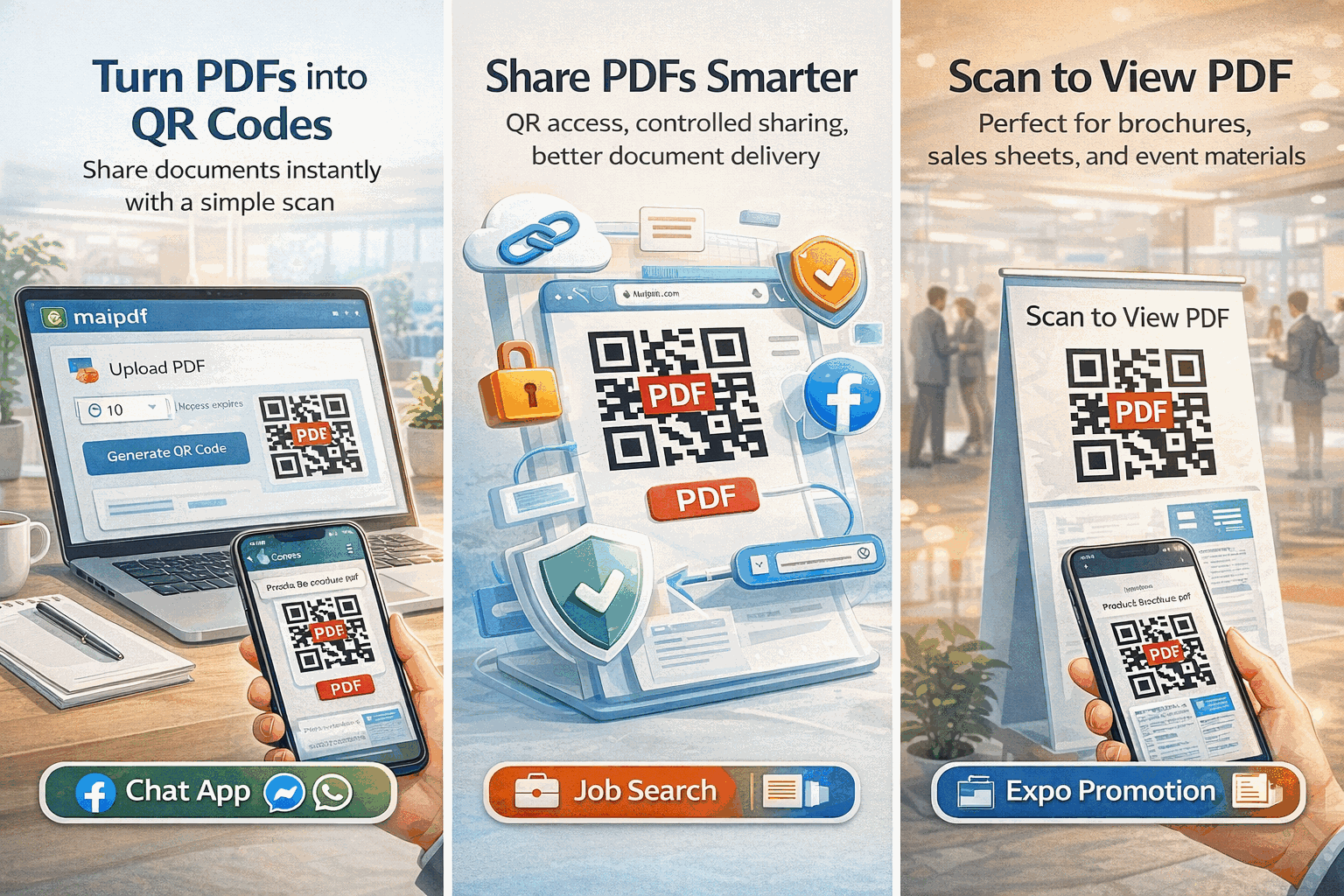
The simplest way to share PDF documents online. Upload, get a link, and send — no registration, no software, no file size limits up to 100 MB.
5 min read March 23, 2026 Sharing
The simplest way to share PDF documents online. Upload, get a link, and send — no registration, no software, no file size limits up to 100 MB.
5 min read March 23, 2026 Sharing
Sharing a PDF shouldn't require a file-sharing subscription, a 10-step tutorial, or an IT department. With MaiPDF, the entire process takes less than 30 seconds: drag your file onto the page, get a shareable link and QR code, and send it to anyone. Recipients open it in their browser instantly — no account needed, no app to install, no cost ever.
How It Works
Go to maipdf.com. No sign-up, no software download — you can start sharing immediately.
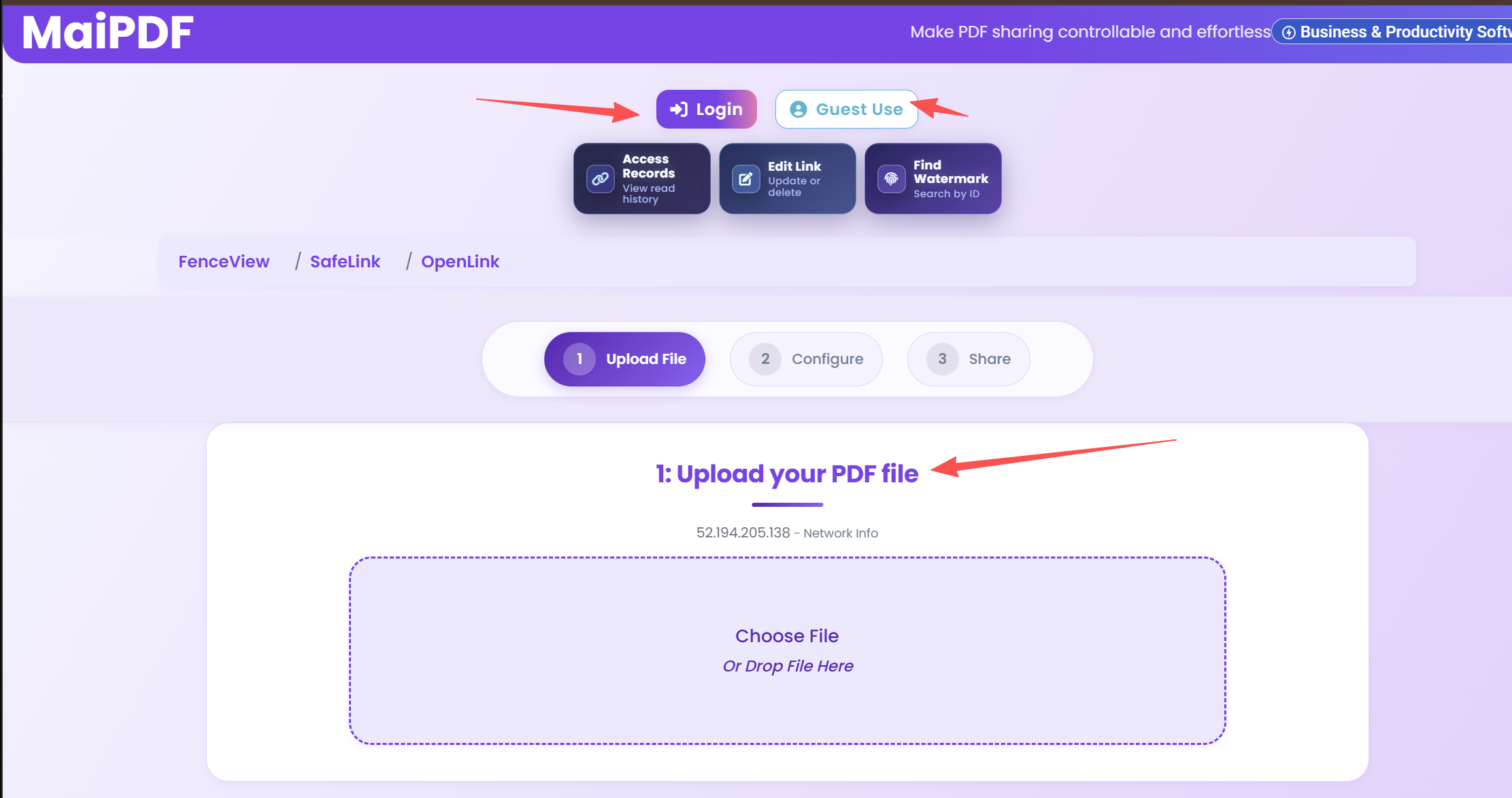
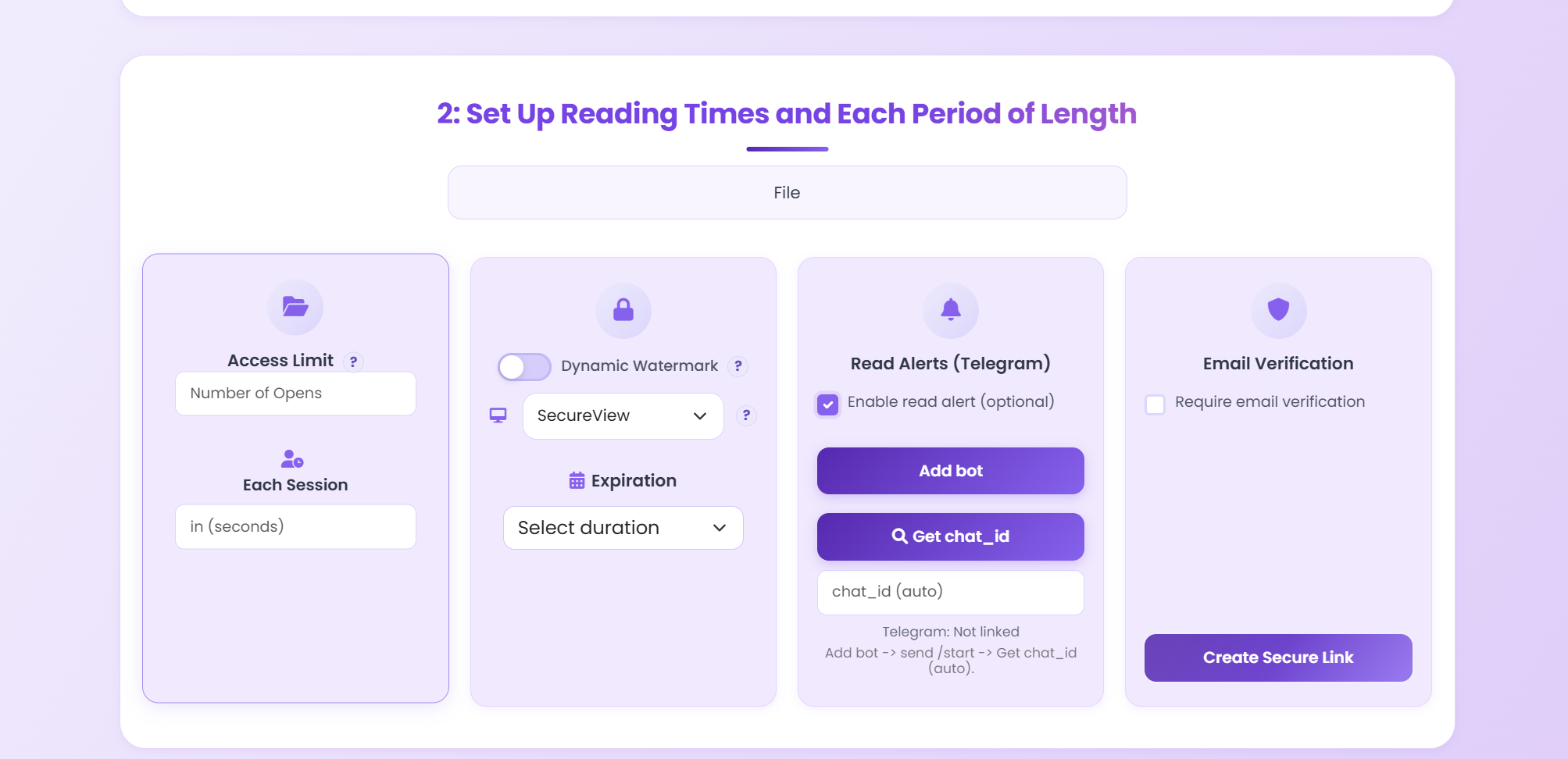
Drag and drop any PDF up to 100 MB. Optionally add a password, view limit, or expiration date.
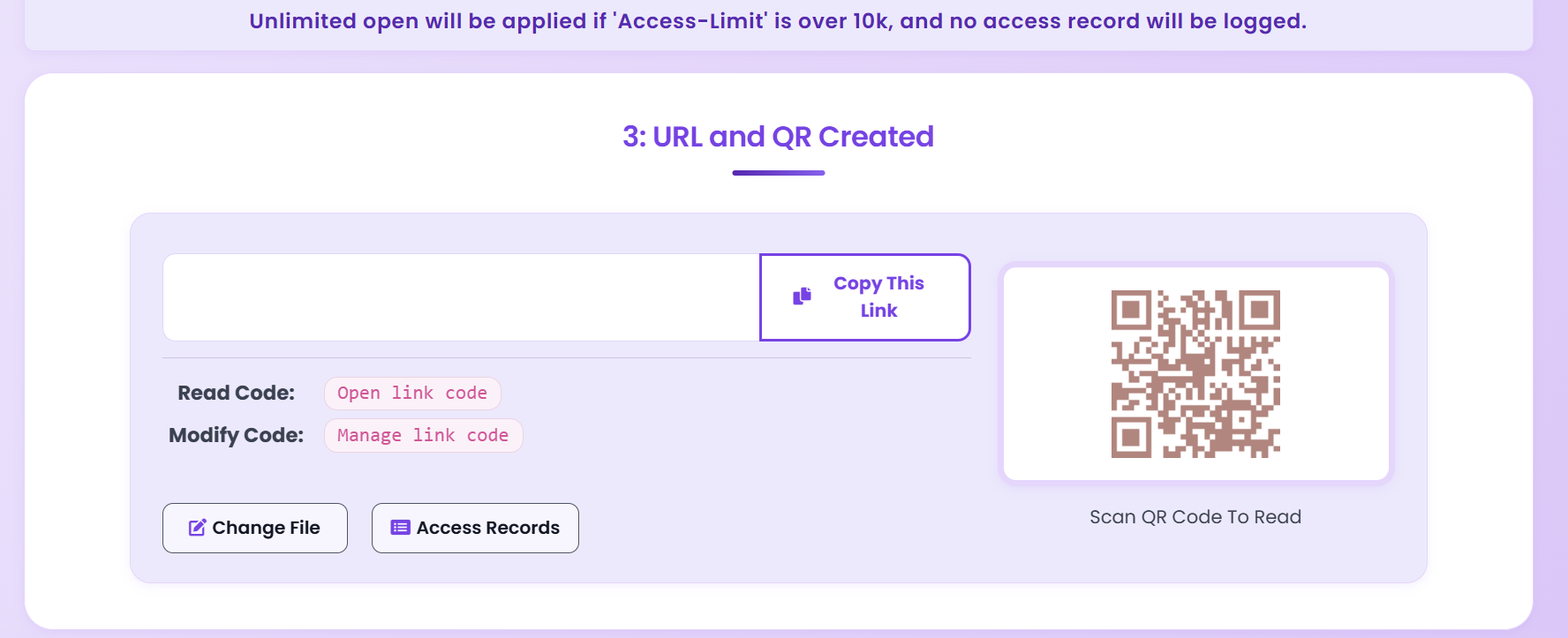
Get your shareable link and QR code instantly. Send it via email, WhatsApp, Telegram, or any messaging app.
Features
Visit maipdf.com, upload your file, and share. Neither you nor your recipients need an account to use the service.
Your shareable link is generated the moment the upload finishes. One click to copy, one tap to send to anyone.
Every shared PDF gets an auto-generated QR code. Print it on flyers, slides, or business cards for instant mobile access.
Recipients view PDFs in a responsive, mobile-optimized viewer. Works perfectly on phones and tablets with no app needed.
Upload PDFs up to 100 MB — far beyond email attachment limits. Large reports, portfolios, and brochures all supported.
Password protection, view limits, expiration dates, and watermarks are all available — included free with every share.
Track view counts, timestamps, device types, and locations from your dashboard. Know exactly who opened your PDF.
No subscriptions, no premium tiers, no hidden charges. Upload, share, and track PDFs at zero cost — permanently.
Use Cases
FAQ
Related Reading
Stop unauthorized sharing with view limits, passwords, and watermarks.
Monitor who views your PDFs with real-time analytics and audit trails.
Upload your PDF, get a shareable link and QR code in seconds. No sign-up, no software, no cost — just instant sharing.
Updated MaiPDF protection path
SendPDFOnline pages now describe MaiPDF as a two-level product family: Online Cloud Sharing creates quick browser links and QR codes, while the MaiPDF App creates protected .maipdf packages for sensitive PDFs that need App DRM controls.
Upload a PDF, share a browser link or QR code, and keep read code / modify code management.
Package the PDF in the MaiPDF App with local encryption, license rules, expiry, open limits, and revoke control.
Use protected viewer, device binding, screenshot-aware controls, watermark trace, and license management where supported.
No web page can fully stop screenshots. MaiPDF App DRM is positioned as the stronger path: reduce casual copying, bind access to identity/devices, revoke licenses, and trace leaks with visible watermark information.